


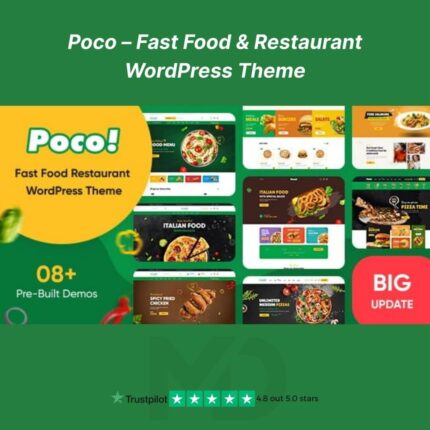
Poco – Fast Food & Restaurant WordPress Theme (GPL Version)
Transform your fast food or restaurant business online with Poco, a sleek and modern WordPress theme designed to help your website stand out. Perfect for burger joints, pizza delivery services, coffee shops, or fine dining restaurants, Poco combines stunning visuals, fast performance, and full customization to create a professional online presence. With WooCommerce integration, responsive design, and an intuitive page builder, building a food website has never been easier.
🌟 Key Features That Grab Attention
-
Responsive & Mobile-Optimized Design
-
Your website will look flawless on smartphones, tablets, laptops, and desktops, ensuring your customers always have the perfect browsing experience.
-
-
Delicious Menu Showcase
-
Highlight your dishes with multiple menu layouts, pricing tables, and filter options, making it easy for visitors to explore and order your food.
-
-
WooCommerce Ready for Online Orders
-
Take your restaurant online with full WooCommerce support. Sell food, manage deliveries, and track orders efficiently.
-
-
One-Click Demo Import
-
Get your site ready instantly! Import demo content and layouts with a single click for a professional starting point.
-
-
SEO Optimized & Lightning-Fast
-
Built with clean, optimized code to ensure your website loads quickly and ranks higher in search engine results.
-
-
Drag-and-Drop Page Builder Support
-
Compatible with Elementor and WPBakery, allowing you to customize every page without touching a line of code.
-
-
Online Reservation & Contact Forms
-
Accept table bookings or customer inquiries directly from your website with fully integrated forms.
-
-
Customizable Headers & Footers
-
Create a unique look with flexible header and footer layouts that match your brand style.
-
-
Translation & Multi-Language Ready
-
Reach global customers with WPML and translation-ready support.
-
-
GPL Licensed & Infringement-Free
-
Fully GPL licensed. Safe, legal, and ready to use or modify on your website without restrictions.
-
🔧 How to Install & Use Poco Theme
Step 1: Upload & Install
-
Download the Poco theme ZIP package from MD Digitals.
-
Go to WordPress Dashboard → Appearance → Themes → Add New → Upload Theme.
-
Upload the ZIP file and click Install Now.
Step 2: Activate Theme
-
Click Activate after installation to make Poco your active WordPress theme.
Step 3: Import Demo Content (Optional)
-
Navigate to Poco Options → Demo Import.
-
Choose your preferred demo layout and import all pages, menus, and content in one click.
Step 4: Customize Your Website
-
Use Elementor or WPBakery Page Builder to edit pages.
-
Add your logo, update menu items, upload images, and change colors/fonts to match your brand.
Step 5: Enable WooCommerce (If Selling Online)
-
Install WooCommerce plugin to sell food online, manage orders, and accept payments.
Step 6: Launch Your Website
-
Test your website on multiple devices.
-
Optimize SEO settings, update your content, and go live!
Why Poco is Perfect for Your Restaurant Business
Poco is more than just a theme—it’s a complete solution for modern fast food and restaurant websites. From showcasing your menu beautifully to handling online orders and reservations, Poco ensures your website is fast, professional, and conversion-focused.
Get Poco today on MD Digitals – fully GPL licensed, secure, and ready to help your restaurant thrive online!
⚠️ Copyright & Trademark Disclaimer
-
Poco WordPress Theme is a GPL-licensed digital product sold by MD Digitals.
-
All trademarks, logos, and brand names mentioned are the property of their respective owners.
-
MD Digitals does not claim ownership of any trademarks, and this product is provided under the terms of the GNU General Public License (GPL).
-
This version is safe, legal, and fully functional for personal and commercial use without violating copyrights.




Reviews
There are no reviews yet