
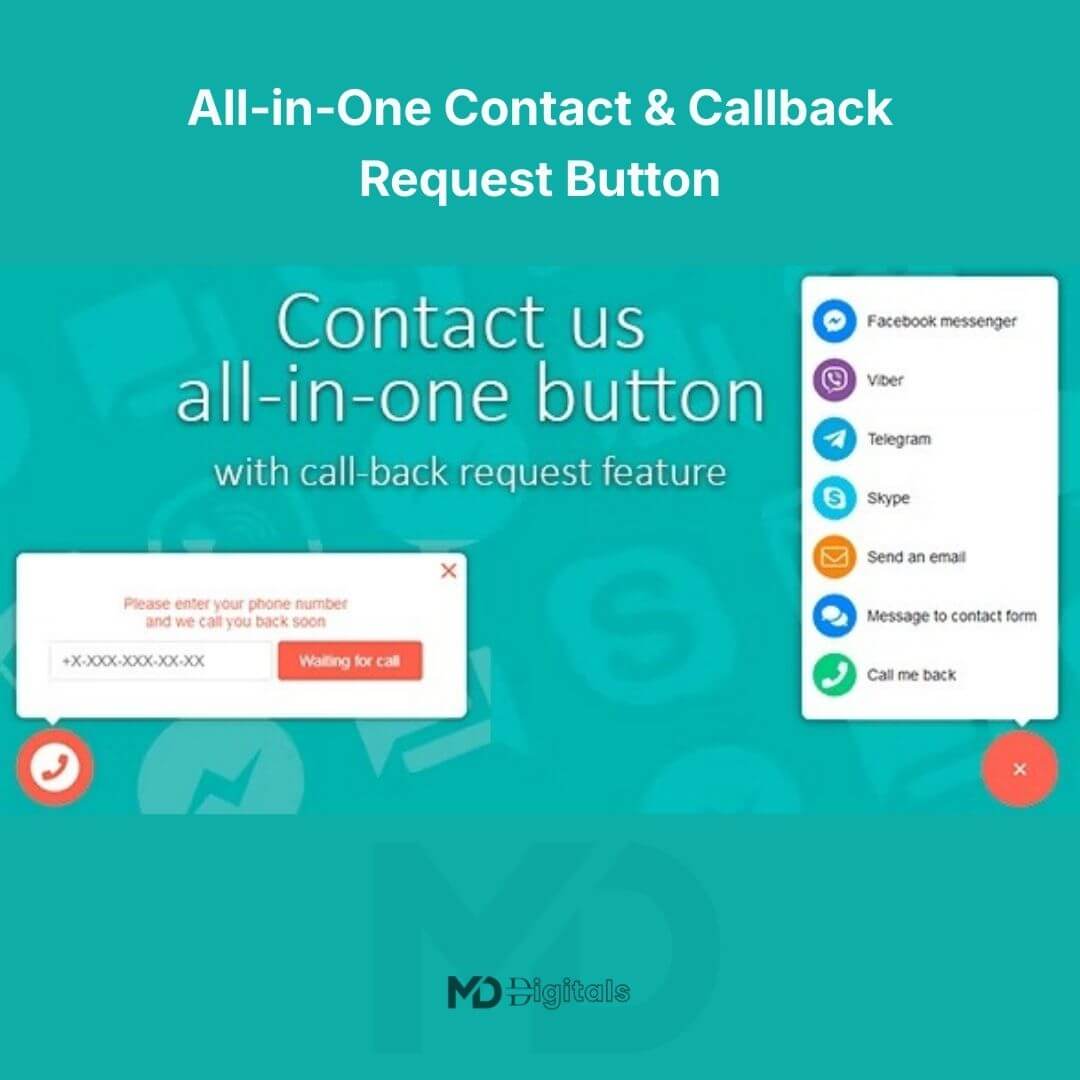


All‑in‑One Contact & Callback Request Button (Premium Version)
Enhance customer engagement on your website with the All‑in‑One Contact & Callback Request Button — professionally designed to provide seamless communication options in one convenient interface.
This premium tool allows your website visitors to contact you instantly via multiple channels, including direct call, email, live chat, or callback request. If you want faster customer response, improved interaction, and a professional touch for your website — this is the contact solution your site needs.
🚀 Why This Tool Is a Smart Investment for Your Website
In online business, easy communication can make the difference between gaining a lead or losing a customer. A complicated contact process increases bounce rates and missed opportunities.
With this all-in-one contact button, you get:
✔ Instant, multi-channel contact options
✔ Callback request functionality for convenience
✔ Seamless integration without cluttering your site
✔ Customizable design to match your branding
✔ Mobile-friendly and responsive interface
This means better engagement, higher trust, and improved chances of converting visitors into customers.
⭐ Key Features That Drive Engagement & Conversions
📞 Multiple Contact Options in One Button
Offer your visitors several ways to reach you — call, email, chat, or request a callback — without overwhelming your website design.
⏱️ Callback Request Integration
Let visitors request a callback at their preferred time, enhancing customer satisfaction and increasing response efficiency.
🎨 Customizable Design & Placement
Choose colors, icons, text, and placement to perfectly match your website’s look and feel.
📱 Fully Responsive & Mobile-Optimized
Ensure a smooth contact experience across desktop, tablet, and mobile devices.
📊 Interaction Tracking & Analytics
Monitor clicks and callback requests to analyze engagement and optimize communication strategy.
⚡ Attention-Grabbing Animations
Subtle visual effects guide visitors to interact without disrupting user experience.
⚙️ Easy Installation & Integration
Simply paste the code snippet or install the plugin — no complex coding required.
🎯 Who Should Use This Tool?
-
Service-based businesses
-
E-commerce store owners
-
Agencies and website developers
-
Digital product sellers
-
Any website looking to improve visitor engagement
If you want professional-grade communication tools without technical complexity, this solution is ideal.
📦 Installation Guide (Step-by-Step)
Step 1: Install the Tool
-
Upload the plugin or code snippet to your website.
-
Activate via WordPress dashboard or manual integration.
Step 2: Customize the Button
-
Set colors, text, icons, and placement to match your branding.
Step 3: Enable Contact Options
-
Choose which methods to activate: phone, email, chat, or callback request.
Step 4: Test Functionality
-
Verify that all contact options work correctly on desktop and mobile devices.
Step 5: Go Live
-
Once testing is complete, make the button live for visitors.
🛠️ Usage Tips for Best Results
-
Enable HTTPS for secure communication
-
Monitor callback requests regularly to ensure timely responses
-
Update the plugin or snippet whenever new features are available
-
Position the button strategically for maximum visibility
-
Use analytics to improve visitor interaction
🔍 SEO Benefits for Your Website
-
Faster, easier communication reduces bounce rates
-
Increased engagement improves user experience metrics
-
Professional contact options increase visitor trust and conversions
⚖️ Copyright & Trademark Disclaimer
This product is developed independently by mddigitals.com. All trademarks, service marks, brand names, and logos mentioned in reference to functionality (including WordPress, callback services, or chat platforms) are the property of their respective owners. This listing is provided for distribution purposes only and does not imply partnership, endorsement, or official affiliation with the trademark holders.





Reviews
There are no reviews yet