



🚀 Bulk Product Editor for WooCommerce – Advanced Mass Editing Tool
🔥 Supercharge Your Store Management with One-Click Bulk Editing
Managing hundreds or thousands of products manually can be exhausting. Bulk Product Editor for WooCommerce – Advanced Mass Editing Tool is designed to help store owners update product data quickly, efficiently, and without errors.
Whether you’re adjusting prices, updating stock, editing categories, or modifying attributes — this powerful tool lets you handle everything in bulk, saving you hours of manual work.
✅ Key Features
⚡ Mass Product Editing
Edit multiple products at once — including:
- Prices (regular & sale)
- Stock levels
- Product titles & descriptions
- Categories & tags
- Attributes & variations
🔍 Advanced Filtering System
Quickly find products using filters like:
- Category
- Price range
- Stock status
- Product type (simple, variable, etc.)
🧠 Smart Bulk Actions
Apply changes to hundreds of products with a single click:
- Increase/decrease prices by percentage
- Replace or append text fields
- Update stock quantities in bulk
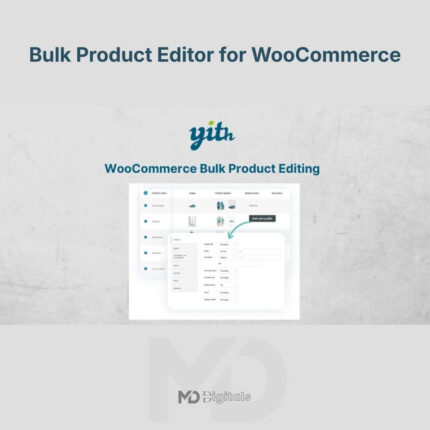
📊 Spreadsheet-Style Interface
Work with products in an intuitive table layout, making editing faster and more organized.
🔄 Real-Time Preview
See changes before applying them to avoid mistakes.
💾 Undo & History Support
Easily revert changes if needed — no risk of permanent errors.
🚀 Optimized for Performance
Handles large product catalogs without slowing down your store.
🎯 Perfect For
- WooCommerce store owners with large inventories
- Dropshipping businesses
- Wholesale & bulk product sellers
- Agencies managing multiple stores
📈 SEO Description (Optimized)
Bulk Product Editor for WooCommerce is a powerful mass editing tool that allows you to quickly update product prices, stock, categories, attributes, and more. Designed for speed and efficiency, this advanced WooCommerce bulk editor helps store owners manage large inventories with ease using smart filters, spreadsheet-style editing, and one-click bulk actions.
🛠️ Installation Guide
Follow these simple steps to get started:
- Download the plugin ZIP file from your account
- Go to your WordPress dashboard
- Navigate to Plugins → Add New → Upload Plugin
- Upload the ZIP file and click Install Now
- Activate the plugin
- Go to the plugin settings panel and configure options as needed
✅ That’s it! You’re ready to start bulk editing your products.
⚙️ How to Use
- Open the bulk editor tool from your dashboard
- Apply filters to select the products you want to edit
- Choose the fields you want to modify
- Apply bulk actions
- Preview changes and confirm
💡 Why Choose This Tool?
- Saves hours of manual work
- Reduces human error
- Improves workflow efficiency
- Perfect for scaling WooCommerce stores
⚠️ DMCA-Safe Disclaimer
All product names, logos, and trademarks are the property of their respective owners.
Any brand names mentioned on this website are used strictly for identification and descriptive purposes only.
We do not claim any ownership of third-party trademarks or branding.
Full credit and respect go to the original developer for their outstanding work in creating this product.
All products available on this website are distributed under the GNU General Public License (GPL) and are provided in compliance with WordPress licensing guidelines.
🚀 Take Control of Your WooCommerce Store Today
Stop wasting time on repetitive tasks.
Start managing your products smarter, faster, and more efficiently with this advanced bulk editing solution.







Reviews
There are no reviews yet