
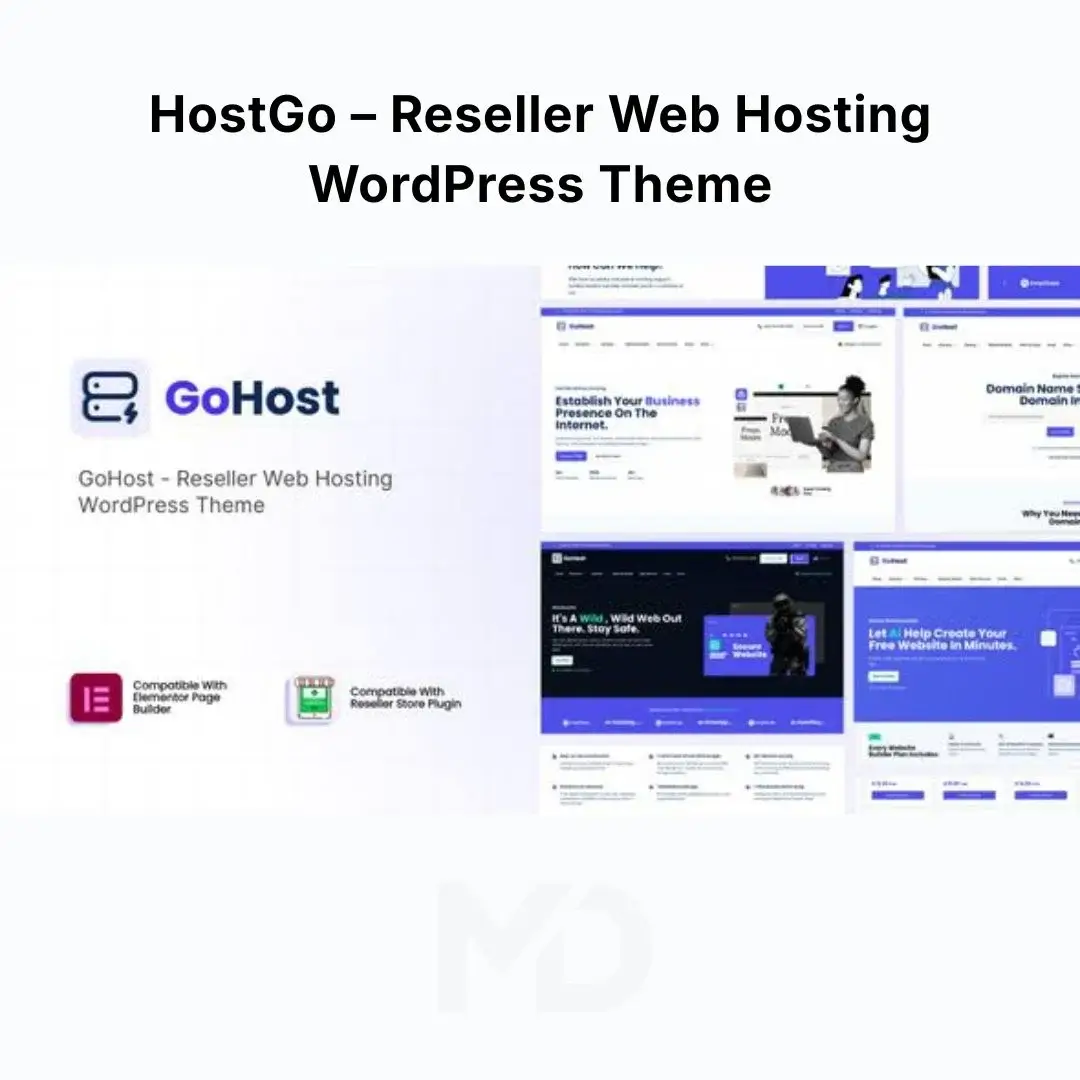


HostGo – Reseller Web Hosting WordPress Theme
Build a Professional Web Hosting Business Website That Is Ready to Sell
Starting a web hosting business is one thing. Presenting your hosting plans in a way that builds trust and encourages visitors to buy is another.
HostGo – Reseller Web Hosting WordPress Theme is designed for web hosting companies, reseller hosting businesses, domain sellers, hosting startups, and agencies that need a professional WordPress website for selling hosting services.
Instead of building your hosting website from scratch, HostGo gives you a purpose-built foundation with hosting plan layouts, pricing comparisons, domain-search sections, support pages, WooCommerce-ready layouts, Elementor editing, responsive design, one-click demo import, and dedicated business widgets.
The theme is particularly suitable for businesses offering shared hosting, reseller hosting, VPS hosting, WordPress hosting, domains, SSL certificates, email packages, and related digital services.
Why Choose HostGo?
A hosting website needs to answer important customer questions immediately:
- What hosting plans do you offer?
- How much does each plan cost?
- What resources are included?
- Which plan is right for me?
- Can I register a domain?
- Can I migrate my existing website?
- How can I contact support?
- Can I purchase everything online?
HostGo is structured around these customer decisions.
Instead of presenting visitors with a generic corporate website, you can create a focused hosting storefront where customers can compare plans, explore services, find domains, review benefits, and move toward purchasing.
Key Features
Professional Hosting-Focused Design
HostGo is specifically designed around the web hosting industry rather than being a generic multipurpose business theme.
Create websites for:
- Web hosting companies
- Reseller hosting providers
- Domain registrars
- VPS hosting providers
- Shared hosting companies
- WordPress hosting businesses
- Cloud hosting providers
- Hosting startups
- Technology companies
- Agencies offering hosting services
This gives you a relevant starting point for building your hosting business website.
Hosting Pricing Tables
Make your hosting plans easy to understand with dedicated pricing layouts.
Clearly display:
- Plan names
- Monthly prices
- Annual prices
- Storage
- Bandwidth
- Domains
- Email accounts
- SSL
- Backups
- Support
- Other included resources
A clear pricing structure allows visitors to quickly compare plans and choose the option that fits their needs.
Pricing Comparison Layouts
Hosting customers often compare multiple packages before making a purchase.
HostGo includes dedicated pricing comparison elements that allow you to present plans side by side.
For example:
Starter → Business → Professional → Reseller
You can highlight the recommended plan and make important differences between packages immediately visible.
Monthly and Annual Pricing
Use pricing toggle layouts to communicate different billing options.
This is useful if you offer:
- Monthly hosting
- Annual hosting
- Long-term subscriptions
- Promotional pricing
- Introductory offers
You can use the pricing presentation to emphasize annual savings and encourage longer-term subscriptions.
Domain Search Presentation
Domain availability is an important part of many hosting businesses.
HostGo provides layouts for presenting domain search functionality, helping you create a more complete hosting and domain-registration experience.
Use this section to encourage visitors to:
Search Domain → Select Domain → Choose Hosting → Purchase
Elementor Page Builder
HostGo uses Elementor for visual page editing.
You can customize your website without manually editing PHP files for standard design changes.
Modify:
- Text
- Images
- Colors
- Typography
- Columns
- Spacing
- Buttons
- Backgrounds
- Sections
- Headers
- Footers
The theme also includes more than 100 Elementor widgets covering business, content, media, pricing, WooCommerce, and other website requirements.
100+ Elementor Widgets
HostGo provides a large collection of ready-to-use widgets.
Content Widgets
Create:
- Accordions
- Tabs
- FAQs
- Headings
- Icon boxes
- Lists
- Blog sections
- Timelines
- Buttons
- Popups
Business Widgets
Create:
- Pricing tables
- Pricing comparisons
- Testimonials
- Reviews
- Client logos
- Team sections
- Contact forms
- Business hours
- Google Maps
Media Widgets
Use:
- Galleries
- Videos
- Image boxes
- Image comparisons
- Image hover effects
- Image masks
- Video galleries
WooCommerce Widgets
Display:
- Product lists
- Product carousels
- Product categories
This extensive widget collection gives you considerable flexibility when creating custom hosting pages.
WooCommerce Ready
If you want to sell hosting-related products through WooCommerce, HostGo provides WooCommerce-friendly layouts.
You can use WooCommerce to sell:
- Hosting packages
- SSL certificates
- Email packages
- Digital products
- Website services
- Hosting add-ons
- Merchandise
This allows you to build a more complete eCommerce experience around your hosting business.
GoDaddy Reseller Store Compatibility
For businesses using the GoDaddy Reseller Store system, HostGo is designed to work with the GoDaddy Reseller Store plugin.
This allows eligible resellers to create a branded WordPress storefront around their domain and hosting services.
This feature is particularly useful for businesses that want their hosting website to look like their own brand rather than sending customers to a generic third-party storefront.
Mega Menu Support
Large hosting businesses often have numerous plans and services.
Use mega menus to organize navigation around:
- Shared Hosting
- VPS Hosting
- Reseller Hosting
- WordPress Hosting
- Domains
- SSL
- Support
- Company Information
This helps visitors find important services without navigating through multiple pages.
Header and Footer Builder
Customize your header and footer to match your brand.
Create headers that include:
- Logo
- Main navigation
- Hosting plans
- Domain search
- Support
- Client login
- Promotional buttons
Build footers containing:
- Company information
- Services
- Support links
- Contact details
- Social profiles
- Legal pages
- Copyright information
Sticky, Fixed and Transparent Headers
Choose different header presentation styles depending on your website design.
Sticky and fixed headers can keep important navigation accessible while visitors scroll through long hosting pages.
Popup and Off-Canvas Support
Use popup and off-canvas layouts for promotional and conversion-focused content.
For example:
- Limited-time hosting discounts
- Migration offers
- Newsletter signup
- Support requests
- Special reseller promotions
- New customer offers
This can help you promote important offers without cluttering your main page.
Testimonials and Reviews
Trust is extremely important when selling hosting.
Visitors need confidence that your company can keep their websites online and provide reliable support.
Use testimonial and review sections to showcase:
- Customer experiences
- Client feedback
- Hosting success stories
- Migration experiences
- Support quality
Place social proof close to your pricing and purchase sections to reinforce buying confidence.
FAQ and Accordion Sections
Hosting customers frequently have technical questions before purchasing.
Create FAQs covering topics such as:
- How migration works
- Backup policies
- SSL certificates
- Resource limits
- Support availability
- Refund policies
- Server locations
- Uptime
- Billing
- Domain registration
Accordion layouts allow you to provide detailed information without making the page excessively long.
Countdown and Promotional Widgets
Create urgency around special promotions using countdown elements.
Use them for:
- New customer discounts
- Hosting sales
- Seasonal offers
- Launch promotions
- Limited-time migration deals
Use urgency responsibly and only when the offer genuinely has a deadline.
Client Logo Sections
Build credibility by displaying logos of companies or organizations you actually serve.
This is particularly effective for established hosting companies with a strong customer base.
Blog and Content Marketing
HostGo includes multiple blog layouts that can be used to publish valuable hosting-related content.
Create articles about:
- WordPress optimization
- Website security
- Hosting guides
- Domain management
- Website migration
- SSL certificates
- Server performance
- WordPress tutorials
- Hosting comparisons
Content marketing can help attract organic search traffic while demonstrating your expertise.
Portfolio and Case Studies
Use portfolio layouts to showcase relevant projects and client work.
For agencies and hosting providers, this can be used for:
- Website migrations
- Client projects
- Case studies
- Website redesigns
- Hosting success stories
Responsive Design
Your hosting website needs to work across different devices.
HostGo is designed with responsive layouts for:
- Desktop
- Laptop
- Tablet
- Smartphone
You can also use Elementor’s responsive controls to adjust layouts and visibility for different screen sizes.
Extensive Typography & Design Controls
Customize your website’s visual identity with extensive typography and color options.
Use:
- Google Fonts
- Adobe Fonts
- Multiple icon libraries
- Custom colors
- Global typography
- Custom spacing
Create a visual style that matches your hosting brand.
Performance-Focused Features
HostGo includes performance-oriented features such as optimized CSS and asset loading, along with controls for enabling or disabling certain features.
For best results, combine the theme with:
- Quality hosting
- Page caching
- Image optimization
- CDN
- Properly configured WordPress plugins
- Optimized fonts and media
A fast website is especially important for hosting companies because visitors expect a technology business to provide a fast and professional online experience.
Translation Ready and WPML Support
HostGo includes translation-ready functionality and WPML support, making it suitable for businesses targeting international customers.
Create localized hosting websites for different markets and languages.
Child Theme Ready
A child-theme-ready structure allows developers to make customizations while keeping the parent theme separate.
If you plan to modify theme templates or add custom PHP functionality, using a child theme is recommended.
Perfect For
Web Hosting Companies
Create a complete website for promoting and selling hosting plans.
Reseller Hosting Businesses
Build a professional storefront around your white-label hosting services.
Domain Registrars
Combine domain registration presentation with hosting packages.
VPS Providers
Present VPS plans using comparison tables, pricing sections, and detailed feature lists.
WordPress Hosting Companies
Create dedicated pages for managed WordPress hosting packages.
Hosting Startups
Launch your hosting brand quickly using ready-made layouts and demo content.
Digital Agencies
Build hosting websites for clients or offer hosting alongside your web development services.
Problem-Solving Benefits
Problem: Customers can’t easily compare your hosting plans.
Solution: Use pricing tables and comparison layouts to make plan differences immediately clear.
Problem: Your website looks like a generic business website.
Solution: Use a hosting-specific design created around hosting plans, domains, support, and conversions.
Problem: Building pages takes too long.
Solution: Import the starter/demo website and customize the existing structure.
Problem: You need to sell hosting-related products.
Solution: Use WooCommerce-ready layouts for hosting plans, add-ons, SSL products, and other products.
Problem: Customers don’t trust a new hosting provider.
Solution: Add testimonials, reviews, client logos, FAQs, support information, and clear company details.
Problem: Your website isn’t easy to customize.
Solution: Use Elementor’s visual editor and the included widget collection.
Installation Guide
Step 1: Install WordPress
Make sure you have a working WordPress installation with a suitable PHP/MySQL environment.
Step 2: Upload HostGo
From your WordPress dashboard, go to:
Appearance → Themes → Add New → Upload Theme
Select the HostGo ZIP file and click Install Now.
Step 3: Activate the Theme
After installation, click Activate.
Step 4: Install Recommended Plugins
The theme may recommend or require supporting plugins.
Install and activate the plugins required for the features you intend to use, especially Elementor and any theme companion components included with the package.
Step 5: Import Demo Content
Open the theme’s demo/import section and use the available one-click demo import functionality.
Allow the import process to finish before making major changes.
Step 6: Customize Your Brand
Replace the demo content with your:
- Logo
- Company name
- Hosting plans
- Prices
- Features
- Domain information
- Contact details
- Support information
- Brand colors
Step 7: Configure Hosting Plans
Create your actual packages and clearly define:
- Storage
- Bandwidth
- Number of websites
- Email accounts
- Databases
- SSL
- Backups
- Support
- Other limits
Step 8: Configure WooCommerce
If you are selling products through WooCommerce:
- Install WooCommerce.
- Create your hosting products.
- Configure pricing.
- Configure payment methods.
- Configure checkout.
- Add the products to your pricing sections.
Step 9: Configure Domain Services
If you’re using a compatible domain-reseller system, configure the required integration according to the provider’s setup requirements.
Step 10: Test the Customer Journey
Before launching, test:
Homepage → Hosting Plan → Pricing → Product → Checkout → Payment → Confirmation
Also test your contact forms, domain search, menus, mobile layout, and customer support links.
How to Create a High-Converting Hosting Website
A hosting website should not simply list technical specifications.
Your customers want to know:
What do I get? How much does it cost? Is it reliable? Can I trust you?
Use a structure such as:
Hero Section
Clearly communicate your main hosting offer.
Hosting Plans
Present your most popular packages immediately.
Comparison
Allow customers to understand the differences between plans.
Benefits
Explain why customers should choose your hosting service.
Social Proof
Show genuine customer feedback and client logos.
FAQ
Answer common pre-sale questions.
Guarantee or Support
Clearly communicate your actual refund, support, migration, or service policies.
Call to Action
Use clear CTAs such as:
- Choose Plan
- Get Started
- Buy Hosting
- Register Domain
- View Plans
- Contact Sales
SEO Optimization Tips
HostGo provides the design foundation, but your content and SEO strategy determine your search visibility.
Optimize individual pages around specific search intent.
Example Primary Keywords
- Reseller Hosting WordPress Theme
- Web Hosting WordPress Theme
- Hosting Company WordPress Theme
- Hosting Provider WordPress Theme
Supporting Keywords
- Reseller Hosting Website
- Web Hosting Business Website
- Domain Hosting WordPress Theme
- VPS Hosting WordPress Theme
- WordPress Hosting Theme
- Hosting Provider Website
- Domain Registrar WordPress Theme
- Hosting Business WordPress Theme
SEO Best Practices
- Give every page a unique SEO title.
- Write useful meta descriptions.
- Use descriptive headings.
- Create dedicated pages for each hosting service.
- Optimize images before uploading.
- Add meaningful alt text.
- Use internal links between hosting plans and related services.
- Publish useful hosting tutorials.
- Keep URLs short and descriptive.
- Optimize mobile performance.
- Use an SEO plugin such as Rank Math or Yoast SEO.
- Monitor your Core Web Vitals and page speed.
Recommended Website Structure
For a professional hosting business, consider:
Home
Hosting
- Shared Hosting
- WordPress Hosting
- VPS Hosting
- Reseller Hosting
Domains
- Domain Search
- Domain Pricing
- Domain Transfer
Services
- SSL Certificates
- Website Migration
- Business Email
- Website Security
Company
- About Us
- Contact
- Blog
Support
- Knowledge Base
- FAQs
- Contact Support
This structure makes it easier for customers and search engines to understand your business.
Key Features at a Glance
- Reseller Web Hosting Design
- Web Hosting Business Layouts
- Domain Search Presentation
- Hosting Pricing Tables
- Pricing Comparison
- Pricing Menu
- Monthly/Annual Pricing Toggle
- Elementor Page Builder
- 100+ Elementor Widgets
- WooCommerce Ready
- GoDaddy Reseller Store Compatibility
- Mega Menu
- Header Builder
- Footer Builder
- Sticky Headers
- Popup & Off-Canvas
- Testimonials
- Reviews
- Client Logos
- FAQ & Accordion
- Countdown
- Blog Layouts
- Portfolio Layouts
- Responsive Design
- Retina Ready
- Translation Ready
- WPML Support
- Google Fonts
- Adobe Fonts
- Extensive Icon Library
- Unlimited Color Options
- Child Theme Ready
- One-Click Demo Import
- SEO-Friendly Structure
- Performance-Focused Features
System Requirements
For a smoother installation and demo-import experience, ensure your hosting environment meets the theme’s current requirements, including:
- PHP 7.4 or higher
- MySQL 5.7+ or MariaDB 10.4+
- HTTPS
- At least 256 MB PHP memory
- At least 64 MB upload limit
- Sufficient execution time for demo imports
Always check your hosting configuration before installation if you encounter upload, memory, or demo-import errors.
Important Compatibility Note
HostGo is designed to work with Elementor and WooCommerce and provides compatibility with the GoDaddy Reseller Store plugin. Third-party services such as domain-reseller systems, payment gateways, WooCommerce, and hosting APIs can change independently, so their current requirements should be verified before deployment.
Why Choose HostGo?
HostGo – Reseller Web Hosting WordPress Theme gives you the foundation to build a professional hosting business website without starting from a blank WordPress installation.
From hosting plans and domain search to pricing comparisons, WooCommerce products, testimonials, FAQs, support pages, and conversion-focused calls to action, the theme is designed around the way hosting customers actually make purchasing decisions.
Whether you’re launching a new reseller hosting company, building a domain and hosting storefront, offering VPS or WordPress hosting, or creating a hosting website for a client, HostGo gives you the tools to present your services professionally and guide visitors toward becoming customers.
Copyright & Trademark Disclaimer
- WordPress®, WooCommerce®, Elementor®, GoDaddy®, Contact Form 7®, WPML®, and other product names, logos, and trademarks are the property of their respective owners.
- This product is distributed under the GNU General Public License (GPL) where applicable.
- All copyrights, trademarks, logos, and intellectual property rights remain the property of their respective owners.


Reviews
There are no reviews yet