
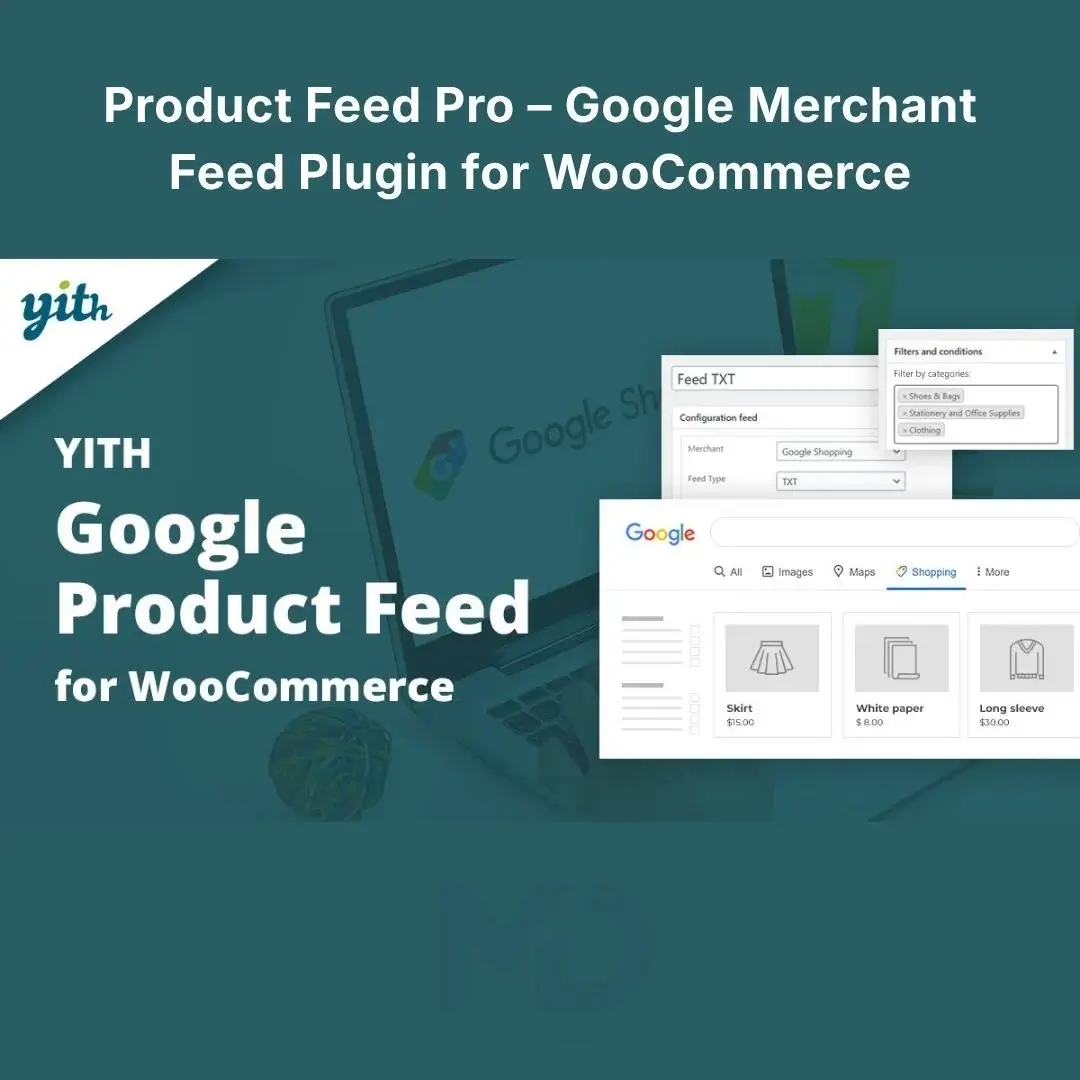


Product Feed Pro – Google Merchant Feed Plugin for WooCommerce
Get Your WooCommerce Products in Front of More Shoppers
Running a successful WooCommerce store is not just about adding products to your website. Your products also need to be discoverable where customers are actively searching and shopping.
Product Feed Pro – Google Merchant Feed Plugin for WooCommerce helps connect your WooCommerce product catalog with Google Merchant Center, allowing you to create structured product feeds for Google product listings, shopping campaigns, local inventory, promotions, and product reviews.
Instead of manually preparing product information for every item, the plugin can automatically pull important WooCommerce data into your feed while giving you detailed control over how individual fields are mapped and submitted.
Why Your WooCommerce Store Needs a Product Feed
A WooCommerce store can have hundreds or thousands of products, and manually preparing product data for advertising platforms can quickly become time-consuming.
The bigger problem is product-data quality.
Missing information such as brand, GTIN, product category, availability, color, size, shipping information, or other required attributes can prevent products from being approved or reduce the quality of your listings.
Product Feed Pro helps solve this by giving you a structured system for preparing, mapping, and sending your WooCommerce product information to supported merchant platforms.
The official extension supports 50+ feed attributes, including mandatory Google fields and additional data fields designed to enrich product information.
Key Features
Google Merchant Center Product Feed
Create a product feed containing your WooCommerce products and variations for use with Google Merchant Center.
This provides the product-data foundation needed for Google product listings and product advertising campaigns.
Important: You still need your own Google Merchant Center account and must comply with Google’s product and advertising policies.
Real-Time Product Data
Keep your feed aligned with the latest product information.
Changes to your WooCommerce catalog can be reflected in the feed, helping reduce the risk of advertising outdated:
- Prices
- Product availability
- Product descriptions
- Images
- Product links
- Sale prices
- Product variations
The extension provides an on-demand feed that reflects current product information.
Support for Variable Products
Selling products with different sizes, colors, materials, or configurations?
The plugin supports WooCommerce product variations and can send individual variations as specific feed items when variation support is enabled.
For example:
T-Shirt
- Small / Black
- Medium / Black
- Large / Black
- Small / White
- Medium / White
- Large / White
This is particularly useful for fashion, electronics, furniture, accessories, and other stores with variable products.
50+ Product Feed Attributes
Get detailed control over the product information submitted to Google.
Supported fields include:
Core Product Data
- Product title
- Description
- Product URL
- Image
- Price
- Sale price
- Availability
- Condition
- Brand
- GTIN
- MPN
- Product type
- Google product category
- Color
- Size
- Size system
- Size type
- Shipping label
Additional Product Information
- Material
- Pattern
- Gender
- Age group
- Product highlights
- Product details
- Energy information
- Tax category
- Consumer information
Advanced Fields
- Custom labels
- Promotion ID
- Product identifiers
- Multipack information
- Bundle information
- Shipping information
- Handling time
- Country information
- Installment information
- Excluded destinations
This level of control is useful when your WooCommerce product data does not perfectly match Google’s required or recommended feed structure.
Flexible Field Mapping
One of the most useful features for larger stores is the ability to map your existing WooCommerce data to the appropriate feed fields.
For example, you can map:
WooCommerce Brand Attribute → Google Brand
WooCommerce Product Category → Google Product Category
WooCommerce SKU → Product Identifier
Instead of manually entering the same information repeatedly, store-level and category-level defaults can be used to reduce repetitive work.
Store-Wide & Category-Level Defaults
Managing hundreds of products becomes much easier when common information can be applied automatically.
You can establish defaults at different levels, then override them for specific products or variations when necessary.
This is especially valuable for large catalogs.
Example
If every product in your Men’s Shoes category belongs to the same brand, you can establish the appropriate default rather than entering the same information repeatedly.
Product-Specific Feed Data
Not every product follows the same rules.
For products that require special information, you can provide additional feed data at the individual product level.
This gives you a useful combination:
Automation for common information + manual control for exceptions.
Google Product Reviews Feed
The plugin can also generate a Google Product Review feed using WooCommerce’s review data.
This allows Google to associate eligible product reviews with your products, potentially enabling product ratings to appear in applicable Google shopping experiences.
The extension supports full as well as incremental review feeds, including daily and weekly options.
Google Promotions Feed
If your store runs supported promotions, the plugin can send promotion information to Google through its promotions feed functionality.
This can be useful for campaigns involving:
- Discounts
- Promotional offers
- Seasonal sales
- Special product offers
Always ensure your promotions meet Google’s current requirements before submitting them.
Google Local Inventory Feed
If you operate a physical store alongside your WooCommerce website, local inventory functionality can help provide product availability information for local shopping experiences.
This can be particularly useful for retailers with:
- Physical stores
- Local pickup
- Regional inventory
- Multiple locations
Bing Product Feed
The plugin also provides a Bing product feed, allowing your catalog to be integrated with Bing’s merchant ecosystem for applicable product advertising campaigns.
This gives store owners another potential product-discovery channel without maintaining a completely separate product-feed workflow.
Bulk Import & REST API Support
For large WooCommerce catalogs, manually entering product-feed information can be inefficient.
The plugin supports WooCommerce’s importer and REST API for bulk product-data workflows.
This can make it easier to manage feed-related information across a large number of products.
WooCommerce Extension Compatibility
The plugin integrates with a range of WooCommerce extensions, including tools for:
- Product Bundles
- Composite Products
- Product Brands
- Cost of Goods
- Multi-Currency
- Minimum/Maximum Quantities
- Product CSV Import
- Other WooCommerce extensions
This makes it more practical for stores using advanced WooCommerce product configurations.
Problem-Solving Benefits
Problem: Your products aren’t appearing correctly in Google.
Solution: Review and map your WooCommerce product information to the appropriate feed attributes.
Problem: Google requires product information you don’t currently store.
Solution: Use the plugin’s additional product fields to provide richer feed data.
Problem: You have hundreds of products.
Solution: Use store-wide defaults, category-level values, and bulk-import functionality instead of manually entering repetitive information.
Problem: Your variable products are difficult to submit.
Solution: Enable variation support and provide appropriate data for individual variations.
Problem: Product prices or availability change frequently.
Solution: Use the feed system to keep product information aligned with your current WooCommerce catalog.
Problem: You want to use product reviews in Google.
Solution: Configure the product review feed so eligible WooCommerce reviews can be supplied to Google.
Problem: You sell both online and in physical stores.
Solution: Use local inventory feed functionality where applicable.
Installation Guide
Step 1: Prepare Your Store
Before installing:
- Back up your website.
- Update WordPress.
- Update WooCommerce.
- Check your PHP version.
- Make sure your product catalog is properly configured.
The current official listing requires PHP 7.4, at least WordPress 6.8, and at least WooCommerce 10.6; it is listed as tested with WordPress 7.0 and WooCommerce 11.0.
Step 2: Install the Plugin
Go to:
WordPress Dashboard → Plugins → Add New → Upload Plugin
Upload the plugin ZIP file.
Click:
Install Now → Activate
Step 3: Connect Google Merchant Center
You need a Google Merchant Center account to use the Google product-feed functionality.
Set up your Merchant Center account and ensure your store meets Google’s requirements.
Step 4: Configure Your Product Data
Review your WooCommerce products and make sure important information is complete.
Pay particular attention to:
- Product title
- Description
- Price
- Availability
- Product images
- Brand
- GTIN/MPN where applicable
- Product category
- Shipping information
- Product variations
Step 5: Configure Feed Mapping
Map your WooCommerce fields to the appropriate feed attributes.
For example:
WooCommerce Category → Google Product Category
Brand Attribute → Brand
Product SKU/Identifier → Appropriate Identifier Field
Use defaults for information shared across many products.
Step 6: Add Product-Specific Information
Review products that need additional information.
Add or override feed data for individual products or variations where required.
Step 7: Generate Your Feed
Generate or access the appropriate product feed and submit it according to your Google Merchant Center setup.
The documentation provides dedicated instructions for installation, Merchant Center setup, product data, feed-generation options, customization, review feeds, and troubleshooting.
Step 8: Check Merchant Center
After submitting your feed, monitor Merchant Center for:
- Product approvals
- Warnings
- Disapprovals
- Missing attributes
- Policy issues
- Data inconsistencies
Fix problems at the source rather than repeatedly resubmitting incomplete product data.
Recommended Product Feed Setup
For the best results, follow this workflow:
1. Clean WooCommerce Product Data
↓
2. Configure Product Attributes
↓
3. Map Feed Fields
↓
4. Add Missing Google Data
↓
5. Generate Feed
↓
6. Submit to Merchant Center
↓
7. Check Diagnostics
↓
8. Fix Errors
↓
9. Monitor Product Status
This approach helps you build a cleaner product catalog instead of simply pushing incomplete data to Google.
Best Practices for Google Shopping
Write Better Product Titles
Don’t use vague titles such as:
“Shoes”
Instead:
“Men’s Leather Running Shoes – Black”
Keep titles accurate and relevant to the actual product.
Use High-Quality Product Images
Your product images are automatically included in the feed through their image URLs.
Use clear, professional images that accurately represent the product.
Complete Required Attributes
Missing product identifiers or other required information can create Merchant Center issues.
Keep Pricing Accurate
Your feed should match the actual price displayed on your website.
Keep Inventory Updated
Avoid sending products as available when they are actually out of stock.
Monitor Merchant Center Regularly
A product feed does not eliminate the need for monitoring.
Google can change requirements, and individual products can develop warnings or disapprovals.
Who Is This Plugin For?
Product Feed Pro is ideal for:
- WooCommerce Store Owners
- Online Retailers
- Fashion Stores
- Electronics Stores
- Jewelry Stores
- Furniture Stores
- Beauty & Cosmetics Stores
- Sports Stores
- Multi-Category Stores
- Large Product Catalogs
- Local Retailers
- Google Shopping Advertisers
- eCommerce Agencies
Whether you have 20 products or thousands, structured product-feed management can save time and give you greater control over how your catalog is presented to merchant platforms.
Key Features at a Glance
- Google Merchant Center Product Feed
- Google Shopping Feed Support
- Real-Time Product Feed
- Variable Product Support
- 50+ Product Feed Attributes
- Flexible Field Mapping
- Store-Wide Defaults
- Category-Level Defaults
- Product-Level Feed Data
- Variation-Level Feed Data
- Google Product Review Feed
- Google Promotions Feed
- Google Local Inventory Feed
- Bing Product Feed
- Product Image Support
- Custom Product Titles
- Google Product Categories
- GTIN & MPN Support
- Custom Labels
- Shipping Information
- Sale Price & Sale Dates
- Product Availability
- Product Condition
- Product Brand
- Product Attributes
- WooCommerce CSV Import Support
- WooCommerce REST API Support
- WooCommerce Extension Compatibility
- Feed Customization Hooks
- Product-Level Submission Control
- Category-Specific Feeds
The current official listing identifies the latest version as 12.0.0, with support for more than 10,000 active installations.
Copyright & Trademark Disclaimer
- WooCommerce®, Google®, Google Merchant Center®, Google Shopping®, Bing®, WordPress®, and other third-party names, logos, and trademarks are the property of their respective owners.
- MDDigitals is not affiliated with, endorsed by, sponsored by, or associated with WooCommerce, Automattic, Google, Microsoft/Bing, Ademti Software, or the original developer.
- All third-party copyrights, trademarks, logos, and intellectual property rights remain with their respective owners.
Important: This plugin creates and manages product feeds; it does not guarantee product approval, Google Shopping placement, advertising results, traffic, or sales. Always review the latest merchant-platform requirements and verify your feed before launching advertising campaigns.





Reviews
There are no reviews yet