
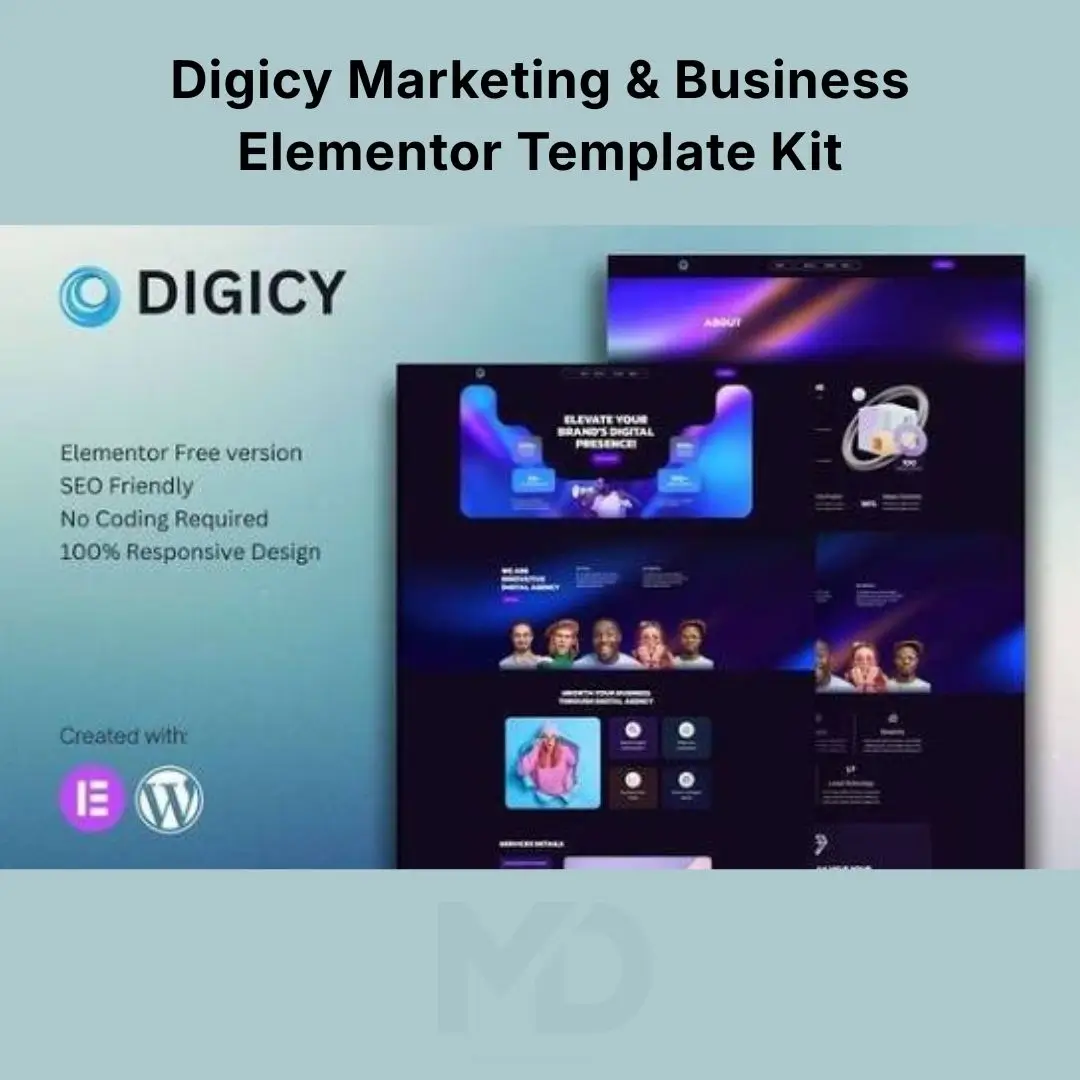


Digicy Marketing & Business Elementor Template Kit
Build a professional, modern, and conversion-focused website for a digital marketing agency without designing every page from scratch. Digicy Marketing & Business Elementor Template Kit is designed for businesses that want to present their services, showcase their expertise, highlight successful projects, and turn website visitors into potential clients.
For digital marketing agencies, first impressions matter. Your website should communicate credibility, explain your services clearly, and make it easy for potential customers to request a consultation or contact your team. Starting with a professionally designed template kit can help you create that experience more efficiently.
Whether you offer SEO services, social media marketing, paid advertising, content marketing, branding, or web design, this template kit provides a starting point for creating a cohesive agency website using Elementor-compatible page layouts.
Why Choose Digicy Marketing & Business Elementor Template Kit?
Creating a polished agency website from a blank page can take considerable time, especially when you need consistent layouts across service pages, project showcases, and contact sections.
A ready-made Elementor template kit helps simplify the design process and gives you a foundation you can adapt to your brand.
-
Launch your agency website faster: Start with pre-designed layouts instead of building every section from scratch.
-
Present services professionally: Organize your marketing solutions into clear, easy-to-understand sections.
-
Build trust with potential clients: Showcase your portfolio, team, expertise, and client feedback where suitable templates are available.
-
Encourage inquiries: Customize calls to action and contact sections to guide visitors toward the next step.
-
Maintain consistent branding: Adapt colors, typography, images, and layout styling to create a unified website.
-
Reduce design complexity: Use Elementor’s visual editing workflow to customize supported page elements with less reliance on custom code.
Key Features and Benefits

1. Professionally Designed Agency Homepage
Create a strong first impression with a structured homepage layout that introduces your agency, communicates your value proposition, and guides visitors toward your services.
Buyer benefit: Present your business professionally and help prospective clients understand what makes your agency worth considering.

2. Marketing Services Layouts
Organize your offerings into clear sections for SEO, social media management, digital advertising, content creation, branding, and other services your agency provides.
Buyer benefit: Help visitors quickly find relevant services and understand how your business can address their marketing challenges.

3. Portfolio and Project Showcase
Present selected projects, campaign examples, and case studies in an organized visual format. Use your strongest work to demonstrate your approach and capabilities.
Buyer benefit: Give potential clients a clearer understanding of your experience and the type of work you deliver.

4. Trust-Building Content Sections
Use suitable sections for team introductions, client testimonials, company information, or agency achievements where these layouts are included in the kit.
Buyer benefit: Help visitors learn about your team and build confidence before contacting your business.

5. Visual Customization with Elementor
Customize supported page layouts through a visual editing workflow. Adjust text, images, colors, spacing, buttons, and other available design elements to suit your brand.
Buyer benefit: Make meaningful website changes without having to code every section manually.

6. Responsive Website Layouts
Adapt supported templates for desktop, tablet, and mobile viewing. Review each breakpoint to ensure your content, navigation, and calls to action remain usable on smaller screens.
Buyer benefit: Provide a more consistent browsing experience for visitors using different devices.

7. Contact and Lead Generation Sections
Build a clear path for prospective customers to request information or inquire about your services using the contact and call-to-action layouts available in your setup.
Buyer benefit: Make it easier for interested visitors to take the next step toward becoming clients.
Note: Functional forms may require a compatible form plugin or additional configuration.

8. Content and Blog Presentation
Where suitable layouts are included, use blog or insights sections to publish marketing advice, company updates, industry knowledge, and educational content.
Buyer benefit: Give your audience useful information and create opportunities to support your content marketing and SEO strategy.
The exact templates, page count, widgets, and included layouts depend on the supplied kit version. Review the available template files before planning your final website structure.
Who Should Use This Template Kit?

Digital Marketing Agencies
Present SEO, advertising, social media, and campaign management services through a consistent professional website.

Freelancers and Consultants
Create a business website that highlights your expertise, services, previous work, and contact information.

Creative and Branding Studios
Showcase creative projects, branding services, and design capabilities in a visually organized portfolio.

Businesses and Startups
Establish a professional online presence with layouts that can be adapted to your services and business goals.
Installation Guide
An Elementor Template Kit is different from a standard WordPress theme or plugin. It generally contains layouts and design assets that you import into a compatible WordPress website.
Step 1: Prepare your WordPress website
-
Set up a working WordPress installation.
-
Install a compatible theme that supports Elementor.
-
Install and activate the version of Elementor required by the kit.
-
Check whether any included templates require Elementor Pro or additional widgets.
Step 2: Download and extract the kit
Download the supplied product package. If it is delivered as a ZIP archive containing documentation, template files, or other resources, extract it locally and identify the correct files for import.
Step 3: Install the required template import tool
Open your WordPress dashboard and review the kit’s included instructions for the recommended import method. Install the required template importer if your kit requires one.
Step 4: Import the templates
-
Open the template import interface in WordPress.
-
Select the appropriate import option for the kit format.
-
Upload the supported template file or files.
-
Import the layouts and any available global styling assets.
-
Check the import results for missing dependencies or errors.
Step 5: Configure the website
Customize the imported layouts using Elementor. Replace demo text, images, contact details, and calls to action with your own business information.
Step 6: Set up the homepage and navigation
Assign the appropriate homepage through WordPress settings, configure your navigation menu, and connect the imported templates to the relevant pages where required.
Step 7: Test before publishing
Preview the website on desktop and mobile. Check links, menus, images, forms, page spacing, and any third-party widgets before making the site public.
How to Customize and Use the Kit
1. Define your website structure. Decide which pages your agency needs, such as Home, About, Services, Portfolio, Blog, and Contact, based on the templates supplied.
2. Apply your branding. Choose consistent colors, typography, logos, and imagery. Replace demo content so the website accurately represents your business.
3. Make your services easy to understand. Explain what each service includes, who it benefits, and what customers can expect. Use clear calls to action where appropriate.
4. Add authentic proof of your work. Populate portfolio and testimonial sections with genuine projects, verified results, and authorized customer feedback.
5. Configure contact options. Connect forms, email addresses, booking tools, or other lead-generation features as required. Test submissions to ensure inquiries reach the correct destination.
6. Optimize for search engines. Write descriptive page titles, useful headings, original page content, and appropriate image alt text. A template kit provides a design foundation but does not automatically guarantee search rankings.
7. Maintain the website. Keep WordPress, Elementor, and required plugins updated, and review your pages regularly for outdated content or broken elements.
Compatibility and Important Notes
-
WordPress required: The kit is intended for use with a WordPress website.
-
Elementor required: Install a compatible version of Elementor before importing templates.
-
Elementor Pro may be required: Some designs or widgets may rely on premium Elementor functionality. Confirm requirements for your specific version.
-
Additional plugins: Forms, sliders, popups, or other specialized components may require separate plugins.
-
Demo images and fonts: The availability and licensing of demo assets may vary. Replace assets that are not included or licensed for your intended use.
-
Import differences: Existing theme settings, plugin conflicts, and WordPress configurations can affect how templates appear after import.
-
Not a standalone theme: A template kit provides layouts and design assets rather than a complete WordPress theme installation.
-
No guaranteed results: The kit can help you build your website, but traffic, leads, conversions, and search rankings depend on your content, marketing, configuration, and business strategy.
Frequently Asked Questions
1. What is Digicy Marketing & Business Elementor Template Kit?
It is a website design kit intended for digital marketing agencies, creative studios, freelancers, and businesses that want to build a professional WordPress website using Elementor.
2. Do I need Elementor to use this kit?
Yes, a compatible Elementor installation is generally required. Certain templates may also require Elementor Pro or additional widgets, depending on the kit version.
3. Is this a WordPress theme?
No. It is a template kit, not a standalone theme. You need a compatible WordPress theme and the required page-building tools.
4. Can I customize the colors and content?
Yes. You can customize supported layouts, text, images, typography, colors, spacing, and other design elements using Elementor.
5. Can I use it for a business other than a marketing agency?
Yes, the layouts may be adaptable to other service-based businesses, consultants, or creative companies. The amount of customization required depends on your website’s purpose.
6. Does the template kit automatically improve SEO?
No. It can provide a structured visual foundation, but effective SEO also requires relevant content, technical optimization, page performance, and a suitable search strategy.
7. Will every template look exactly like the demo after import?
Not necessarily. The final appearance may depend on the included assets, installed plugins, theme settings, fonts, and the import process. Some manual adjustments may be necessary.
Copyright & Trademark Disclaimer
Digicy and all associated product names, logos, trademarks, and registered trademarks are the property of their respective owners. Elementor® and WordPress® are also trademarks of their respective owners.
This listing is provided for product identification and compatibility purposes only. MD Digitals does not claim ownership of third-party trademarks or branding. No affiliation with, sponsorship by, or official endorsement from the original developer, Elementor, or WordPress is implied unless explicitly stated.




Reviews
There are no reviews yet