
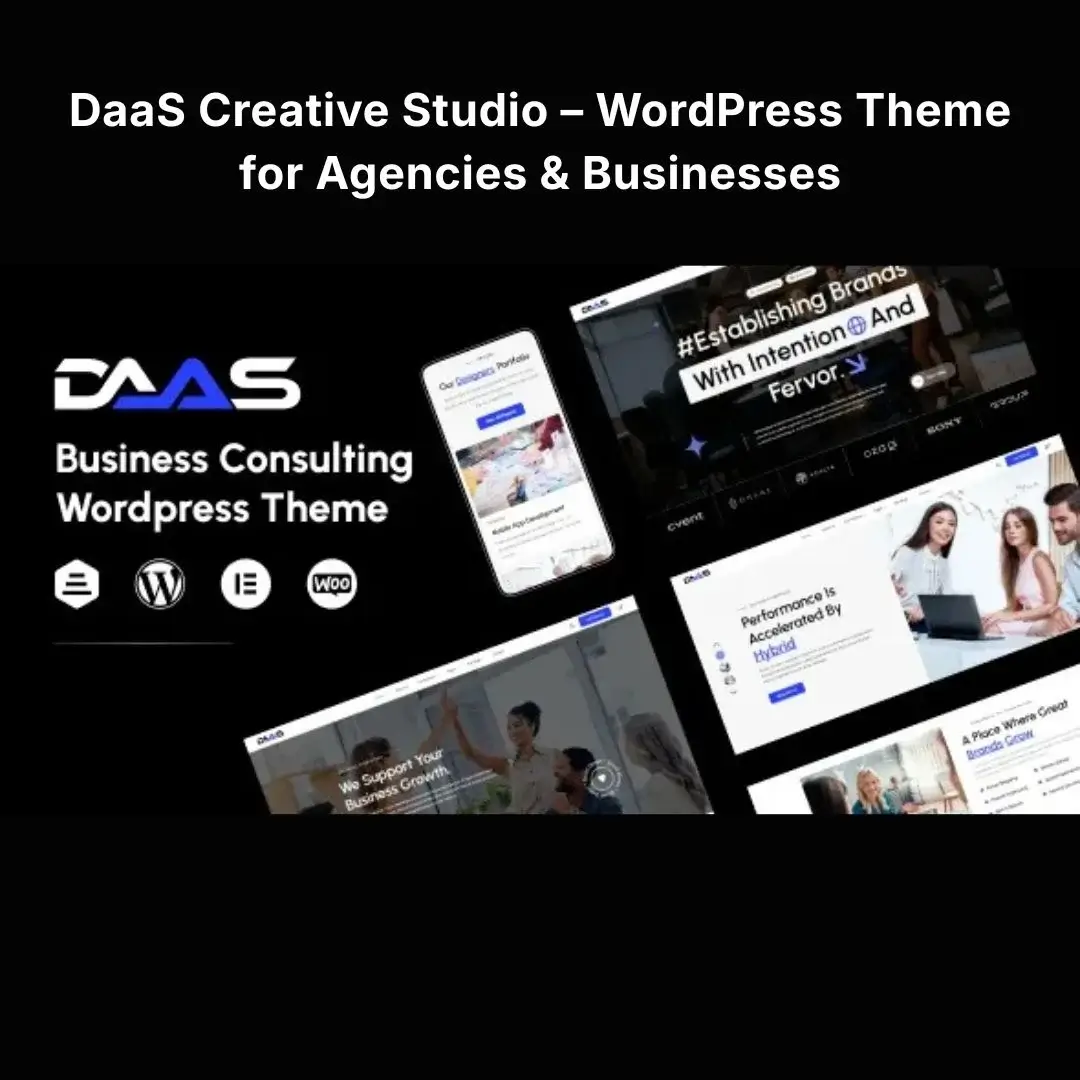


DaaS Creative – WordPress Theme for Agencies & Businesses
Create a professional online presence for your creative agency, design studio, marketing company, or growing business with a modern WordPress theme designed to showcase your services, highlight your portfolio, and turn website visitors into potential clients.
DaaS Creative Studio – WordPress Theme for Agencies & Businesses provides a starting point for building a visually engaging business website where you can present your expertise, communicate your brand identity, display completed projects, and encourage visitors to get in touch.
Whether you’re launching a new creative studio, refreshing an outdated agency website, or establishing a stronger digital presence for your business, this theme gives you a foundation you can customize around your brand and business goals.
Make Your Creative Business Stand Out Online
Your website is often the first place potential clients visit before deciding whether to work with your business. An outdated layout, unclear service descriptions, or an unorganized portfolio can make it difficult for customers to understand your value.
A professional creative agency website should do more than look attractive. It should explain what you offer, demonstrate your capabilities, build trust, and make contacting your business easy.
This WordPress theme is suited to businesses that want to present their services through a polished, portfolio-focused website while maintaining the flexibility to adapt their content and visual identity.
Use it to build a website for:
-
Creative agencies and design studios
-
Branding and graphic design companies
-
Digital marketing agencies
-
Web design and development businesses
-
Advertising and media agencies
-
UI/UX design studios
-
Freelancers and independent designers
-
Photography and creative production studios
-
Business consulting firms
-
Startups and professional service providers
Key Features
1. Modern Creative Agency Design
Give your business a professional digital presence with a design direction suited to creative and service-based companies.
Present your brand story, introduce your team, explain your services, and guide visitors toward the information they need.
Buyer benefit: Establish a more consistent and professional first impression without designing every page from a blank canvas.
2. Portfolio & Project Showcase
Your previous work can be one of your strongest selling points. A well-organized portfolio helps potential clients understand your style, experience, and capabilities.
Use your website to showcase:
-
Branding and identity projects
-
Website designs
-
Marketing campaigns
-
Graphic design work
-
Creative concepts
-
Client projects
-
Photography and visual content
-
Selected case studies
Buyer benefit: Give prospects a clearer picture of your capabilities and help them evaluate whether your services fit their needs.
Note: The availability of dedicated portfolio layouts and individual project features depends on the theme package you install.
3. Service Presentation Sections
Explain your services in a clear, organized way so visitors can quickly understand what your business offers.
For example, a creative agency could create dedicated sections for branding, web design, social media graphics, advertising, content production, and digital strategy.
Buyer benefit: Replace vague messaging with specific services and clear next steps, helping visitors move from browsing to making an inquiry.
4. Business-Focused Homepage
Your homepage should communicate your value within seconds.
Use it to introduce your company, explain your core offering, highlight selected work, feature your strongest services, and guide visitors toward a contact or inquiry page.
Suggested homepage structure:
-
A compelling headline explaining your value.
-
A short introduction to your business.
-
Your main services.
-
Featured portfolio projects.
-
Your process or competitive strengths.
-
Testimonials or other genuine trust signals.
-
A clear call to action.
Buyer benefit: Create a logical customer journey rather than presenting visitors with disconnected sections of content.
5. Brand Customization
Adapt the website’s appearance to match your business identity using the customization options supported by the theme.
Personalize your logo, colors, typography, images, messaging, and other available design settings.
Buyer benefit: Build a website that feels connected to your existing brand rather than relying on generic demonstration content.
6. Responsive Website Experience
Visitors may discover your agency through a smartphone, tablet, laptop, or desktop computer.
A responsive website helps content adapt to different screen sizes, making navigation and reading more convenient across devices.
Buyer benefit: Present your services and portfolio to prospective clients wherever they browse.
Always preview your finished pages on multiple screen sizes before publishing.
7. Clear Navigation & User Experience
A business website should help visitors find important information without unnecessary effort.
Organize your navigation around pages such as:
-
Home
-
About Us
-
Services
-
Portfolio
-
Blog
-
Contact
Buyer benefit: Make it easier for visitors to understand your business and find the next step toward working with you.
8. Contact & Lead Generation Opportunities
Your website should make it easy for interested customers to start a conversation.
Create a dedicated contact page with the appropriate business details, inquiry form, email address, and other communication methods you use.
Depending on the theme and plugins you install, you can also add appointment requests, quotation forms, or newsletter subscriptions.
Buyer benefit: Give interested visitors a direct route to request information, discuss a project, or ask for a quotation.
9. Blog & Content Marketing
Publishing useful articles can help demonstrate your expertise and answer the questions potential clients ask before hiring an agency.
Use the WordPress publishing system to share:
-
Industry insights
-
Design tips
-
Marketing strategies
-
Project case studies
-
Business updates
-
Tutorials
-
Client success stories
Buyer benefit: Build an informative resource for your audience and support your long-term search engine optimization strategy.
Actual search rankings depend on content quality, technical SEO, competition, and other factors.
10. Extend Your Website with WordPress Plugins
WordPress allows you to add functionality through compatible plugins.
Depending on your business requirements, you may be able to integrate:
-
Contact forms
-
SEO tools
-
Website analytics
-
Caching and performance tools
-
Security and backup solutions
-
Social media integrations
-
Appointment booking
-
WooCommerce for suitable online sales
Buyer benefit: Start with a website focused on your core services and expand it as your business needs change.
Plugin compatibility and additional functionality should be verified against the specific theme version and its documentation.
Solve Common Website Problems
Problem: Your business website looks outdated.
A dated design can make it harder to communicate the quality of your work.
Solution: Refresh your online presence with a modern creative-agency design foundation and customize it to reflect your current brand.
Problem: Potential clients cannot easily evaluate your work.
An unorganized portfolio makes it difficult to demonstrate your experience.
Solution: Arrange your strongest projects into clear portfolio sections and explain the problem, approach, and outcome of each project.
Problem: Visitors don’t know how to contact you.
Even interested customers may leave if your contact information is difficult to find.
Solution: Add visible inquiry buttons, a dedicated contact page, and a working contact form.
Problem: Your website is difficult to use on mobile.
Small text, awkward layouts, and difficult navigation can frustrate visitors.
Solution: Review the responsive layouts, adjust spacing and typography, and test your important pages on mobile devices.
Who Should Use This WordPress Theme?
Creative agencies: Present your services, creative process, and selected work in one professional online destination.
Branding studios: Showcase identity projects, visual systems, and brand development services.
Digital marketing companies: Explain your marketing offerings and provide clear ways for businesses to request information.
Web design agencies: Display website projects, development services, and case studies.
Freelancers: Establish a professional portfolio and give prospective clients a place to learn about your services.
Startups and small businesses: Create a branded website that communicates your business offering and supports future growth.
Installation Guide
Follow these steps to install the theme on your WordPress website.
Step 1: Prepare Your Website
Before making changes, create a complete backup of your WordPress files and database.
If you’re installing on an existing website, consider testing the theme on a staging site first to avoid disrupting your current design.
Step 2: Download and Locate the Theme ZIP
Download the theme package you received.
If the package contains documentation, demo files, plugins, or other folders, extract it on your computer and locate the installable WordPress theme ZIP file.
Do not upload the entire package ZIP if it contains another ZIP file for the actual theme.
Step 3: Upload the Theme
From your WordPress dashboard, navigate to:
Appearance → Themes → Add New Theme → Upload Theme
Select the theme ZIP file and click Install Now.
Wait until WordPress confirms that installation has completed.
Step 4: Activate the Theme
Click Activate to apply the theme to your website.
Check your homepage and other important pages to make sure the site is displaying correctly.
Step 5: Install Required Plugins
Review the included documentation for any required or recommended plugins.
Install and activate the components needed for the theme’s layouts, page-building tools, or additional features.
Only install plugins that are included with the package or obtained from a trusted source.
Step 6: Import Demo Content if Available
If the theme package includes a demo importer, follow the supplied instructions to import the available starter content.
Demo import functionality and available layouts depend on the specific theme package.
Important: Demo imports can add pages, menus, images, and settings. On an established website, test the import on a staging site first.
Step 7: Customize Your Website
Replace the demonstration content with your own business information.
Update:
-
Logo and brand identity
-
Homepage headline
-
Service descriptions
-
Portfolio projects
-
Team information
-
Images and graphics
-
Contact details
-
Calls to action
-
Footer information
Step 8: Configure Menus and Homepage
Go to the relevant WordPress settings and configure your navigation menus.
If you want a static homepage, visit:
Settings → Reading
Choose the appropriate homepage display option and select your intended homepage if required.
Step 9: Test and Publish
Before promoting your website, verify that:
-
Navigation links work correctly.
-
Contact forms submit successfully.
-
Images display properly.
-
Mobile layouts are readable.
-
Important pages load correctly.
-
SSL/HTTPS is working.
-
Backup and security tools are configured.
Once you’ve completed these checks, your website is ready to present your business online.
How to Get the Best Results
Installing a theme gives you the foundation. The quality of your content and how you structure the website determine how effectively it communicates your value.
Write a Specific Homepage Headline
Avoid generic wording such as “Welcome to Our Website.”
Instead, explain what you do and whom you help.
Example:
“Creative Branding and Digital Experiences for Ambitious Businesses.”
Adapt the wording to your actual services and target audience.
Showcase Your Best Work First
Select a few strong, relevant projects rather than filling your portfolio with everything you’ve ever created.
Where possible, explain the client’s challenge, your solution, and the outcome. Use real results and obtain permission before publishing client work.
Make Your Services Easy to Understand
Describe each service in plain language. Explain what the customer receives, who the service is for, and how they can get started.
Add Calls to Action
Use clear buttons such as:
-
View Our Work
-
Explore Services
-
Request a Quote
-
Start a Project
-
Contact Our Team
Make sure each button directs visitors to the appropriate page or form.
Improve Your SEO
For better search visibility:
-
Use descriptive page titles and meta descriptions.
-
Organize content with logical headings.
-
Write useful, original service-page content.
-
Optimize image sizes and use meaningful alternative text.
-
Create internal links between related pages.
-
Keep WordPress, the theme, and plugins updated.
A theme can provide a website structure, but it cannot guarantee search rankings or a particular number of leads.
Frequently Asked Questions
Is this theme suitable for a creative agency?
Yes. Its intended positioning is for creative studios, agencies, and businesses. Customize the available pages and content to suit your particular services.
Can I customize it for my own brand?
Yes, you can replace the supplied content and use the theme’s available customization controls. The exact editing workflow depends on the included theme features and supported plugins.
Can I use it for a digital marketing agency?
Yes. You can organize your website around marketing services, campaign portfolios, case studies, and customer inquiries.
Can I add a portfolio?
You can present project work using the theme’s available layouts or compatible WordPress portfolio tools. Confirm the included portfolio functionality in the supplied package documentation.
Do I need coding knowledge?
Basic WordPress knowledge is helpful for installation and content management. Advanced changes may require additional technical skills, depending on the customization you want.
Does the theme automatically improve SEO?
No theme can guarantee better rankings by itself. Search performance depends on the quality of your content, technical configuration, website speed, competition, and broader SEO practices.
Can I use the theme for a small business website?
Yes. You can adapt the layout and content to present your services, company information, portfolio, and contact details.
Important Compatibility Notes
Before installation, check the theme’s supplied documentation for its supported WordPress version, PHP requirements, required plugins, and any additional setup instructions.
Compatibility can vary depending on your hosting environment and installed plugins. Always maintain backups and test major changes before applying them to a live business website.
Copyright & Trademark Disclaimer
Copyright & Trademark Disclaimer: WordPress® is a registered trademark of the WordPress Foundation. All other company names, product names, brand names, and trademarks referenced in this description belong to their respective owners.
The name DaaS Creative Studio – WordPress Theme for Agencies & Businesses is used as a descriptive product title. MD Digitals is an independent distributor and is not affiliated with, endorsed by, sponsored by, or officially connected with any original theme developer or trademark owner unless explicitly stated otherwise.



Reviews
There are no reviews yet