


Admin & Site Enhancements Pro (ASE Pro) – WordPress Admin Optimization & Toolkit
Take full control of your WordPress dashboard with Admin & Site Enhancements Pro (ASE Pro) — a powerful all-in-one toolkit designed to streamline, optimize, and enhance your WordPress admin experience without complexity or performance issues.
Instead of installing multiple plugins for small improvements, ASE Pro brings everything together in one lightweight solution. It helps you clean up the admin area, improve usability, enhance security, and boost overall workflow efficiency — making your WordPress site easier to manage than ever before.
Whether you’re a developer, agency owner, or site administrator, this plugin gives you the flexibility and control needed to build a faster, cleaner, and more productive WordPress environment.
Key Features
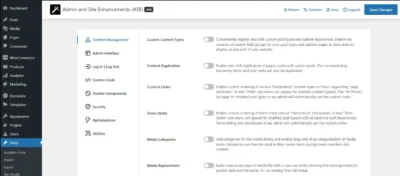
⚙️ Admin UI Enhancements
- Clean and modernize WordPress dashboard layout
- Hide unnecessary menu items and admin clutter
- Customize login screen and branding elements
- Improve navigation and admin usability
🚀 Performance Optimization Tools
- Disable unused WordPress features to reduce load
- Optimize backend performance for faster workflows
- Lightweight code structure to avoid site slowdown
🔐 Security & Access Control
- Restrict admin menu access by user role
- Disable sensitive WordPress features for non-admin users
- Improve backend security without complex configuration
🧩 Site Management Utilities
- Media library enhancements for better organization
- Bulk management tools for posts, pages, and users
- Advanced dashboard control options
🎯 Developer-Friendly Options
- Clean codebase for easy customization
- Works seamlessly with most WordPress themes & plugins
- No heavy dependencies or unnecessary scripts
Why Choose ASE Pro?
- ✔ All-in-one WordPress admin enhancement toolkit
- ✔ Reduces plugin overload and improves performance
- ✔ Beginner-friendly but powerful for developers
- ✔ Lightweight, fast, and highly optimized
- ✔ Improves productivity for agencies and freelancers
Installation Guide
Step 1: Download Plugin
Download the plugin file (.zip) from your mddigitals.com account.
Step 2: Upload to WordPress
- Go to your WordPress Dashboard
- Navigate to Plugins → Add New → Upload Plugin
- Choose the downloaded ZIP file and click Install Now
Step 3: Activate Plugin
- After installation, click Activate Plugin
Step 4: Configure Settings
- Go to ASE Pro Settings in your admin panel
- Enable or disable features based on your needs
- Save changes and enjoy enhanced WordPress control
Who Should Use This Plugin?
- WordPress Developers
- Digital Agencies
- Freelancers managing multiple sites
- Website Owners looking for cleaner admin UI
- WooCommerce store administrators
GPL License & Disclaimer
This product is distributed under the GNU General Public License (GPL).
It is provided for educational and development purposes only.
- ✔ Fully GPL licensed and legally redistributed
- ✔ Clean and secure original files
- ✔ No official support or affiliation with original developers
All trademarks and product names belong to their respective owners. mddigitals.com is not affiliated with or endorsed by the original developers.


Reviews
There are no reviews yet