



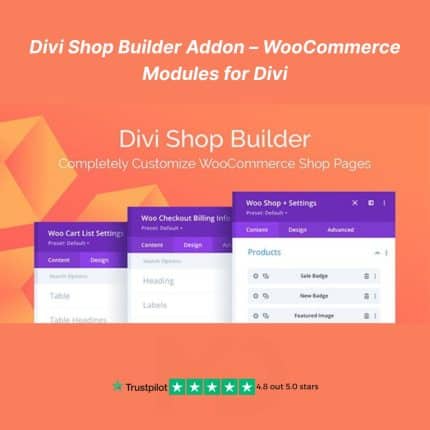
Divi Shop Builder Addon – WooCommerce Modules for Divi
Enhance your Divi-powered WooCommerce store with ultimate design flexibility. The Divi Shop Builder Addon (GPL Licensed) empowers you to build custom product pages, shop layouts, and category archives with intuitive Divi modules — no coding needed.
This GPL version is perfect for developers and freelancers looking to unlock premium features without recurring fees. Build a high-converting, visually compelling WooCommerce store directly within the Divi Builder interface.
🔥 Why Choose Divi Shop Builder Addon?
-
✅ Full GPL License – Legally redistributed for lifetime use under the GNU General Public License.
-
✅ No recurring payments – One-time download for unlimited projects.
-
✅ Compatible with Divi Theme & Builder
-
✅ Clean and original files – 100% virus-free and manually verified.
💡 Key Features of Divi Shop Builder Addon
🧱 20+ Custom Divi Modules for WooCommerce
Unlock advanced customization for:
-
Product title, price, images, SKU
-
Add to cart button
-
Product reviews, upsells, related products
-
Custom tabs and metadata
🖼️ Design Individual WooCommerce Pages with Divi
Customize:
-
Single Product Page
-
Product Archive/Category Pages
-
Cart and Checkout Templates (limited layout control)
🎨 Full Visual Control via Divi Builder
Drag-and-drop flexibility to edit product sections in real-time. Change colors, layouts, and spacing to match your brand — all inside Divi’s intuitive interface.
🚀 Optimized for Speed & Compatibility
Works seamlessly with:
-
Latest version of Divi
-
WooCommerce core
-
Popular third-party Divi child themes
🔧 Developer Friendly
You get access to all the tools without being locked into a licensing system. Ideal for building multiple client sites or WooCommerce stores.
📦 What’s Included:
-
Plugin ZIP File (GPL version)
-
Installation Guide
-
GPL Compliance Notice
📥 Installation Instructions
-
Download the ZIP file after purchase.
-
In your WordPress Dashboard, go to Plugins > Add New > Upload Plugin.
-
Upload the ZIP file and click Install Now.
-
After installation, click Activate.
-
Ensure the Divi Theme or Divi Builder Plugin is active.
-
Start editing product templates via Divi > Theme Builder or within WooCommerce pages.
🛠️ How to Use It:
-
Go to Divi > Theme Builder and assign a template to Product Pages.
-
Use custom Divi Shop modules to design layouts.
-
You can mix and match Divi WooCommerce modules to control:
-
Image positions
-
Dynamic price display
-
Custom CTA areas
-
Section-based styling and animations
-
✅ Important Notes:
-
This is a GPL-licensed version, not the official version by WP Zone.
-
Support is not provided by the original developer.
-
Best suited for users familiar with Divi and WooCommerce.
🛒 Boost your WooCommerce store design with the power of Divi – all under the freedom of GPL!
👉”This product is redistributed under the GPL license. We are not affiliated with or endorsed by wpzone.co, All trademarks and copyrights belong to their respective owners.”
For full documentation and more information, visit:🌐wpzone.co


Reviews
There are no reviews yet