
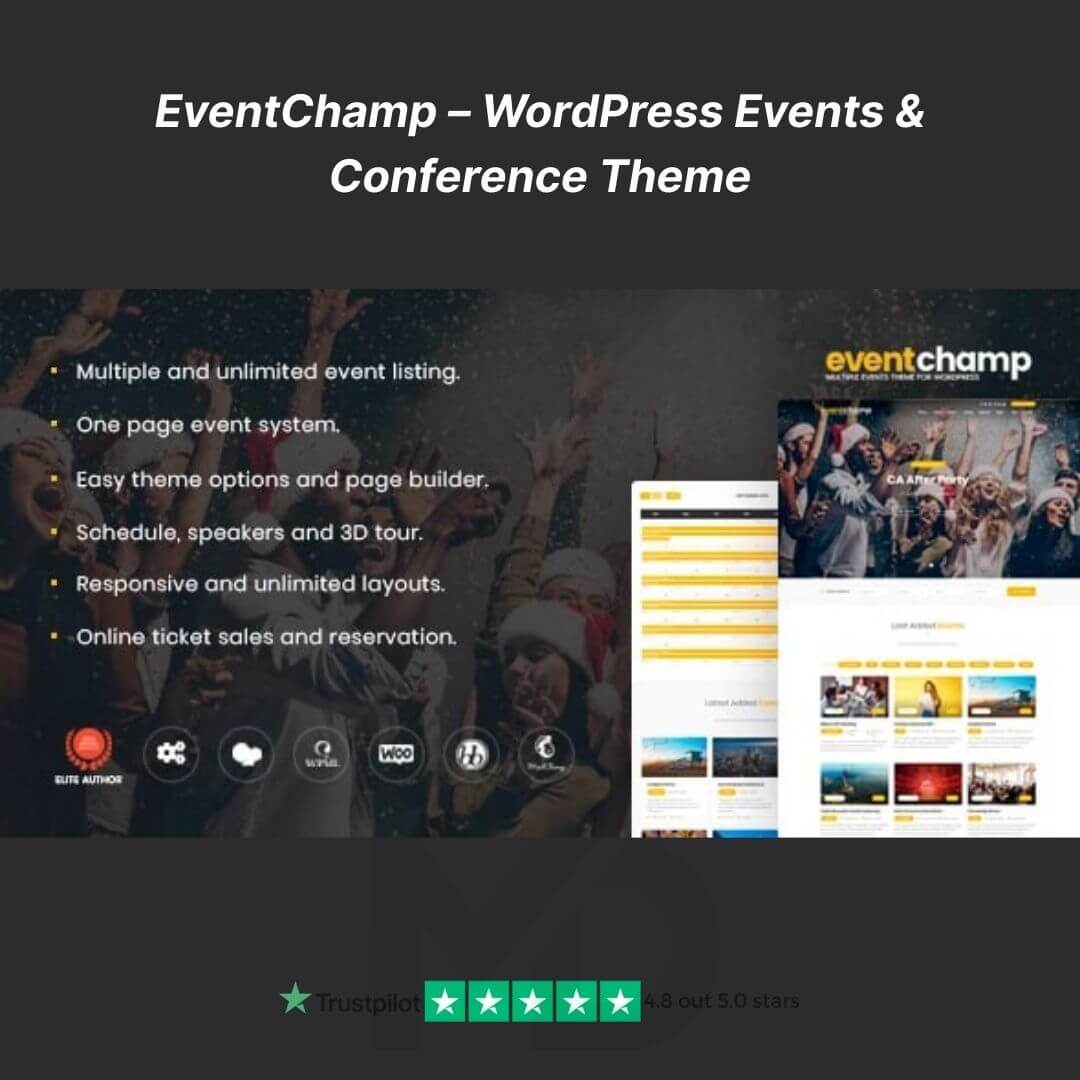


🎉 EventChamp – WordPress Events & Conference Theme (GPL)
Take your events to the next level with EventChamp, the ultimate WordPress theme designed for conferences, workshops, seminars, festivals, and multi-event websites. Whether you’re an event organizer, a corporate planner, or a speaker, EventChamp empowers you to create professional, visually stunning, and fully functional event websites in minutes – without touching a single line of code.
From selling tickets online 🎟️, managing schedules 🕒, showcasing speakers 👥, to handling multiple events 📅, EventChamp provides all the tools you need to run your events smoothly and attract more attendees.
🚀 Why EventChamp Is the Best Choice for Event Websites
-
Professional Event Design: Clean, modern, and responsive layouts that captivate your audience. ✨
-
All-in-One Event Management: Handle tickets, schedules, speakers, and agendas from a single platform. 🗂️
-
User-Friendly & Customizable: Easy drag-and-drop customization with Elementor and WordPress Customizer. 🎨
-
Multi-Event Support: Perfect for hosting one-time conferences or multiple events simultaneously.
-
GPL Licensed: Fully legal to use, modify, and deploy across your websites. ✅
🔥 Key Features That Convert Visitors Into Attendees
-
🎟️ Multi-Event & Conference Management
-
Create and manage multiple events simultaneously.
-
Each event has a dedicated page with detailed agendas, speakers, venues, and ticketing options.
-
Ideal for corporate conferences, music festivals, workshops, or online webinars.
-
-
💳 Integrated Ticketing & Booking System
-
Sell tickets directly from your website using WooCommerce.
-
Create multiple ticket types, set pricing tiers, and manage availability.
-
Track attendees and manage bookings effortlessly – perfect for high-volume events.
-
-
📱 Fully Responsive & Retina-Ready Design
-
Looks amazing on all devices – desktop, tablet, and mobile.
-
Mobile-first design ensures attendees can view event details, purchase tickets, and register easily.
-
-
🕒 Event Schedule & Timetable Layouts
-
Display sessions, agendas, and speaker timelines in beautiful, easy-to-read schedules.
-
Allow visitors to plan their attendance intuitively, boosting engagement and ticket sales.
-
-
⏰ Countdown Timers & Call-to-Action Buttons
-
Create a sense of urgency with countdowns for ticket sales, event starts, or early-bird promotions.
-
Add strategically placed CTA buttons for registration and ticket purchases to increase conversions.
-
-
⚡ One-Click Demo Import
-
Launch your site instantly by importing ready-made demo content in just one click.
-
Saves time on design and setup – perfect for users who want a fully functional event website fast.
-
-
🛠️ Drag-and-Drop Page Builder Support
-
Compatible with Elementor, giving you complete control over layouts, sections, and content.
-
No coding skills required – just drag, drop, and design your pages.
-
-
📈 SEO-Friendly & Performance Optimized
-
Built with clean code and SEO best practices to ensure your events appear in Google search.
-
Fast loading speeds improve user experience and reduce bounce rates.
-
-
🔌 Plugin-Compatible & Extensible
-
Fully compatible with WPML (multilingual), WooCommerce, Contact Form 7, and other popular plugins.
-
Extend functionality as needed, e.g., multilingual events, advanced booking forms, or marketing integrations.
-
-
🎨 Customizable Colors, Typography & Layouts
-
Match your brand style with custom colors, fonts, and section layouts.
-
Create a unique and eye-catching event website without hiring a designer.
-
💡 Use Cases – Who Can Benefit from EventChamp
-
Corporate Conference Organizers: Showcase speakers, sessions, and sell tickets online.
-
Festival & Concert Planners: Multi-event support and ticketing for music, arts, or cultural festivals.
-
Educational Workshops & Webinars: Schedule classes, sessions, and workshops with detailed agendas.
-
Non-Profit & Community Events: Promote charity events, meetups, and fundraising campaigns.
🛠️ Step-By-Step Installation & Setup Guide
-
Upload & Activate Theme
-
Download the EventChamp ZIP file from your mddigitals.com account.
-
In WordPress, go to Appearance → Themes → Add New → Upload Theme.
-
Select the ZIP file → click Install Now → Activate. ✅
-
-
Install Recommended Plugins
-
After activation, install required plugins like Elementor, WooCommerce, Event Manager, Contact Form 7.
-
-
Import Demo Content (Optional)
-
Navigate to Appearance → Import Demo Data.
-
Choose the demo layout you like.
-
One-click import sets up pages, sections, menus, and sample events. ⏱️
-
-
Customize Your Website
-
Use Elementor or WordPress Customizer to edit pages, update event details, speaker profiles, schedules, and ticketing options.
-
Add your brand colors, logo, fonts, and banners.
-
-
Launch Your Event Website
-
Preview your site and make final adjustments.
-
Publish to start promoting events and selling tickets online. 🎉
-
📜 GPL & Copyright Disclaimer
This is the GPL licensed version of EventChamp, legally distributed to give you full freedom to use, modify, and deploy across your domains. All credits belong to the original developers of EventChamp. mddigitals.com provides this theme under GPL, ensuring you enjoy all features legally without restrictions. ✅



Reviews
There are no reviews yet