



Product Description
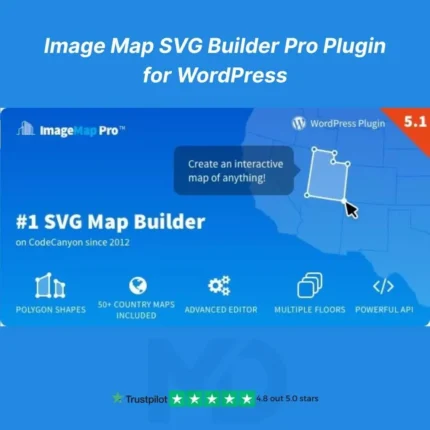
Image Map SVG Builder Pro Plugin for WordPress is the ultimate tool for creating interactive, visually stunning SVG image maps for your WordPress website. With this plugin, you can turn any image into a clickable, dynamic hotspot map that engages your visitors, boosts interactivity, and drives conversions. Perfect for portfolios, infographics, product showcases, site navigation, or any visual content that demands engagement.
Whether you’re a designer, marketer, or website owner, this plugin empowers you to build professional image maps without coding. It’s fully responsive, lightweight, and optimized for performance, ensuring your website remains fast and user-friendly.
Key Features & Benefits
-
Interactive SVG Hotspots
-
Add clickable hotspots, tooltips, and animations to any image.
-
Engage visitors with interactive content that keeps them on your site longer.
-
-
Drag & Drop Builder
-
Create image maps visually without touching a single line of code.
-
Intuitive interface designed for beginners and professionals alike.
-
-
Customizable Tooltips & Popups
-
Show detailed information, images, or videos in stylish popups when users hover or click hotspots.
-
Perfect for product guides, infographics, or interactive maps.
-
-
Responsive & Mobile-Friendly
-
Fully optimized for all devices and screen sizes.
-
Ensure your interactive maps look perfect on desktops, tablets, and smartphones.
-
-
Multiple Shapes & Colors
-
Use circles, polygons, rectangles, and custom shapes.
-
Customize colors, borders, and animations to match your site design.
-
-
SEO & Performance Optimized
-
Lightweight code ensures fast page load times.
-
SEO-friendly structure helps search engines index your content.
-
-
Export & Import Maps
-
Save your maps and reuse them across multiple pages or websites.
-
Ideal for agencies managing multiple client websites.
-
-
Premium Pro Add-ons Included
-
Access advanced features like advanced animations, tooltips triggers, and conditional logic for hotspots.
-
How to Install
-
Download the plugin ZIP file from your MD Digitals account.
-
Log in to your WordPress dashboard → Plugins → Add New → Upload Plugin.
-
Choose the downloaded ZIP file and click Install Now.
-
Once installed, click Activate.
-
Navigate to Image Map SVG Builder in your WordPress dashboard to start creating interactive maps.
How to Use
-
Create a New Map: Click “Add New Map” and upload your base image.
-
Add Hotspots: Drag shapes onto your image and assign links, tooltips, or custom actions.
-
Customize: Adjust colors, borders, and animations to fit your website style.
-
Preview & Publish: Preview your interactive map, then embed it anywhere on your site using shortcode or Gutenberg block.
Why Choose Image Map SVG Builder Pro?
-
Boost user engagement with interactive content.
-
Create professional-looking image maps without coding.
-
Enhance website interactivity, helping your visitors explore more.
-
Save time and effort with a visual drag-and-drop interface.






Reviews
There are no reviews yet