
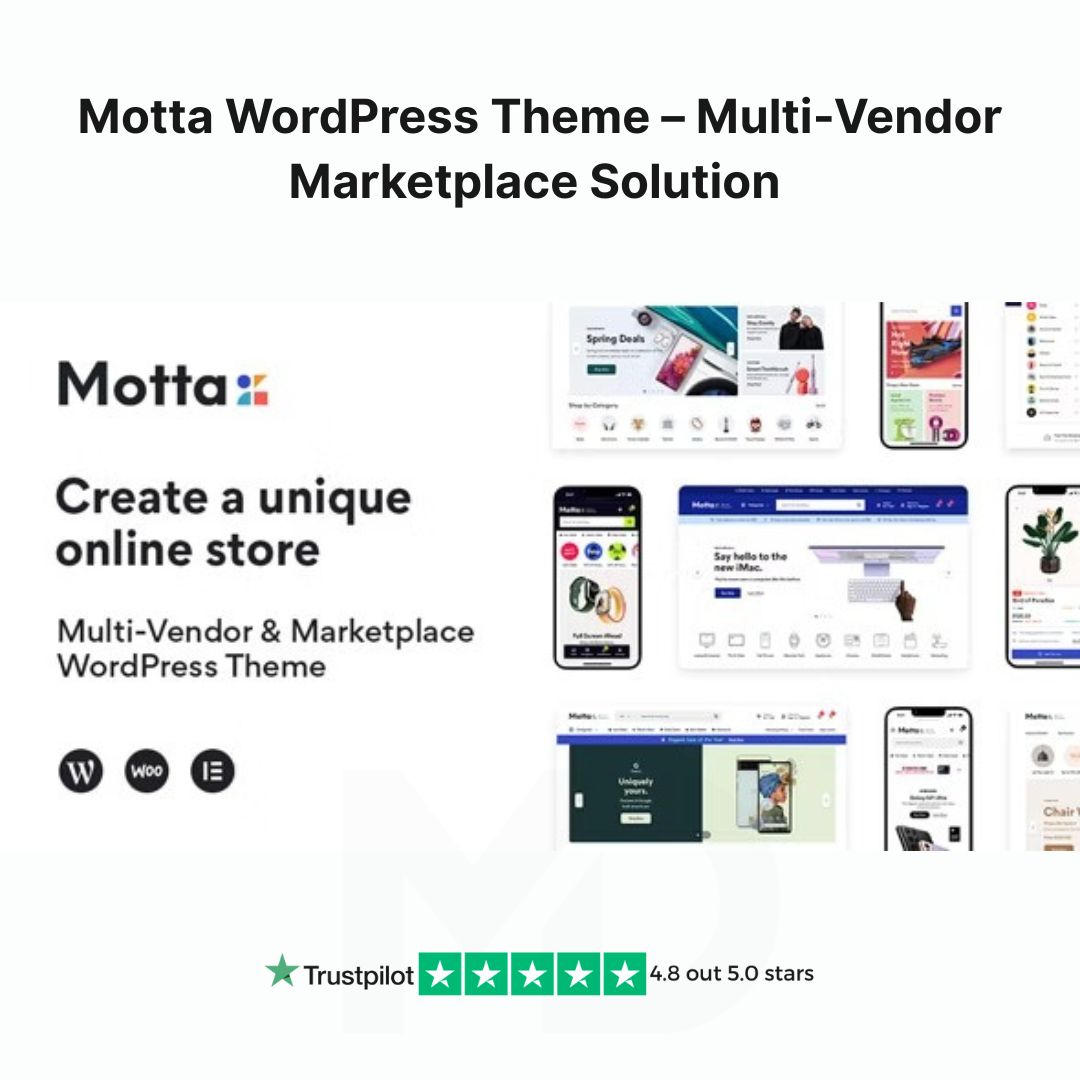

Motta WordPress Theme – Multi-Vendor Marketplace Solution
Are you looking to create a powerful, fully-functional, and visually stunning multi-vendor marketplace? Look no further than Motta WordPress Theme – your ultimate solution for building an engaging and efficient marketplace website. Whether you’re planning to launch a marketplace like Amazon, Etsy, or eBay, or want to build a platform for niche vendors, Motta provides everything you need for a seamless experience.
Unlock the Potential of a Fully Integrated Multi-Vendor Marketplace
With Motta, you get a comprehensive WordPress theme designed to bring together multiple vendors under one roof. Packed with robust features, flexible customization options, and user-friendly functionalities, this theme empowers you to build a fully-fledged online marketplace with ease.
Key Features & Benefits:
-
Multi-Vendor Support
Motta is fully compatible with WooCommerce, the most popular WordPress eCommerce plugin, and includes powerful integration with multi-vendor plugins like Dokan, WC Marketplace, and Product Vendors. You can quickly transform your site into a bustling marketplace where multiple sellers can list, manage, and sell their products. -
Easy-to-Use Vendor Dashboard
With the intuitive vendor dashboard, your sellers can easily manage their products, orders, commissions, and earnings. The clean, well-organized interface ensures smooth operations for both admins and vendors. -
Advanced Product Management
Sellers can add and categorize products, set prices, and manage inventories with just a few clicks. Motta also supports simple, variable, and downloadable products, providing maximum flexibility. -
Built-in Marketplace Features
Motta comes pre-loaded with essential marketplace features like vendor commissions, product reviews, wishlist integration, and advanced shipping options, making it easier than ever to run and scale your marketplace. -
Responsive and Mobile-Optimized Design
With the increasing number of mobile users, Motta’s responsive design ensures your marketplace looks stunning on any device. Whether customers are browsing from smartphones, tablets, or desktops, they will enjoy a flawless experience. -
Highly Customizable & User-Friendly
Customize your marketplace to reflect your brand identity with ease. Motta offers a wide range of layout options, color schemes, typography choices, and theme settings that can be adjusted through an intuitive theme customizer. -
SEO-Optimized
Boost your online presence with SEO-friendly features that ensure your marketplace ranks higher on search engines. From clean code and fast loading times to customizable meta tags and SEO plugins compatibility, Motta is built with search engine visibility in mind. -
Fast Performance
Say goodbye to slow load times. Motta is optimized for speed, ensuring fast page loads, smooth browsing, and an excellent user experience. This is key for retaining customers and enhancing your marketplace’s reputation. -
Comprehensive Documentation & Support
We understand the importance of seamless setup and smooth operation, which is why Motta comes with detailed documentation and dedicated customer support to guide you every step of the way. Whether you need help with installation or customization, we’ve got you covered.
How to Install and Use Motta Theme
Step 1: Theme Installation
-
After purchasing Motta WordPress Theme, download the theme zip file from your account.
-
In your WordPress dashboard, navigate to Appearance > Themes > Add New.
-
Click Upload Theme, then select the Motta.zip file you downloaded.
-
Click Install Now, then activate the theme once installation is complete.
Step 2: Install Required Plugins
-
After activating the theme, a notification will appear prompting you to install required plugins like WooCommerce, Dokan, and WPBakery Page Builder.
-
Install and activate all necessary plugins by following the on-screen prompts.
Step 3: Import Demo Content (Optional)
-
If you want to jump-start your marketplace, Motta includes one-click demo content import.
-
Navigate to Appearance > Import Demo Data, and click Import to instantly set up a demo site similar to the theme preview.
Step 4: Customize Your Marketplace
-
Go to Appearance > Customize to start adjusting the theme settings.
-
Change logos, colors, fonts, and layout options to align with your brand’s unique look and feel.
-
Add your store categories, product pages, and vendor registration options.
Step 5: Add Vendors & Products
-
With Dokan or your chosen multi-vendor plugin, allow vendors to sign up and start listing their products.
-
Configure payment methods, commission structures, and shipping rules to ensure smooth transactions.
-
Begin promoting your marketplace and attract vendors and customers to your platform.
Why Choose Motta WordPress Theme?
-
Versatility: Whether you’re building a marketplace for physical products, digital goods, or services, Motta adapts to your business model.
-
Speed & Performance: A fast website means happy customers, and with Motta, you can ensure your site runs efficiently.
-
Support for Growth: Motta’s powerful features and scalability ensure your marketplace can grow as your business expands.
-
Perfect for Entrepreneurs: Whether you’re a solo entrepreneur or a growing team, Motta is designed to help you build a professional marketplace with minimal effort.
Ready to launch your multi-vendor marketplace with ease? Don’t wait – purchase Motta WordPress Theme now and start building your online empire today!
Final Thoughts:
Motta is the perfect choice for anyone looking to create a professional and scalable multi-vendor marketplace. With its extensive features, user-friendly design, and powerful integrations, you’ll have all the tools necessary to run a successful online marketplace. Whether you’re an entrepreneur starting a new project or an established business looking to expand, Motta has everything you need.
Take action now – Start building your marketplace with Motta!
⚠️ Copyright & Trademark Disclaimer
This is a GPL-distributed version. No official support. Clean, secure, and legally redistributed under the GPL license.
All product names, logos, and trademarks are the property of their respective owners.
Any brand names mentioned on this website are used strictly for identification and descriptive purposes only.
We do not claim any ownership of third-party trademarks or branding.
Full credit and respect go to the original developer for their outstanding work in creating this product.



Reviews
There are no reviews yet