



Multi-Location Inventory Management Plugin for WooCommerce
Efficiently Manage Inventory Across Multiple Warehouses, Stores, and Locations
Managing inventory across multiple warehouses, retail stores, fulfillment centers, or business locations can quickly become complex and time-consuming. Without proper inventory control, businesses often face stock discrepancies, overselling, delayed shipments, and operational inefficiencies.
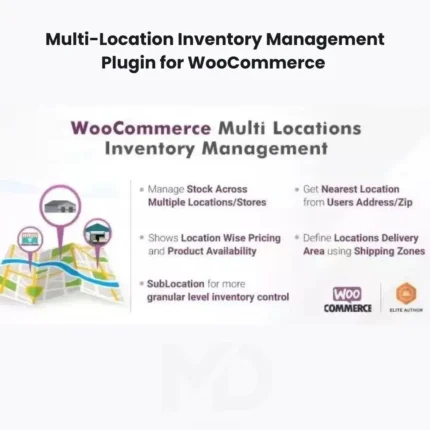
Multi-Location Inventory Management Plugin for WooCommerce is a powerful inventory management solution designed to help WooCommerce store owners efficiently manage stock across multiple physical locations, warehouses, branches, stores, and distribution centers from a single dashboard.
Whether you operate multiple warehouses, retail outlets, fulfillment centers, dropshipping operations, wholesale businesses, or multi-location eCommerce stores, this plugin provides the tools needed to organize inventory, improve stock visibility, and streamline order fulfillment processes.
Why Multi-Location Inventory Management Matters
Many growing eCommerce businesses struggle with:
❌ Inventory inaccuracies
❌ Overselling products
❌ Manual stock tracking
❌ Poor warehouse coordination
❌ Delayed order fulfillment
❌ Complicated inventory management
❌ Lack of inventory visibility
Managing inventory manually across several locations increases operational costs and creates unnecessary business risks.
This plugin helps solve those problems by centralizing inventory management while giving you greater control over stock allocation and fulfillment operations.
Key Features
🏬 Multi-Location Inventory Management
Manage product inventory across multiple locations from a single WooCommerce installation.
Supported locations may include:
- Warehouses
- Retail stores
- Distribution centers
- Fulfillment centers
- Branch offices
- Storage facilities
Gain complete visibility into your inventory operations.
📦 Separate Stock Quantities Per Location
Assign and manage unique stock quantities for each location independently.
Benefits include:
- Accurate inventory tracking
- Improved stock control
- Reduced overselling risks
- Better operational management
Track inventory exactly where products are stored.
🚚 Flexible Order Fulfillment Management
Improve fulfillment efficiency by assigning orders to the most appropriate inventory location.
Benefits include:
- Faster shipping
- Reduced delivery times
- Lower operational costs
- Improved customer satisfaction
Optimize fulfillment workflows for maximum efficiency.
📊 Real-Time Inventory Visibility
Monitor inventory levels across all locations through a centralized management dashboard.
Track:
- Product quantities
- Stock availability
- Inventory movement
- Warehouse performance
Make informed business decisions using accurate inventory data.
🔄 Inventory Transfer Management
Manage stock transfers between locations to maintain optimal inventory distribution.
Benefits include:
- Better stock balancing
- Improved inventory utilization
- Reduced shortages
- Greater operational flexibility
Move inventory where it’s needed most.
🛒 WooCommerce Integration
Designed specifically for WooCommerce stores, allowing seamless integration with your existing products, orders, and inventory systems.
No complicated external inventory software required.
🌍 Multi-Warehouse Support
Ideal for businesses operating:
- Multiple warehouses
- Regional fulfillment centers
- Franchise stores
- International inventory locations
Scale your inventory operations as your business grows.
📈 Improved Inventory Accuracy
Reduce inventory discrepancies through organized stock management.
Benefits include:
- Better reporting
- Fewer stock errors
- Improved forecasting
- Enhanced business planning
Accurate inventory leads to better customer experiences.
⚡ Centralized Inventory Dashboard
Manage all inventory operations from one user-friendly interface.
View:
- Stock levels
- Location availability
- Inventory distribution
- Fulfillment information
Simplify complex inventory management tasks.
🔔 Stock Monitoring & Notifications
Monitor inventory levels and identify potential stock shortages before they impact sales.
Benefits include:
- Reduced stockouts
- Improved purchasing decisions
- Better inventory planning
- Increased operational efficiency
Stay proactive with inventory management.
Perfect For
This plugin is ideal for:
- WooCommerce Stores
- Multi-Warehouse Businesses
- Retail Chains
- Wholesale Companies
- Distribution Companies
- Dropshipping Operations
- Franchise Businesses
- Fulfillment Centers
- Manufacturing Businesses
- Multi-Location eCommerce Stores
If your business manages inventory in more than one location, this plugin can significantly improve operational efficiency.
Business Benefits
Prevent Overselling
Maintain accurate stock levels across all locations and reduce inventory errors.
Improve Order Fulfillment
Ship products faster by fulfilling orders from the most appropriate location.
Reduce Operational Costs
Improve inventory management efficiency and reduce manual processes.
Enhance Customer Satisfaction
Accurate inventory and faster shipping create better customer experiences.
Increase Business Scalability
Expand to additional locations without losing control of inventory operations.
Improve Inventory Visibility
Gain real-time insights into your stock across all business locations.
Real-World Use Cases
Multi-Warehouse eCommerce Stores
Manage inventory across several warehouses from one centralized dashboard.
Retail Chains
Track inventory across multiple physical stores.
Wholesale Businesses
Maintain inventory visibility across distribution centers.
Dropshipping Operations
Manage inventory availability across multiple suppliers and fulfillment partners.
Franchise Networks
Monitor stock levels across franchise locations.
International Businesses
Coordinate inventory across multiple regions and countries.
Installation Guide
Make it clearer and easier to understand.
How to Install Multi-Location Inventory Management Plugin for WooCommerce
Download the plugin ZIP file from your MDDigitals account. Log in to your WordPress dashboard and go to Plugins → Add New → Upload Plugin. Select the ZIP file, click Install Now, and then Activate the plugin.
Make sure WooCommerce is already installed and activated before using this plugin. After activation, access the plugin settings to configure your inventory locations, stock rules, and fulfillment preferences.
How to Use
Step 1: Create Inventory Locations
Add your business locations, such as:
- Warehouses
- Stores
- Fulfillment centers
- Distribution facilities
Organize inventory according to your business structure.
Step 2: Assign Product Inventory
Set inventory quantities for each location individually.
Manage:
- Available stock
- Reserved stock
- Inventory allocation
Maintain accurate inventory records.
Step 3: Configure Fulfillment Rules
Determine how orders should be fulfilled.
Examples include:
- Nearest warehouse
- Highest stock availability
- Specific location assignment
Optimize shipping efficiency.
Step 4: Transfer Inventory
Move inventory between locations as needed to maintain stock balance.
Monitor transfer activity regularly.
Step 5: Monitor Inventory Levels
Review stock levels, availability, and inventory performance through the dashboard.
Maintain visibility across all locations.
Step 6: Optimize Operations
Use inventory insights to:
- Improve purchasing decisions
- Reduce stock shortages
- Increase operational efficiency
- Support business growth
Best Practices for Maximum Results
✔ Update inventory regularly
✔ Monitor stock levels frequently
✔ Use accurate product data
✔ Maintain safety stock levels
✔ Track inventory transfers
✔ Review fulfillment performance
✔ Optimize warehouse allocation
✔ Audit inventory periodically
Technical Highlights
- WooCommerce Compatible
- Multi-Location Inventory Management
- Multi-Warehouse Support
- Inventory Allocation
- Stock Transfer Management
- Fulfillment Optimization
- Centralized Dashboard
- Inventory Monitoring
- Order Management Integration
- Stock Visibility Tools
- Business Scalability Support
- User-Friendly Interface
Why Businesses Choose This Plugin
As businesses grow, managing inventory across multiple locations becomes increasingly difficult. Manual processes can lead to inventory errors, overselling, delayed shipments, and poor customer experiences.
Multi-Location Inventory Management Plugin for WooCommerce helps businesses centralize inventory operations, improve stock accuracy, optimize fulfillment, and support scalable growth.
Whether you operate two locations or twenty, this plugin provides the inventory management tools needed to run a more efficient and profitable eCommerce business.
Copyright & Trademark Disclaimer
WordPress®, WooCommerce®, and all related product names, logos, trademarks, and registered trademarks are the property of their respective owners.
This is a GPL-distributed version. No official support. Clean, secure, and legally redistributed under the GPL license.
We do not claim any ownership of third-party trademarks or branding.
Full credit and respect go to the original developer for their outstanding work in creating this product.





Reviews
There are no reviews yet