
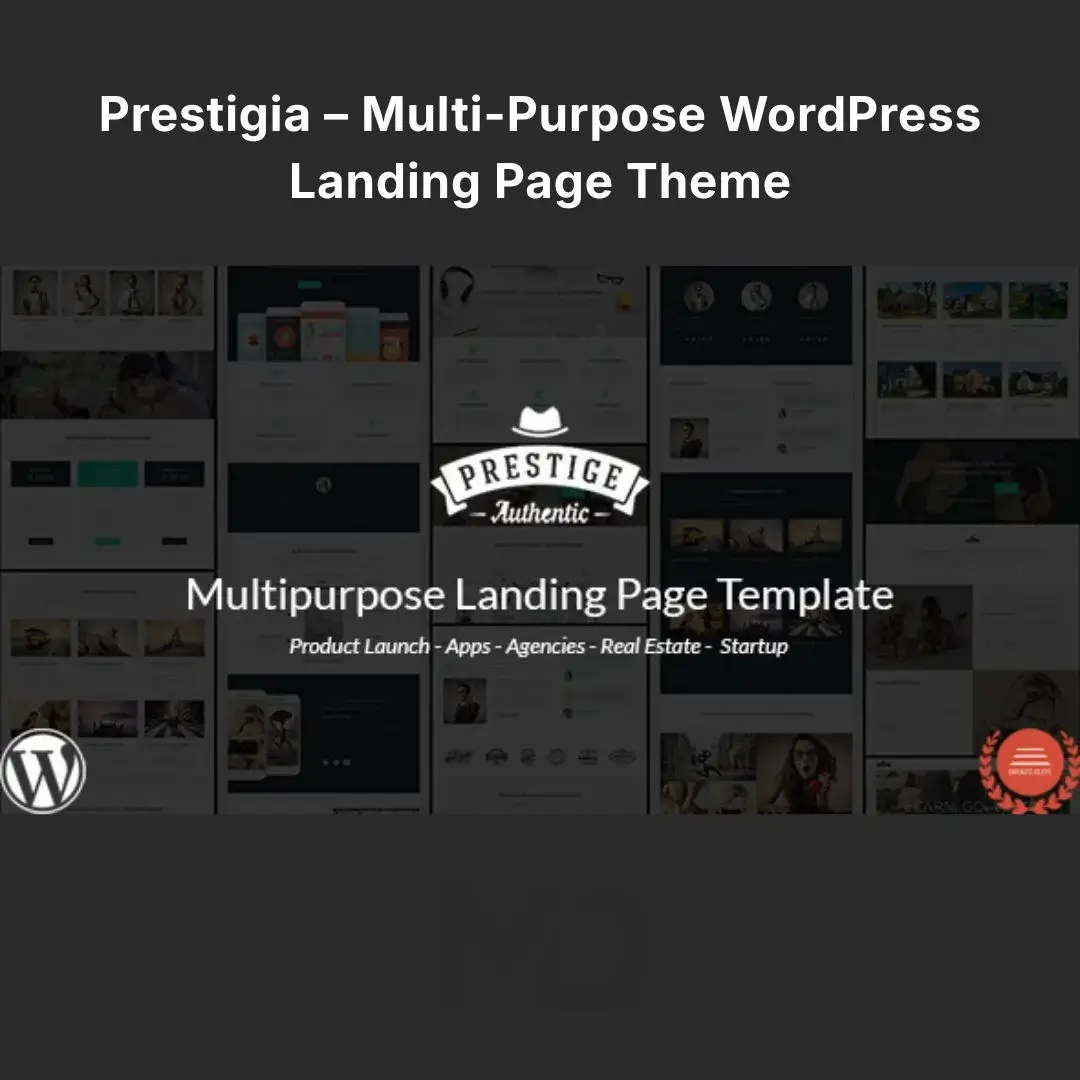


Prestigia – Multi-Purpose WordPress Landing Page Theme
Create High-Converting Landing Pages for Products, Startups, Campaigns & More
A great landing page has one job: turn visitors into action.
Whether you are launching a new product, promoting a mobile application, collecting leads, running a marketing campaign, or building a startup website, a generic WordPress layout may not give you the focused presentation your campaign needs.
Prestigia – Multi-Purpose WordPress Landing Page Theme is designed to help you create professional, visually engaging landing pages for marketing campaigns, product launches, startups, web applications, mobile apps, lead-generation campaigns, and click-through campaigns.
With multiple homepage styles, flexible headers, advanced theme options, page-building functionality, Mailchimp integration, custom post types, responsive layouts, multiple color modes, and extensive customization options, Prestigia gives you the flexibility to create landing pages around different business goals. The original product listing specifically highlights nine homepage styles, four header styles, responsive design, advanced theme options, Mailchimp integration, shortcode generation, page-builder support, Google Fonts, and custom post types.
Why Choose Prestigia?
Traditional multipurpose themes often include hundreds of unnecessary features that can make creating a focused campaign page unnecessarily complicated.
Prestigia takes a more landing-page-focused approach.
Instead of forcing your visitors through a complicated website structure, you can build pages around a specific objective:
Capture Leads → Build Interest → Present Benefits → Create Trust → Drive Action
This makes the theme particularly useful for marketers, startups, entrepreneurs, agencies, product developers, and businesses running promotional campaigns.
⭐ Key Features
9 Homepage Styles
Start with a layout that matches your campaign instead of building everything from scratch.
Prestigia includes nine homepage styles, giving you multiple starting points for different landing-page requirements.
Use different layouts for:
- Product launches
- Startup campaigns
- App promotions
- Lead generation
- Marketing campaigns
- Business promotions
- Web applications
- Mobile applications
- Click-through campaigns
4 Header Styles
Create a strong first impression with flexible header presentation options.
Choose from:
- Image Header
- Video Header
- Slider Header
- Color Header
These options allow you to create different hero sections depending on the campaign you’re running.
Marketing Tip
Use a video header when demonstrating a product or application.
Use an image header when your campaign needs a strong visual hero.
Use a slider when you need to communicate multiple messages.
🎨 Light, Dark & Color Modes
Match your landing page to your brand or campaign style.
Prestigia supports:
- Light Mode
- Dark Mode
- Color Mode
This gives you more flexibility when creating landing pages for different industries and audiences.
🌈 Unlimited Color Presets
Your landing page shouldn’t look identical to every other WordPress website.
Customize the color scheme to match your:
- Brand identity
- Logo
- Marketing campaign
- Product
- Application
- Promotional material
Create a consistent visual experience across your landing page and marketing channels.
🖥️ Wide & Boxed Layouts
Choose between wide and boxed page layouts.
Use wide layouts when you want a modern, immersive presentation.
Choose boxed layouts when you prefer a more structured and traditional website appearance.
🧱 Page Builder Support
Create and customize page content using the included page-building functionality.
Build sections for:
- Hero banners
- Features
- Services
- Pricing
- Testimonials
- Portfolio
- Product information
- Calls to action
- Contact sections
This reduces the need to edit theme files manually.
⚙️ Advanced Theme Options
Manage important website settings from the WordPress administration area.
Customize the appearance and functionality of your website without repeatedly modifying theme code.
This is particularly useful when creating multiple landing pages or adapting a design for different marketing campaigns.
📧 Mailchimp Integration
Grow your email list directly from your landing page.
Use Mailchimp integration for:
- Newsletter subscriptions
- Product launch notifications
- Startup announcements
- Marketing campaigns
- Lead collection
- Promotional updates
Instead of simply attracting visitors, turn your landing page into a tool for building a long-term audience.
🚀 Lead Generation Landing Pages
Build focused pages designed around collecting potential customer information.
For example:
Headline → Benefits → Social Proof → Lead Form → Call to Action
This structure can be used for:
- Free consultations
- Product waitlists
- Demo requests
- Newsletter subscriptions
- Early-access campaigns
- Software trials
- Service inquiries
📢 Product Launch Pages
Launching something new?
Create a dedicated landing page to generate anticipation before your product goes live.
Use sections for:
- Product introduction
- Key benefits
- Screenshots
- Features
- Pricing
- Launch date
- Newsletter signup
- Call-to-action buttons
This makes Prestigia particularly useful for pre-launch marketing campaigns.
📱 Mobile & Web App Landing Pages
Promote mobile and web applications with a dedicated landing page.
Showcase:
- App features
- Screenshots
- Benefits
- User experience
- Download links
- Pricing
- Testimonials
- Promotional videos
The original theme specifically positions the product for web and mobile application promotion.
🎯 Click-Through Landing Pages
Create pages focused on one primary action.
For example:
Discover → Learn More → Click → Convert
These pages are ideal for:
- Paid advertising
- Social media campaigns
- Email marketing
- Affiliate campaigns
- Product promotions
- Special offers
Keep distractions to a minimum and direct visitors toward the desired action.
🔧 Shortcode Generator
Use the built-in shortcode functionality to add supported content elements throughout your pages.
This gives you greater flexibility when constructing custom landing-page sections without manually coding every component.
💼 3 Custom Post Types
Prestigia includes three custom post types:
- Property
- Portfolio
- Pricing Table
These can help organize specialized content and create structured sections for different types of projects.
Portfolio
Showcase:
- Projects
- Case studies
- Creative work
- Previous campaigns
Pricing Tables
Present your:
- Plans
- Packages
- Services
- Subscription options
- Product tiers
Property
Useful for property-focused landing pages and related promotional content.
🔤 Google Fonts
Improve typography and create a more polished visual identity using Google Fonts support.
Choose typography that matches your:
- Brand
- Industry
- Campaign
- Audience
- Design style
📱 Fully Responsive Design
Your landing page needs to work wherever your visitors are.
Prestigia is designed to adapt to:
- Desktop computers
- Laptops
- Tablets
- Smartphones
This helps provide a consistent browsing experience across different screen sizes.
Perfect For
🚀 Startups
Create an attractive online presence for a new business, product, or service.
📱 Mobile Applications
Build dedicated landing pages for app launches and promotions.
💻 SaaS & Web Applications
Present software features, pricing, benefits, and conversion-focused calls to action.
📢 Marketing Campaigns
Create campaign-specific landing pages instead of sending advertising traffic to a generic homepage.
📧 Lead Generation
Collect email addresses and customer inquiries through focused landing pages.
🛍️ Product Launches
Build anticipation and generate leads before your product officially launches.
🎨 Agencies & Freelancers
Create campaign pages and promotional websites for clients.
🏢 Businesses
Create dedicated pages for individual services, promotions, events, or new business initiatives.
Problem → Solution
❌ Problem: Your homepage has too many distractions.
✅ Solution:
Create a dedicated landing page focused on one specific conversion goal.
❌ Problem: You need a campaign page quickly.
✅ Solution:
Start with one of the nine homepage styles and customize it for your campaign.
❌ Problem: Your advertising traffic isn’t converting.
✅ Solution:
Create a focused landing page with a clear headline, benefits, social proof, and a strong CTA.
❌ Problem: You need to build an email list.
✅ Solution:
Use the Mailchimp integration to connect your landing page with your email marketing strategy.
❌ Problem: Your landing page doesn’t match your brand.
✅ Solution:
Customize colors, typography, layouts, headers, and other design elements.
Installation Guide
Step 1 — Download the Theme
Download the Prestigia theme ZIP file from your MDDigitals account.
Step 2 — Open WordPress
Log in to your WordPress Dashboard.
Go to:
Appearance → Themes → Add New → Upload Theme
Step 3 — Upload the Theme
Click Choose File, select the theme ZIP file, and click:
Install Now
Step 4 — Activate the Theme
After installation is complete, click:
Activate
Step 5 — Install Required Plugins
If WordPress prompts you to install recommended or required plugins, install and activate them.
The original product has historically included integrations with plugins such as WPBakery Page Builder and other supporting plugins, so the exact recommended plugin list can depend on the version being installed.
Step 6 — Import Demo Content
If demo/import functionality is included in your package, import the available demo content to quickly establish the starting layout.
Step 7 — Customize Your Website
Navigate through the theme settings and customize:
- Logo
- Colors
- Fonts
- Headers
- Layout
- Content
- Menus
- Landing-page sections
Step 8 — Create Your Campaign
Replace the demo content with your actual:
- Product
- Service
- Marketing message
- Images
- Pricing
- Contact information
- Call-to-action
Step 9 — Test & Publish
Test your landing page on desktop and mobile devices before sending advertising or campaign traffic to it.
How to Create a High-Converting Landing Page
Don’t simply import a demo and publish it.
Use this proven structure:
1. Strong Hero Section
Tell visitors exactly what you’re offering.
Example:
Launch Your Business Website Faster With a Professional WordPress Solution
2. Clear Benefits
Explain what the visitor gets—not just what the product does.
3. Visual Demonstration
Use screenshots, product images, videos, or demonstrations where appropriate.
4. Social Proof
Add:
- Testimonials
- Reviews
- Client logos
- Case studies
- Results
5. Pricing
Make your offer easy to understand.
6. Strong CTA
Tell visitors exactly what to do:
- Get Started
- Buy Now
- Request a Demo
- Join the Waitlist
- Subscribe
- Learn More
7. Lead Capture
If your primary goal is lead generation, make your signup form prominent without making it intrusive.
SEO Optimization Tips
Prestigia provides a strong foundation for creating landing pages, but your content still plays a major role in SEO.
For each landing page:
- Use one primary keyword.
- Create a descriptive SEO title.
- Write a compelling meta description.
- Use logical H1/H2/H3 headings.
- Optimize images and filenames.
- Add descriptive alt text.
- Keep page content relevant to search intent.
- Optimize loading performance.
- Ensure mobile usability.
- Connect relevant internal pages.
- Use an SEO plugin such as Rank Math or Yoast SEO.
Important: A landing-page theme does not automatically guarantee search-engine rankings. Your content, technical SEO, backlinks, performance, and overall website quality still matter.
Best Practices for Marketing Campaigns
Create One Landing Page Per Campaign
Avoid sending every advertisement to your homepage.
Instead:
Facebook Ad → Relevant Landing Page → Specific CTA
This creates a more consistent visitor experience.
Match Your Message
If your advertisement says:
“Get 30% Off Today”
your landing page should immediately reinforce that same offer.
Remove Unnecessary Distractions
If the goal is lead generation, don’t overwhelm visitors with unrelated links.
Track Your Results
Use analytics and conversion tracking to determine:
- Visitors
- Leads
- Clicks
- Conversion rate
- Traffic sources
Then optimize your landing pages based on real data.
Key Benefits at a Glance
- 9 Homepage Styles
- 4 Header Styles
- Image, Video, Slider & Color Headers
- Light, Dark & Color Modes
- Wide & Boxed Layouts
- Advanced Theme Options
- Mailchimp Integration
- Lead Generation Support
- Product Launch Pages
- Click-Through Landing Pages
- Startup Landing Pages
- App Landing Pages
- Page Builder Support
- Shortcode Generator
- Unlimited Color Presets
- Google Fonts
- 3 Custom Post Types
- Responsive Design
- Portfolio Support
- Pricing Table Support
- Well-Documented Theme
Important Compatibility Note
The original marketplace listing shows the theme’s last listed update as November 16, 2023, with testing against WordPress 6.4.1 at that time. The listing also indicates responsive layout and compatibility information for several WordPress versions. Because WordPress, PHP, browsers, and third-party plugins continue to evolve, you should test the specific theme version you are distributing on a staging website before deploying it on a production site.
Why Choose Prestigia?
Prestigia – Multi-Purpose WordPress Landing Page Theme is built around a simple idea: give your marketing campaigns a dedicated, professional online destination.
Instead of relying on a generic website homepage, create focused pages for lead generation, product launches, startups, mobile applications, web applications, promotions, and marketing campaigns.
With multiple homepage and header styles, flexible design options, Mailchimp integration, page-builder functionality, responsive layouts, custom post types, and extensive customization controls, Prestigia gives you the foundation to build landing pages around your specific business objective.
Build the page. Focus the message. Guide visitors toward action.
Copyright & Trademark Disclaimer
- WordPress®, Mailchimp®, Google®, WPBakery®, and other product names, logos, and trademarks are the property of their respective owners.
- This product is distributed under the GNU General Public License (GPL) where applicable.
- MDDigitals is not affiliated with, endorsed by, sponsored by, or associated with the original developer, Jthemes, ThemeForest, Envato, or any other trademark owner.
- All copyrights, trademarks, logos, and intellectual property rights remain with their respective owners.





Reviews
There are no reviews yet