
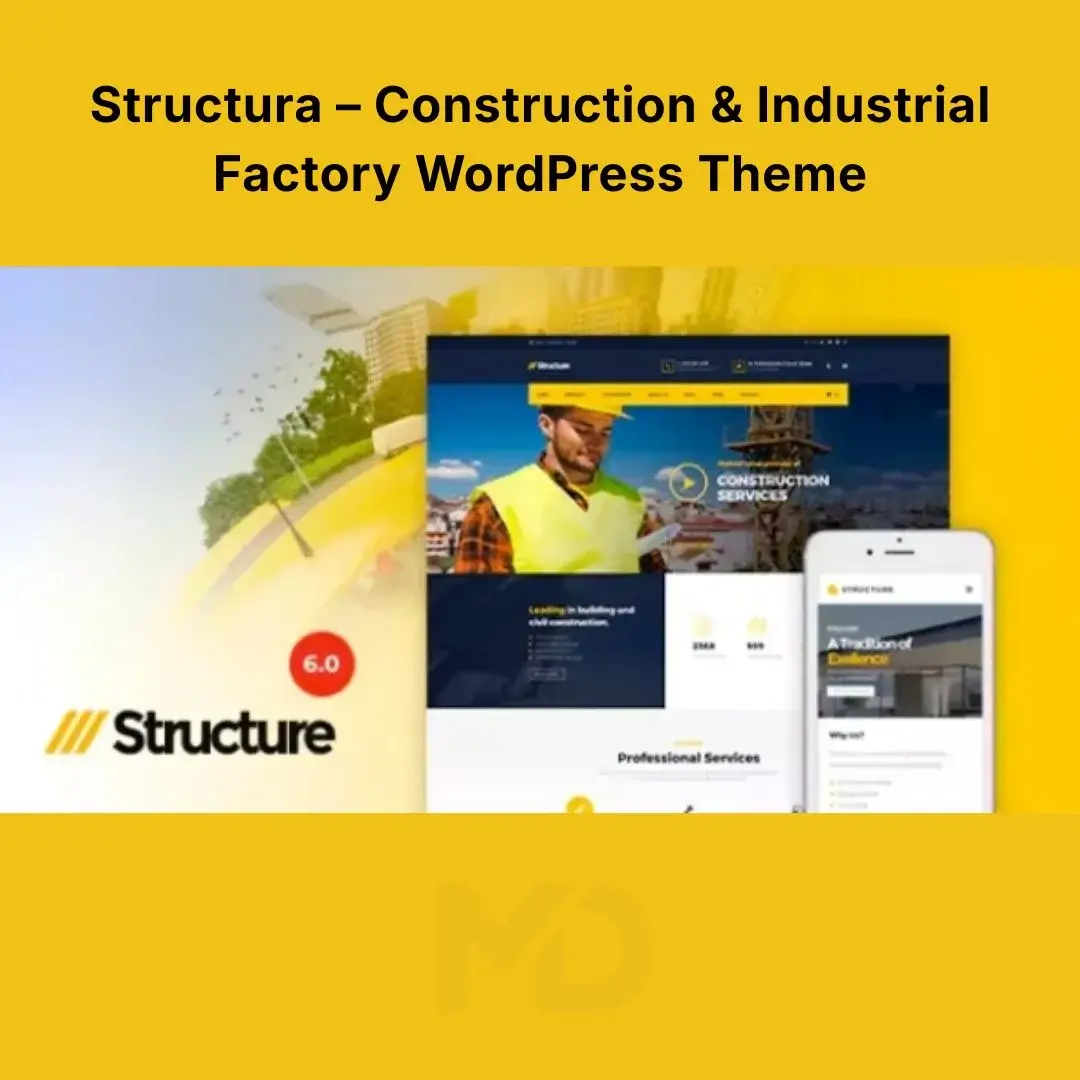

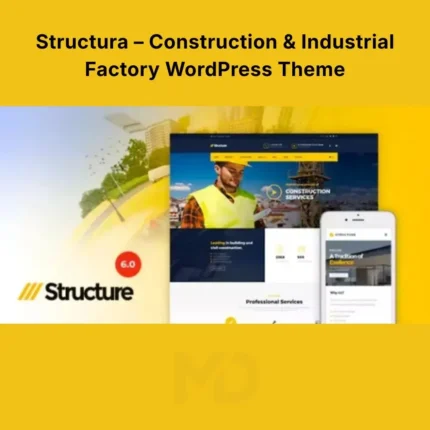
Structur – Construction & Industrial Factory WordPress Theme
Build a Powerful Online Presence for Your Construction or Industrial Business
Your website is often the first place potential clients go to evaluate your construction company, engineering firm, architecture practice, manufacturing business, or industrial services. A dated or generic website can make an established company look less professional and make it harder for visitors to understand what you actually offer.
Structur – Construction & Industrial Factory WordPress Theme provides a professional, business-focused foundation for creating modern websites for construction companies, contractors, engineering firms, architects, manufacturers, factories, industrial businesses, and related service providers.
The theme combines construction-focused layouts with flexible page-building tools, project presentation options, pricing and service sections, WooCommerce support, responsive design, multilingual compatibility, and bundled premium plugins. The original product listing confirms support for construction, engineering, architecture, and related business websites, along with WPBakery, Revolution Slider, Essential Grid, WooCommerce, Contact Form 7, WPML, and other integrations.
Why Choose Structur?
A construction or industrial website needs to do more than display attractive photographs.
Potential clients want to know:
- What services do you provide?
- What types of projects have you completed?
- Can they trust your company?
- What industries do you serve?
- What makes your company different?
- How can they request a quotation?
- Where can they see your previous work?
- How can they contact you?
Structura helps you organize these important elements into a professional website that can present your company, services, projects, team, testimonials, and products in a clear and convincing way.
Key Features
Construction & Industrial-Focused Design
Structura is built around the needs of construction and industrial businesses rather than being a generic blog or corporate theme.
It is suitable for:
- Construction companies
- General contractors
- Building contractors
- Engineering companies
- Architecture firms
- Industrial companies
- Manufacturing businesses
- Factories
- Property development companies
- Renovation companies
- Infrastructure companies
- Building material suppliers
- Heavy equipment businesses
- Mechanical companies
- Electrical contractors
- Industrial service providers
This industry-focused structure makes it easier to build a website that immediately communicates what your business does.
Professional Homepage Layouts
Create a strong first impression with a homepage designed around your services and business objectives.
A typical construction homepage can showcase:
Hero Section → Services → About Company → Projects → Statistics → Testimonials → Industries Served → Contact/Quote CTA
This structure helps visitors move naturally from discovering your business to understanding your capabilities and eventually contacting you.
WPBakery Page Builder
Structura includes integration with WPBakery Page Builder, providing a drag-and-drop approach to creating and editing page layouts.
You can customize:
- Columns
- Rows
- Text blocks
- Images
- Buttons
- Icons
- Content sections
- Spacing
- Backgrounds
- Page layouts
This is particularly useful when building project pages, service pages, company pages, and custom landing pages.
The original listing identifies WPBakery as one of the bundled plugins.
Revolution Slider Integration
Use Revolution Slider to create visually engaging hero sections and promotional sliders.
You can use sliders to showcase:
- Major construction projects
- Company achievements
- Services
- Special offers
- Industrial facilities
- Equipment
- Project milestones
- Company announcements
A strong hero section can communicate your company’s value proposition immediately when visitors arrive.
The original listing identifies Slider Revolution as one of the bundled premium plugins.
Essential Grid
Showcase your visual content with grid-based layouts.
Essential Grid can be useful for presenting:
- Construction projects
- Architecture projects
- Portfolio items
- Services
- Blog posts
- Images
- Case studies
- Company galleries
For construction businesses, this is especially useful because potential clients often want to see evidence of previous work before making an inquiry.
Construction Project Portfolio
Your completed projects are one of your strongest sales tools.
Create dedicated project sections to showcase:
- Project name
- Project category
- Location
- Completion date
- Client
- Project scope
- Services provided
- Images
- Project description
- Results
For example:
Commercial Building Project
Explain what the client needed, what your company delivered, and what the completed project achieved.
This transforms your portfolio from a simple image gallery into a credibility-building sales resource.
Multiple Project Layouts
Present projects using different layout styles, including boxed and full-width presentation options.
This allows you to create portfolio pages that match your brand and the type of work being displayed.
Service-Focused Website Structure
Create dedicated pages for individual services instead of putting everything on one page.
For example:
Construction Services
Explain your construction capabilities.
Engineering Services
Present your engineering expertise and technical services.
Architecture
Showcase architectural planning and design services.
Industrial Construction
Explain your industrial construction capabilities.
Renovation
Promote renovation and remodeling services.
Project Management
Explain your project planning and management process.
Dedicated service pages also provide more opportunities to target specific SEO keywords.
16+ Color Schemes
Branding is particularly important for construction and industrial companies.
Structura provides multiple predefined color schemes along with extensive color customization options. The original listing states that the theme includes more than 16 predefined color schemes and unlimited color options.
You can adapt the website to match your:
- Logo
- Brand colors
- Corporate identity
- Marketing materials
- Signage
- Vehicles
- Uniforms
Header Presets
Choose from multiple header presentation options to create navigation that fits your website.
Use headers to make important sections easily accessible, such as:
- Home
- About
- Services
- Projects
- Blog
- Contact
- Quote Request
A well-organized header reduces friction and helps visitors find information quickly.
Sticky Header
Keep important navigation accessible as visitors scroll through longer pages.
This is particularly useful for project and service pages where users may need to move between sections without scrolling all the way back to the top.
Boxed & Full-Width Layouts
Choose between different page presentation styles.
Full-Width
Ideal for:
- Large project images
- Industrial photography
- Construction portfolios
- Wide hero sections
Boxed
Useful for:
- Traditional corporate websites
- Content-focused pages
- More compact layouts
The theme supports both boxed and full-width construction layouts.
Modern & Classic Blog Layouts
Create a company blog to publish useful industry content.
Use it for:
- Construction news
- Project announcements
- Engineering insights
- Company updates
- Industry trends
- Safety information
- Building guides
- Project case studies
- Product information
The theme includes both modern and classic blog layout options.
WooCommerce Compatibility
If your business sells physical or digital products, equipment, materials, or related services, WooCommerce can turn your website into an online store.
Potential products include:
- Building materials
- Industrial equipment
- Tools
- Safety equipment
- Construction accessories
- Architectural products
- Digital plans
- Consulting services
The original theme listing confirms WooCommerce support.
Contact Form 7 Support
Make it easy for potential customers to contact your company.
Create forms for:
- General inquiries
- Quote requests
- Project consultations
- Service inquiries
- Partnership requests
- Support requests
For a construction business, a Request a Quote form can be particularly valuable.
Instead of simply displaying a phone number, use a form that allows potential clients to provide project information before contacting your sales team.
Testimonials
Trust is essential when clients are considering a construction or engineering company.
Use testimonial sections to present genuine feedback from:
- Homeowners
- Commercial clients
- Developers
- Contractors
- Industrial clients
- Business partners
Place testimonials near service and project sections to reinforce credibility.
Mega Menu
Large construction and industrial companies often provide numerous services.
A mega menu allows you to organize these services more effectively.
For example:
Services
- Construction
- Engineering
- Architecture
- Renovation
- Industrial
- Project Management
Projects
- Commercial
- Residential
- Industrial
- Infrastructure
This improves navigation while keeping large websites organized.
Parallax Effects
Use smooth parallax effects to add visual depth to selected sections.
Parallax can work particularly well with:
- Construction photography
- Large project images
- Company statistics
- Call-to-action sections
- Industrial backgrounds
Use these effects selectively so that visual presentation does not negatively impact usability or performance.
Responsive & Retina Ready
Your business website needs to look professional regardless of the device used by your potential client.
Structura is designed for:
- Desktop
- Laptop
- Tablet
- Smartphone
The original listing describes the theme as responsive and Retina-ready.
600+ Google Fonts
Typography plays an important role in corporate branding.
Structura provides access to a large collection of Google Fonts, allowing you to create typography that matches your company’s identity.
Use consistent typography for:
- Headings
- Body text
- Buttons
- Navigation
- Project titles
- Service descriptions
WPML Support
If your construction or industrial company operates internationally, multilingual support can be extremely valuable.
Structura supports WPML, allowing you to build multilingual versions of your website.
This can be useful for companies serving customers in multiple countries or regions.
Live Customizer
Preview changes while customizing your website.
The Live Customizer allows you to adjust supported settings and see how changes affect your website before publishing them.
This is particularly useful for:
- Colors
- Typography
- Layout settings
- Branding
- Header options
- Other theme-level settings
SEO-Friendly Structure
The original product listing highlights search-engine optimization as one of the theme’s features.
However, remember that a theme being SEO-friendly does not automatically make a website rank.
For better results, optimize your:
- Page titles
- Meta descriptions
- Headings
- Service pages
- Project descriptions
- Images
- Internal links
- URLs
- Local business information
- Website speed
Problem-Solving Benefits
Problem: Your construction company looks generic online.
Solution: Use an industry-specific design that immediately communicates construction, engineering, industrial, or architectural expertise.
Problem: Potential clients can’t see your previous work.
Solution: Build dedicated project and portfolio sections to showcase completed projects with descriptions and images.
Problem: Your services are difficult to understand.
Solution: Create individual service pages that explain what you provide, who you serve, and why customers should choose you.
Problem: Visitors cannot easily request information.
Solution: Add prominent contact and quote-request forms throughout important pages.
Problem: Your website has too many services to fit into a simple menu.
Solution: Use mega-menu navigation to organize large service and project categories.
Problem: You want to sell construction-related products.
Solution: Use WooCommerce compatibility to add an eCommerce section to your website.
Problem: You operate internationally.
Solution: Use WPML compatibility to create a multilingual website.
Perfect For
Structura is suitable for:
- Construction Companies
- Engineering Firms
- Architecture Companies
- Industrial Businesses
- Manufacturing Companies
- Factories
- Building Contractors
- General Contractors
- Renovation Companies
- Infrastructure Companies
- Property Developers
- Building Material Suppliers
- Industrial Equipment Businesses
- Electrical Contractors
- Mechanical Contractors
- Commercial Construction Companies
- Residential Construction Companies
Installation Guide
Step 1: Install WordPress
Set up a fresh or existing WordPress website on your hosting server.
For the best experience, use a modern WordPress/PHP environment with adequate memory and server resources.
Step 2: Upload the Theme
From your WordPress dashboard, go to:
Appearance → Themes → Add New → Upload Theme
Upload the Structura ZIP file.
Click:
Install Now → Activate
Step 3: Install Required Plugins
After activation, WordPress may display recommended or required plugins.
Install the plugins needed for the features you intend to use, such as:
- WPBakery Page Builder
- Revolution Slider
- Essential Grid
- Contact Form 7
- WooCommerce, if required
- WPML, if you need multilingual functionality
The original listing identifies these integrations and bundled plugins.
Step 4: Import Demo Content
Open the theme’s demo/import area and use the available one-click import functionality.
The original product listing advertises one-click sample data/demo installation.
Allow the process to finish before changing major settings.
Step 5: Configure Your Branding
Replace the demo branding with your:
- Logo
- Company name
- Colors
- Typography
- Contact details
- Social media profiles
Step 6: Create Your Services
Go through the demo service content and replace it with your actual services.
Avoid leaving generic demo descriptions on your live website.
Step 7: Add Your Projects
Create project entries for your completed work.
Include:
- Project title
- Category
- Client
- Location
- Date
- Description
- Images
- Services provided
Step 8: Configure Contact Forms
Create your quote and inquiry forms with Contact Form 7.
At minimum, consider collecting:
- Name
- Phone
- Company
- Project type
- Location
- Estimated budget
- Project description
Only request information that is genuinely necessary.
Step 9: Configure WooCommerce
If you intend to sell products:
- Install WooCommerce.
- Create product categories.
- Add your products.
- Configure prices.
- Configure payment methods.
- Configure shipping.
- Test checkout.
Step 10: Test the Website
Before launch, test:
- Desktop layout
- Mobile layout
- Navigation
- Contact forms
- Project pages
- Blog
- WooCommerce checkout
- Buttons
- Images
- Search
- Page speed
How to Build a High-Converting Construction Website
A construction website should be designed around trust and action.
A recommended homepage structure is:
1. Hero Section
Immediately tell visitors:
What you do + where you operate + why they should contact you
Example:
Reliable Commercial & Industrial Construction Solutions
CTA:
Request a Quote
2. Company Introduction
Briefly explain:
- Who you are
- What you specialize in
- Where you operate
- How long you have been serving customers
3. Core Services
Show your most important services with links to dedicated pages.
4. Featured Projects
Display your strongest completed projects.
5. Company Statistics
If you have verified figures, highlight:
- Completed projects
- Years of experience
- Clients served
- Team members
- Locations served
6. Why Choose Us
Explain your genuine competitive advantages.
7. Testimonials
Use authentic customer feedback.
8. Quote Request
Give visitors a clear way to start a conversation.
SEO Strategy for Construction Businesses
Don’t try to rank one homepage for every construction-related keyword.
Create dedicated pages for specific services and locations.
For example:
Construction Company in Lahore
Commercial Construction Services
Industrial Construction Contractor
Building Renovation Services
Architectural Design Services
Industrial Factory Construction
Each page should provide genuinely useful information rather than simply repeating keywords.
Recommended Keywords
Primary:
- Construction WordPress Theme
- Construction Company WordPress Theme
- Industrial WordPress Theme
- Factory WordPress Theme
- Engineering WordPress Theme
Supporting:
- Contractor WordPress Theme
- Architecture WordPress Theme
- Construction Business Website
- Industrial Company WordPress Theme
- Manufacturing WordPress Theme
- Building Company WordPress Theme
- Construction Services Website
Performance Recommendations
The original listing promotes fast-loading performance, but actual website speed depends on hosting, content, plugins, images, caching, and configuration.
For a faster website:
- Compress large images.
- Use WebP/AVIF where appropriate.
- Enable caching.
- Use a CDN where beneficial.
- Minimize unnecessary plugins.
- Avoid excessive animation.
- Optimize fonts.
- Keep WordPress and plugins updated.
- Test Core Web Vitals.
- Use quality hosting.
Large construction photographs can easily become one of the biggest causes of slow loading, so image optimization should be a priority.
Important Plugin & Licensing Note
The original listing states that WPBakery Page Builder, Slider Revolution, and Essential Grid are integrated/bundled with the theme and that these plugins can be used with the theme without entering a separate plugin purchase code. It also states that separate plugin licenses are required if users want licenses directly from the individual plugin authors.
For a GPL-distributed package, customers should understand that bundled functionality and independent developer licensing are not the same thing. Automatic updates or direct support from individual plugin authors may require separate licenses.
Also, the original listing notes that its preview images are for demonstration and are not included in the final theme files.
Key Features at a Glance
- Construction-focused WordPress design
- Industrial business layouts
- Factory website layouts
- Engineering website support
- Architecture-focused layouts
- WPBakery Page Builder integration
- Revolution Slider integration
- Essential Grid integration
- One-click demo import
- Live Customizer
- 16+ predefined color schemes
- Unlimited colors
- Multiple header presets
- Sticky header
- Mega menu
- Boxed layout
- Full-width layout
- Multiple blog layouts
- Multiple project layouts
- Project portfolio
- WooCommerce compatibility
- Contact Form 7 support
- WPML support
- Responsive design
- Retina-ready layouts
- 600+ Google Fonts
- Font Awesome icons
- Parallax effects
- Smooth CSS3 animations
- SEO-friendly structure
- GDPR-ready features
- Cross-browser compatibility
- Mobile-friendly layouts
These capabilities are based on the current original product listing and its documented feature set.
Copyright & Trademark Disclaimer
- WordPress®, WooCommerce®, WPBakery®, Slider Revolution®, Essential Grid®, WPML®, Contact Form 7®, and other product names, logos, and trademarks are the property of their respective owners.
- This product is distributed under the GNU General Public License (GPL) where applicable.
- MDDigitals is not affiliated with, endorsed by, sponsored by, or associated with ThemeMove, Envato/ThemeForest, or any other original developer or trademark owner.
- All third-party copyrights, trademarks, logos, and intellectual property rights remain the property of their respective owners.



Reviews
There are no reviews yet