
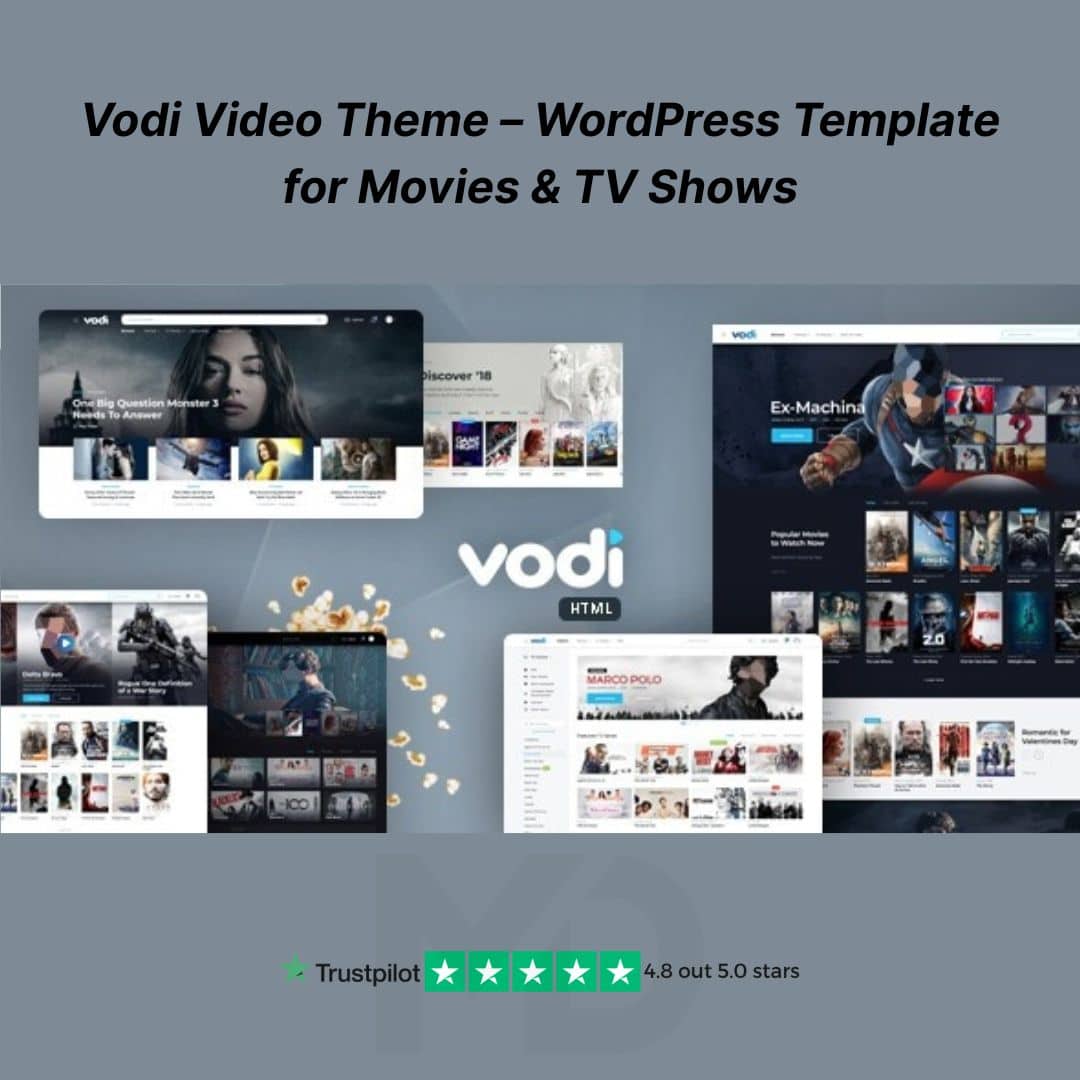


Vodi Video Theme – WordPress Template for Movies & TV Shows
Bring your movie or TV show website to life with the Vodi Video Theme, a powerful and modern WordPress template built specifically for video streaming, entertainment magazines, and content platforms. Whether you’re launching a site like Netflix, IMDb, or YouTube, Vodi delivers the ideal design and feature set — professionally developed, GPL-licensed, and ready for lifetime use.
🎬 Why Choose Vodi Video Theme?
Built by the creators of popular themes on ThemeForest, Vodi is not just visually impressive — it’s also deeply functional. Perfect for video streaming portals, online movie databases, review blogs, and TV series directories, it supports structured video content, seamless playback, and a dynamic user experience.
⚡ Key Features That Make a Difference
✅ Purpose-Built for Video and Streaming Content
-
Create and manage movies, TV shows, episodes, and user-generated content.
-
Seamlessly integrates with the MAS Videos plugin for custom post types like Movies, Episodes, and Video Series.
✅ Multiple Demo Layouts
-
Includes 5+ professionally designed demos: Movie Streaming, TV Shows, Video Magazine, eLearning, and more.
-
One-click demo import to get started instantly.
✅ Elementor Compatible
-
Drag & drop page builder support using Elementor.
-
Customize every page, layout, and block without coding knowledge.
✅ Advanced Filtering & Search
-
Offer a user-friendly experience with powerful filtering for genres, release dates, actors, and more.
-
Easily sort video content by popularity, ratings, or categories.
✅ Responsive & Retina Ready
-
Fully mobile-optimized for smooth experiences on smartphones, tablets, and desktops.
-
Sleek dark and light modes included for maximum user engagement.
✅ Performance & SEO Optimized
-
Fast-loading theme with clean, structured code.
-
Built with schema markup and best SEO practices for better rankings.
✅ Translation & RTL Ready
-
Supports WPML and other translation plugins.
-
Ready for RTL languages — ideal for global audiences.
✅ GPL Licensed – Use Forever
-
100% legal and safe under GPL.
-
No license key required — use on unlimited sites with manual updates.
🛠️ How to Install and Use Vodi Video Theme
Step 1: Upload the Theme
-
Go to your WordPress Dashboard.
-
Navigate to Appearance → Themes → Add New → Upload Theme.
-
Upload the
vodi.zipfile and click Install, then Activate.
Step 2: Install Required Plugins
-
After activation, install and activate the suggested plugins:
-
MAS Videos
-
Elementor (recommended for easy editing)
-
WooCommerce (if you want to monetize)
-
Step 3: Import Demo Content
-
Go to Appearance → Import Demo Data.
-
Choose your preferred layout and click Import to load all demo content, menus, and widgets.
Step 4: Customize Your Site
-
Use Elementor or Theme Customizer to change logos, menus, layout styles, and typography.
-
Add your own movies, series, and video posts using the MAS Videos dashboard.
🎯 Ideal For:
-
Movie & TV Show Listings
-
Online Video Portals
-
Video Magazines & Review Sites
-
YouTube-Like Video Platforms
-
OTT Streaming Startup Websites
🔐 What You Receive
-
✅ Theme files (GPL Licensed, clean & secure)
-
✅ Demo layouts and pre-built page templates
-
✅ Installation instructions
-
✅ Lifetime usage rights
-
✅ Regular manual updates (via mddigitals.com)
Create a professional-grade streaming or video portal website in minutes — without paying high developer fees or subscription costs. With the Vodi Video Theme, you get design, performance, and flexibility in one clean package.
🛒 Download now from MD Digitals and launch your movie website today!
👉” This product is redistributed under the GPL license. We are not affiliated with or endorsed by themeforest.net By MadrasThemes, All trademarks and copyrights belong to their respective owners.”
For full docs and more information, visit:🌐themeforest.net By MadrasThemes





Reviews
There are no reviews yet