


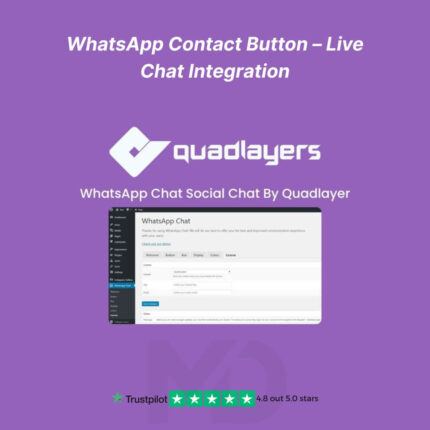
WhatsApp Contact Button for WordPress – Live Chat Integration
Instantly Connect with Your Visitors Through WhatsApp
Turn your WordPress website into an instant communication hub with the WhatsApp Contact Button for WordPress – Live Chat Integration plugin. This powerful and easy-to-use plugin lets your customers message you directly via WhatsApp in just one click — helping you boost conversions, build trust, and provide real-time support.
Whether you’re running an online store, service website, or personal blog, adding a WhatsApp chat button is one of the most effective ways to enhance customer engagement and increase sales.
💡 Why Choose This Plugin?
Your visitors prefer quick, personal, and familiar communication. WhatsApp is the world’s most popular messaging app — and this plugin seamlessly integrates it with your WordPress site.
In a few clicks, you can add a floating WhatsApp button that’s always visible, customize its look and behavior, and even display multiple agent profiles for team-based support.
🚀 Key Features
🟢 1. One-Click WhatsApp Chat Integration
Add a floating or fixed WhatsApp chat button to your website — no coding required. Visitors can instantly start a conversation with you or your team.
🎨 2. Fully Customizable Design
Easily personalize the chat button to match your brand’s look:
-
Choose colors, position, and icon styles
-
Add custom text and welcome messages
-
Show or hide on specific pages or devices
👥 3. Multi-Agent Support
Display multiple WhatsApp numbers or agents with custom names, titles, and availability times — perfect for businesses with sales, support, and billing departments.
⏰ 4. Availability Scheduling
Set working hours for each agent so the chat button appears only when your team is online. You can display a friendly offline message during non-working hours.
🌍 5. Device-Smart Chat Links
Automatically detect whether the user is on desktop or mobile and open the right WhatsApp app version — web or mobile — for a smooth user experience.
🧩 6. Lightweight and Fast
Optimized for speed. This plugin won’t slow down your website and works perfectly with all major WordPress themes and page builders (like Elementor, Divi, or WPBakery).
🛠️ 7. Compatible with WooCommerce
Engage customers right from product pages or checkout — increase conversions by answering pre-purchase questions in real time.
🔐 8. 100% GPL Licensed
You get a genuine, virus-free GPL-licensed version — safe to use, manually verified, and regularly updated by MD Digitals.
📥 Installation Guide
-
Download the plugin ZIP file from your MD Digitals account after purchase.
-
Go to your WordPress Dashboard → Plugins → Add New → Upload Plugin.
-
Click Upload Plugin, select the ZIP file, and hit Install Now.
-
Once installed, click Activate Plugin.
-
You’ll now see a WhatsApp Chat menu in your WordPress dashboard.
⚙️ How to Use
-
Open the plugin settings from your WordPress admin panel.
-
Add your WhatsApp phone number(s) and custom welcome message.
-
Configure button placement, colors, and visibility rules.
-
Save changes and preview your site — your WhatsApp chat button is now live!
💬 When visitors click the button, they’re automatically redirected to a WhatsApp chat window with your predefined message ready to send.
🧠 Pro Tips
-
Use multiple agents for better response management.
-
Add personalized messages for specific pages (like “Need help with this product?”).
-
Combine with WooCommerce to provide instant checkout support.
⚖️ GPL License Disclaimer
This product is distributed under the GNU General Public License (GPL).
It’s not affiliated with, endorsed, or sponsored by WhatsApp, Meta Platforms, or QuadLayers.
All product names, logos, and trademarks belong to their respective owners
Any brand names mentioned are used only for descriptive and identification purposes
We do not claim ownership of any third-party trademarks or branding
This is an independently distributed GPL-licensed product, provided in compliance with WordPress and GPL guidelines
🛒 Boost Customer Trust & Sales — Start Chatting Today!
Empower your website visitors to contact you instantly with the most convenient tool they already use daily — WhatsApp.
Build stronger connections, close more deals, and deliver outstanding customer service effortlessly.
👉 Download the WhatsApp Contact Button for WordPress (GPL Licensed) today and connect with your customers in real time!





Reviews
There are no reviews yet