
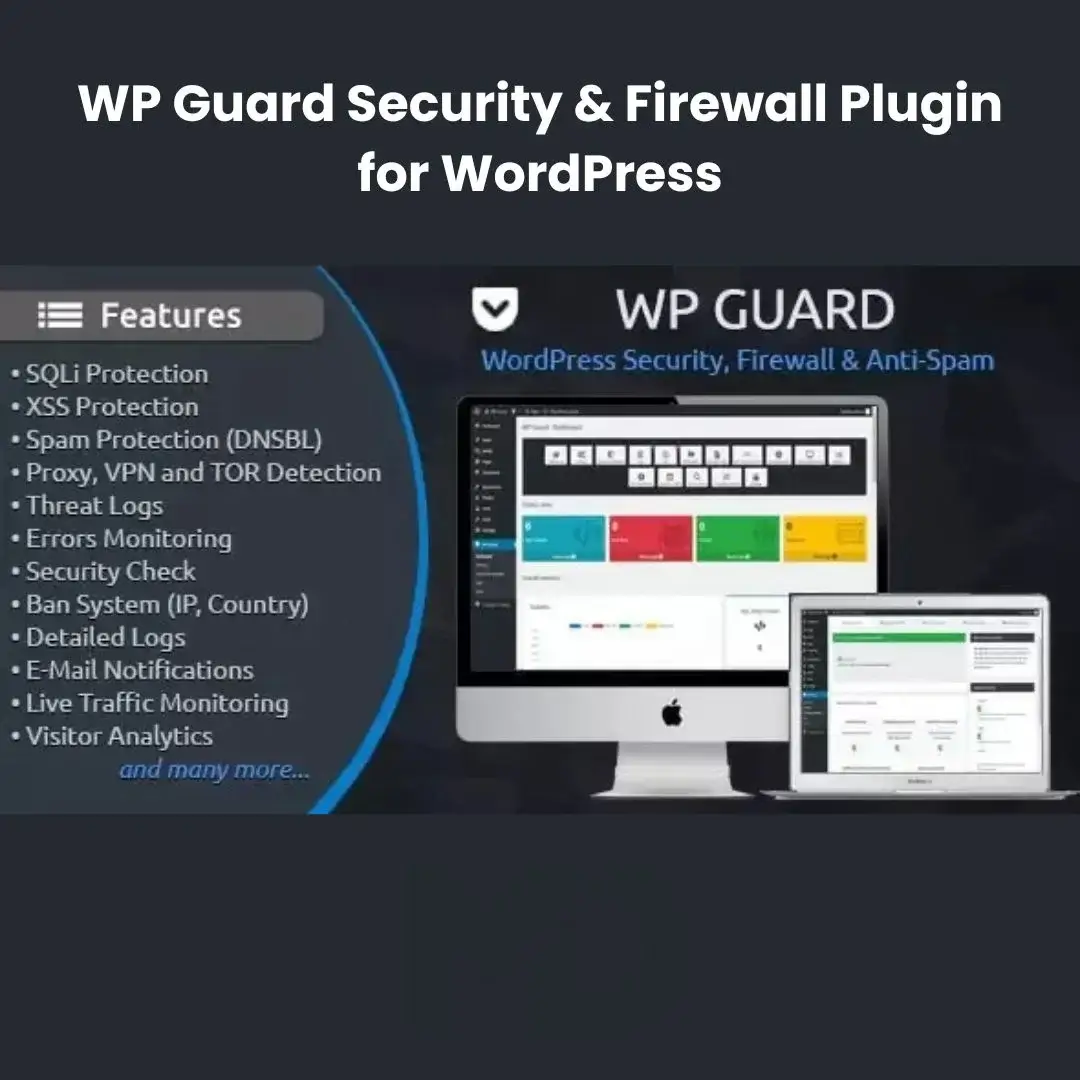


WP Guard Security & Firewall Plugin for WordPress
Protect Your WordPress Website Against Hackers, Malware, Spam & Security Threats
Website security is no longer optional. Every day, thousands of WordPress websites face attacks from hackers, bots, malware, spam, brute-force login attempts, and malicious scripts. A single security breach can result in lost revenue, damaged reputation, compromised customer data, and expensive recovery costs.
WP Guard Security & Firewall Plugin for WordPress is a comprehensive website protection solution designed to help website owners secure their WordPress installations using advanced firewall protection, malware detection, anti-spam tools, login security features, and website monitoring capabilities.
Whether you run a business website, WooCommerce store, membership platform, blog, agency website, educational portal, or corporate website, this plugin provides the security tools needed to help protect your online business from modern cyber threats.
Why Website Security Matters
Many website owners underestimate the risks associated with poor website security.
Common threats include:
❌ Brute-force login attacks
❌ Malware infections
❌ Spam submissions
❌ SQL injection attacks
❌ Bot traffic
❌ Unauthorized access attempts
❌ Website defacement
❌ Data theft
❌ Blacklisting by search engines
Without proper protection, your website may become vulnerable to attacks that can damage your business and customer trust.
This plugin helps provide multiple layers of protection to improve website security and reduce exposure to common threats.
Key Features
🛡 Advanced Website Firewall Protection
Protect your website using firewall rules designed to help identify and block suspicious traffic.
Benefits include:
- Reduced malicious traffic
- Improved website security
- Better protection against attacks
- Enhanced website stability
Firewall protection acts as one of the first lines of defense against potential threats.
🔐 Login Security Protection
Secure your WordPress login system against unauthorized access attempts.
Features may help protect against:
- Brute-force attacks
- Unauthorized logins
- Automated login attempts
- Suspicious authentication activity
Protect one of the most commonly targeted areas of your website.
🚫 Anti-Spam Protection
Reduce unwanted spam activity throughout your website.
Help protect:
- Contact forms
- Registration forms
- Comment sections
- User submissions
Improve user experience while reducing administrative workload.
🔍 Malware Detection & Security Monitoring
Monitor your website for suspicious behavior and potential security issues.
Benefits include:
- Early threat detection
- Security awareness
- Improved monitoring
- Faster response times
Proactive monitoring helps minimize potential damage.
🤖 Bot Protection
Identify and limit harmful automated traffic.
Protect against:
- Spam bots
- Scraping bots
- Malicious crawlers
- Automated attacks
Improve website performance and security simultaneously.
🚨 Real-Time Security Alerts
Receive notifications about important security events and suspicious activities.
Examples include:
- Failed login attempts
- Security warnings
- Unauthorized access attempts
- Suspicious behavior detection
Stay informed about your website’s security status.
🌎 IP Address Blocking
Block suspicious IP addresses and restrict access from unwanted visitors.
Benefits include:
- Reduced attack attempts
- Improved website control
- Enhanced security management
Control who can access your website.
🔒 File Protection Features
Help protect important WordPress files and sensitive areas from unauthorized access.
Benefits include:
- Better file security
- Reduced vulnerability exposure
- Improved system integrity
Protect critical website components.
⚡ Lightweight Performance
Security should not come at the cost of website speed.
This plugin is designed to provide strong protection while maintaining efficient website performance.
📊 Security Activity Monitoring
Track security-related events directly from your WordPress dashboard.
Monitor activities such as:
- Login attempts
- Security warnings
- Suspicious behavior
- Access activity
Gain better visibility into your website’s security environment.
Perfect For
This plugin is ideal for:
- Business Websites
- WooCommerce Stores
- Membership Websites
- Blogs
- Educational Platforms
- Corporate Websites
- Agencies
- Freelancers
- Portfolio Websites
- News Websites
- Online Communities
If your website is connected to the internet, security protection is essential.
Business Benefits
Protect Customer Trust
Security breaches can damage your reputation. Strong security helps build customer confidence.
Prevent Website Downtime
Reduce the risk of attacks that can disrupt website operations.
Save Recovery Costs
Preventing attacks is often far less expensive than recovering from one.
Reduce Spam Management
Spend less time handling spam submissions and unwanted traffic.
Improve Website Stability
Security monitoring helps identify problems before they become serious.
Protect Revenue
Keep your website online, secure, and available for customers.
Real-World Use Cases
WooCommerce Stores
Protect customer accounts, checkout pages, and order data.
Business Websites
Prevent unauthorized access and improve overall website security.
Membership Platforms
Secure member accounts and private content.
Educational Websites
Protect student and administrator accounts.
Agency Websites
Provide enhanced security for client projects.
High-Traffic Websites
Reduce malicious bot activity and improve performance.
Installation Guide
Make it clearer and easier to understand.
How to Install WP Guard Security & Firewall Plugin for WordPress
Download the plugin ZIP file from your MDDigitals account. Log in to your WordPress dashboard and go to Plugins → Add New → Upload Plugin. Select the ZIP file, click Install Now, and then Activate the plugin.
After activation, open the plugin settings and configure the security options according to your website’s requirements. It is recommended to review all available security features before enabling advanced protection settings.
How to Use
Step 1: Activate Core Security Features
Enable the primary security protections, including:
- Firewall protection
- Login security
- Anti-spam tools
- Security monitoring
Start with the recommended security settings.
Step 2: Configure Firewall Rules
Review and customize firewall settings based on your website’s needs.
Configure:
- Access restrictions
- Traffic filtering
- Security rules
- Protection levels
Step 3: Enable Login Protection
Activate login security features to help prevent unauthorized access attempts.
Monitor:
- Failed login attempts
- User activity
- Authentication events
Step 4: Configure Anti-Spam Settings
Protect:
- Comments
- Forms
- Registrations
- User submissions
Reduce spam and improve user experience.
Step 5: Monitor Security Activity
Regularly review:
- Security logs
- Alerts
- Suspicious activity
- Website status
Proactive monitoring helps maintain strong security.
Step 6: Maintain Security Best Practices
Regularly:
- Update WordPress
- Update plugins
- Update themes
- Review security settings
- Backup your website
Security is an ongoing process.
Best Practices for Maximum Protection
✔ Use strong administrator passwords
✔ Enable two-factor authentication if available
✔ Keep WordPress updated
✔ Keep plugins and themes updated
✔ Limit administrator accounts
✔ Perform regular backups
✔ Review security alerts frequently
✔ Monitor website activity regularly
✔ Remove unused plugins and themes
Technical Highlights
- WordPress Compatible
- Website Firewall Protection
- Anti-Spam Features
- Login Security
- Malware Monitoring
- Bot Protection
- IP Blocking
- Security Notifications
- Activity Monitoring
- File Protection
- Security Logging
- User-Friendly Dashboard
Why Website Owners Choose This Plugin
Cybersecurity threats continue to evolve, and WordPress websites remain popular targets for attackers. Businesses that fail to implement adequate security protections risk losing customers, revenue, and valuable data.
WP Guard Security & Firewall Plugin for WordPress provides multiple layers of protection that help secure websites against common threats while remaining easy to manage and configure.
Whether you’re running an online store, business website, membership platform, or personal blog, investing in website security helps protect your business, your customers, and your long-term success.
Copyright & Trademark Disclaimer
WordPress®, WP Guard®, and all related product names, logos, trademarks, and registered trademarks are the property of their respective owners.
This is a GPL-distributed version. No official support. Clean, secure, and legally redistributed under the GPL license.
We do not claim any ownership of third-party trademarks or branding.
Full credit and respect go to the original developer for their outstanding work in creating this product.








Reviews
There are no reviews yet