
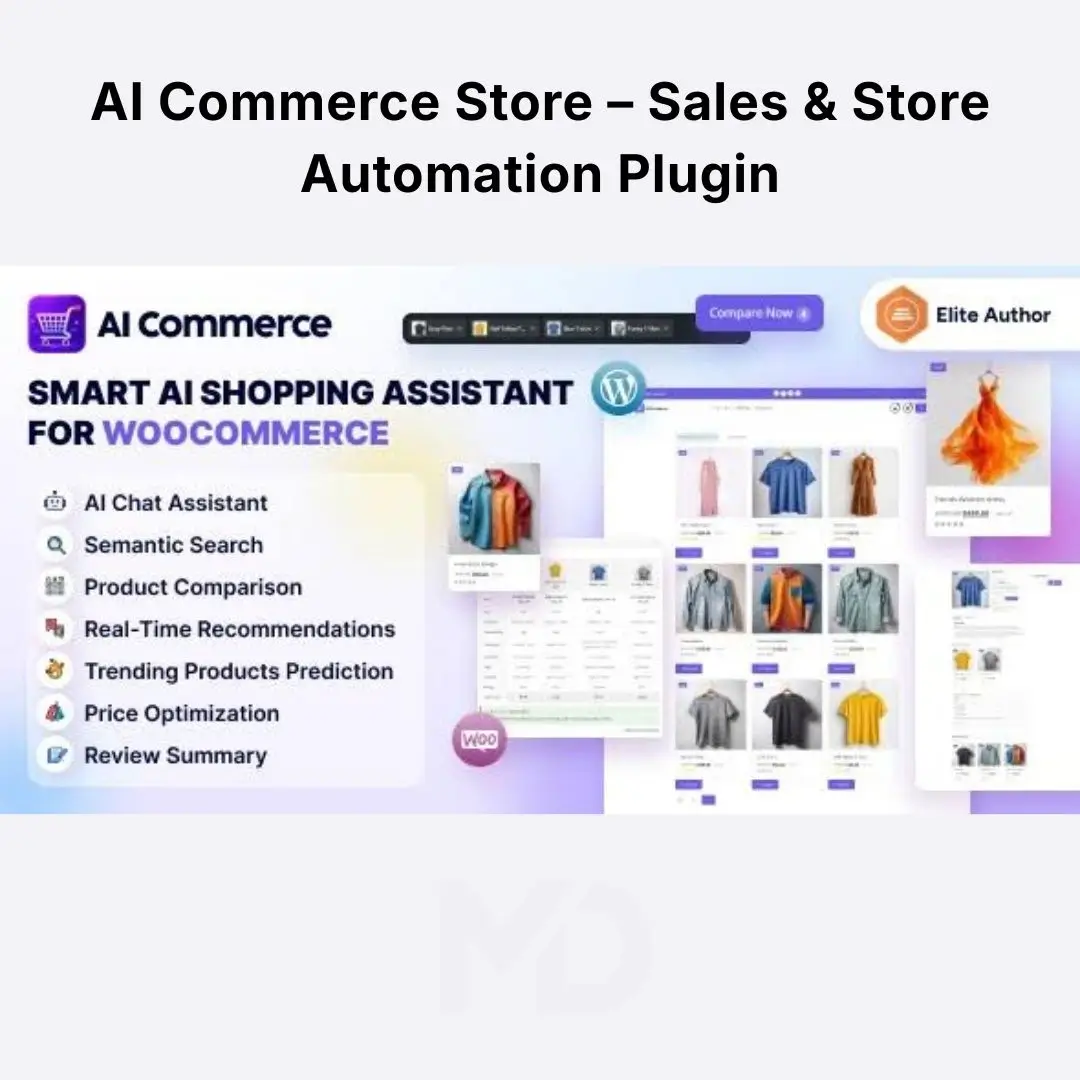


AI Commerce Store – Sales & Store Automation Plugin for WooCommerce
Make your online store smarter, streamline repetitive tasks, and create a more efficient shopping experience with AI Commerce Store – Sales & Store Automation Plugin for WooCommerce.
Running a WooCommerce store involves more than adding products and processing orders. Store owners must manage product information, respond to customer questions, improve product discovery, monitor sales performance, and keep daily operations running smoothly. Handling every task manually can consume valuable time and make it harder to focus on growing the business.
AI Commerce Store is positioned as an AI-focused solution for WooCommerce stores looking to improve sales workflows and simplify store management. Depending on the capabilities included in your installed version, AI-powered tools may help reduce repetitive work, support product-related tasks, and make store operations more efficient.
Whether you operate a small online shop, a growing e-commerce business, or a large product catalog, the goal is to spend less time on routine work and more time improving your products, customer experience, and sales strategy.

Why Consider AI Commerce Store?
Traditional store management often requires repeated manual updates, time-consuming product content work, and ongoing attention to customer needs. A well-integrated automation solution can help simplify these workflows and reduce unnecessary effort.
-
Reduce repetitive work: Use supported automation features to simplify eligible store-management tasks.
-
Improve product presentation: AI-assisted product workflows, where available, can help you prepare clearer product information and more engaging descriptions.
-
Support sales optimization: Use the tools available in your version to improve store workflows and identify opportunities to enhance the shopping experience.
-
Save valuable time: Reduce time spent on supported routine tasks so you can focus on marketing, customer service, and business growth.
-
Enhance your WooCommerce workflow: Keep your existing WordPress store while exploring additional AI-driven capabilities.
Key Features That Help Your Store Work Smarter

1. AI-Powered Product Search
Help shoppers discover relevant products using more natural search queries instead of relying only on exact product names. Improved product discovery can make large catalogs easier to navigate.
Best for: Stores with extensive product catalogs or customers who are unsure which product they need.

2. Image-Based Product Search
Allow shoppers to explore product matches using an image, where the supported image-search functionality is enabled. This can be useful when customers recognize a product visually but do not know its name.
Best for: Fashion, home accessories, lifestyle products, and visually driven catalogs.

3. Personalized Product Recommendations
Present relevant product suggestions to help shoppers discover additional items. Recommendations can make product browsing more useful and create opportunities for cross-selling.
Best for: Stores looking to improve product discovery and encourage customers to explore related products.

Provide a conversational shopping experience that can help customers find products and answer supported questions using store information. Depending on configuration, the assistant can use available product details, stock information, and store policies to guide shoppers.
Best for: Businesses that receive frequent product questions and want to make product discovery more convenient.

5. AI Product Description Generation
Reduce the effort involved in writing product content. AI-assisted descriptions can help you prepare clearer product information and create a more consistent presentation across your catalog.
Best for: Store owners managing many products or frequently updating listings.
Action tip: Review generated content for accuracy, product specifications, and brand tone before publishing.

6. AI Review Summaries
Help shoppers understand customer feedback more quickly by presenting summaries of existing reviews, including recurring positives and concerns where supported.
Best for: Stores with customer reviews that shoppers may find time-consuming to read individually.
Action tip: Keep summaries grounded in genuine customer feedback and review their accuracy periodically.

7. AI Product Comparison
Help customers compare selected products and understand important differences, advantages, and potential use cases. A clearer comparison can make purchase decisions easier.
Best for: Electronics, appliances, equipment, fashion, and other stores where customers evaluate several options before buying.

8. AI Price Suggestions
Explore AI-generated pricing suggestions with supporting explanations, where available. These recommendations can provide another perspective when reviewing product prices.
Best for: Merchants who want assistance evaluating their pricing decisions.
Important: Treat AI suggestions as guidance, not guaranteed market prices or a substitute for checking costs, margins, competitors, and customer demand.

9. Smart Product Categorization and Translation
Simplify catalog organization with supported AI-assisted categorization, tagging, and multilingual content tools. These capabilities can help stores maintain a more consistent product catalog and prepare content for different language audiences.
Best for: Large catalogs and businesses serving customers across multiple markets.

10. Sales Forecasting and Business Insights
Use supported analytics and predictive tools to explore sales patterns, product trends, and business performance. These insights can help you identify products that may need attention.
Best for: Store owners who want to make more informed decisions about merchandising, inventory, and promotions.

11. AI Customer Support Reply Drafts
Generate draft responses to common customer inquiries using supported order and store information. Review and edit each draft before sending it to the customer.
Best for: Merchants who handle frequent delivery questions, refund inquiries, order issues, and general support requests.

12. AI-Assisted Product Image Enhancement
Improve the presentation of supported product images with available image-processing features. Cleaner product visuals can help create a more professional catalog.
Best for: Merchants who want consistent product photography without manually editing every image.
Note: Some image-processing capabilities may require a separate service or API key.
Who Can Benefit from AI Commerce Store?

Fashion and Lifestyle Stores
Help customers discover relevant products, compare options, and explore recommendations across a large catalog.

Electronics and Equipment Retailers
Support product discovery and comparison when shoppers need to evaluate specifications and features.

Small and Growing Businesses
Explore ways to reduce repetitive catalog and customer-support tasks without rebuilding an existing WooCommerce store.

Large Product Catalogs
Improve the organization, presentation, and discoverability of products across a broad inventory.
Installation Guide
Follow these steps to install the plugin on your WordPress website.
-
Download the plugin ZIP file. Save the supplied installation package to your computer.
-
Back up your website. Create a backup of your WordPress files and database before installing new functionality.
-
Open your WordPress dashboard. Sign in with an administrator account.
-
Navigate to Plugins. Go to Plugins → Add New Plugin → Upload Plugin.
-
Upload the ZIP file. Select the correct plugin package and click Install Now.
-
Activate the plugin. After installation completes, click Activate Plugin.
-
Open the plugin settings. Locate the AI Commerce settings or its corresponding WooCommerce administration section.
-
Configure the required integrations. Follow the setup instructions for the AI provider, credentials, and any optional services needed by the features you intend to use.
-
Test before going live. Verify that the selected features work correctly with your theme, products, checkout, and existing plugins.
Important: If your download contains several ZIP files, use the actual installable plugin package rather than a documentation archive or bundled resource folder.
How to Configure and Use AI Commerce Store
Step 1: Review your WooCommerce catalog
Before enabling AI tools, make sure your products have accurate names, descriptions, prices, categories, images, and stock information. AI features depend on the quality of the information available to them.
Step 2: Configure AI integrations
Open the plugin’s settings and review its supported AI provider and integration requirements. Enter the necessary API credentials where requested, and follow the instructions for any optional image-processing or vector-database services.
Keep API keys private and never publish them in your website content.
Step 3: Choose the features you need
Start with the tools that address your biggest store-management challenge. For example:
-
If shoppers struggle to find products, evaluate AI search and recommendations.
-
If writing product content takes too much time, test AI description generation.
-
If customers ask repetitive questions, evaluate the shopping assistant or reply-drafting tools.
-
If you need better planning, explore supported sales forecasting and business insights.
Step 4: Test with a small selection of products
Try the enabled features on a limited number of products before rolling them out across your entire store. Check generated descriptions, search results, recommendations, review summaries, and pricing suggestions for accuracy.
Step 5: Review customer-facing features
If you enable a shopping assistant or product recommendations, test the customer experience on desktop and mobile. Confirm that displayed information matches your actual product data, stock, and published store policies.
Step 6: Monitor results and refine settings
Review how the enabled features affect your workflow and customer experience. Update product data, revise settings, and disable any feature that produces inaccurate or unhelpful results.
Compatibility and Important Requirements
Before purchasing or installing, consider the following:
-
WordPress and WooCommerce: Use compatible versions of WordPress and WooCommerce and verify the requirements for the exact plugin release.
-
AI provider credentials: Certain AI-powered features may require an API key or an account with a supported AI service.
-
Possible usage costs: External AI or image-processing providers may charge usage fees separately from the plugin price.
-
Server resources: Large catalogs, image processing, and background analytics may require suitable hosting resources.
-
Store data quality: Accurate product information, prices, stock status, and store policies are important for useful AI results.
-
Review AI output: AI-generated content, summaries, recommendations, and price suggestions should be checked before relying on them.
-
Security and privacy: Review the plugin’s data handling and the privacy terms of connected AI services before sending customer or order information to external providers.
-
Feature availability: Not every integration or advanced feature is necessarily enabled by default; available functionality depends on the supplied version and configuration.
Frequently Asked Questions
1. What is AI Commerce Store?
AI Commerce Store is the listing name for an AI-focused WooCommerce plugin designed to bring together tools for product discovery, catalog management, customer assistance, and store insights.
2. Does it work with WooCommerce?
It is intended for WooCommerce stores. Confirm compatibility with your installed WordPress, WooCommerce, PHP, and hosting environment before installation.
3. Do I need an OpenAI API key?
Some AI functionality may require credentials from a supported AI provider. Check the settings and requirements for your supplied version to identify which services and API keys are necessary.
4. Can AI Commerce Store automatically increase sales?
No plugin can guarantee higher sales. Search, recommendations, comparisons, and customer-assistance features may help improve the shopping experience, but actual results depend on your products, pricing, traffic, and store operations.
5. Can I use all its features immediately after activation?
Not necessarily. Some features may require additional configuration, API credentials, indexing, scheduled tasks, or optional integrations before they work as intended.
6. Is it suitable for beginners?
Basic installation can generally be completed through the WordPress dashboard. However, configuring AI providers and advanced integrations may require some technical familiarity.
7. Should I trust AI-generated prices and product descriptions without checking them?
No. Review all generated content and pricing suggestions against accurate product specifications, costs, margins, and business policies before publishing or acting on them.
Copyright & Trademark Disclaimer
WooCommerce®, WordPress®, and all related product names, logos, trademarks, and registered trademarks are the property of their respective owners. Any third-party AI service names or logos referenced in connection with product compatibility remain the property of their respective owners.
This product listing is provided for identification and compatibility purposes only. MD Digitals does not claim ownership of third-party trademarks or branding. No affiliation with, sponsorship by, or official endorsement from WooCommerce, WordPress, or any AI service provider is implied unless explicitly stated.




Reviews
There are no reviews yet