
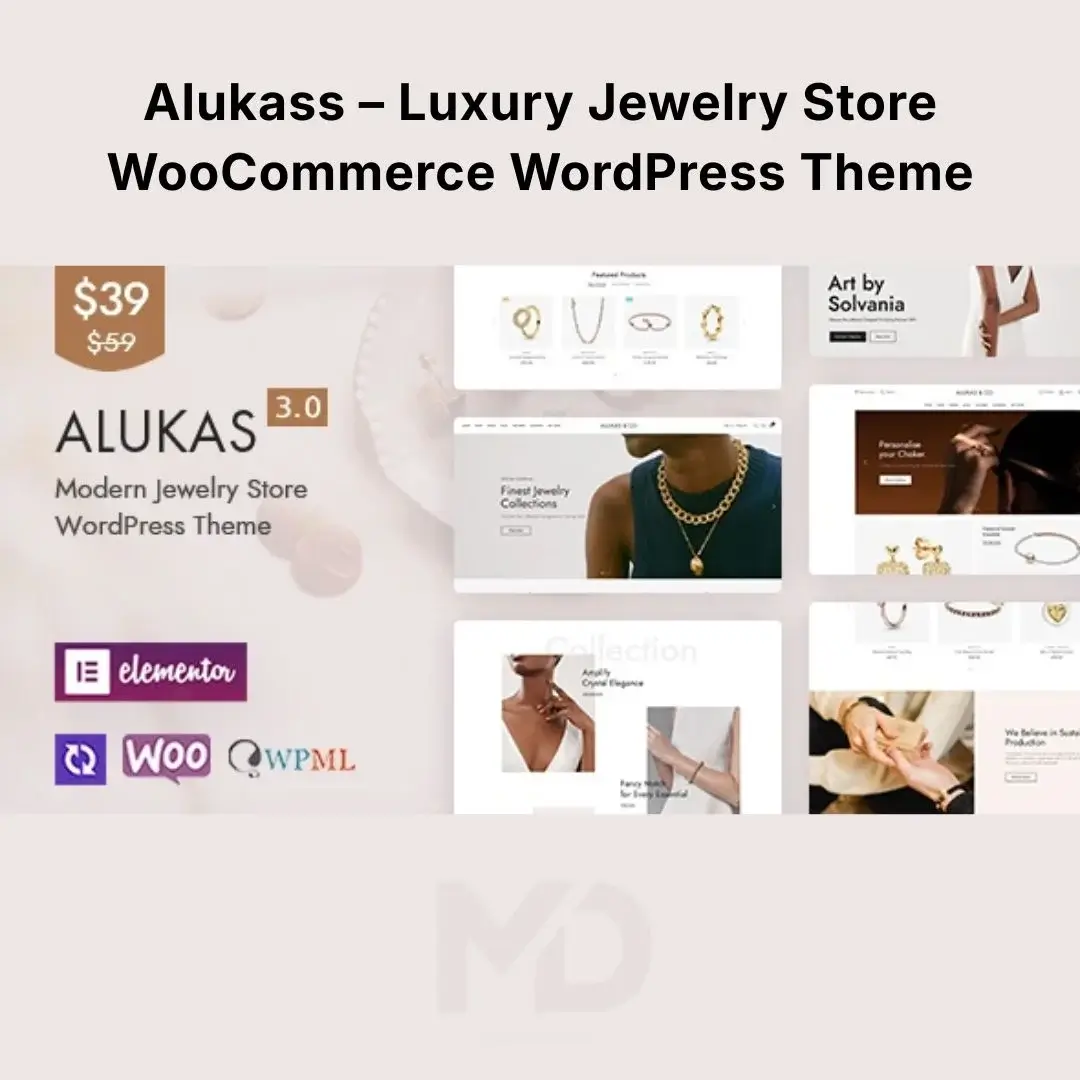


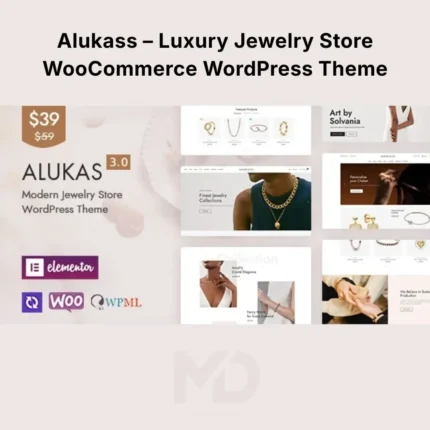
Alukass – Luxury Jewelry Store WooCommerce WordPress Theme
Create a Luxury Online Jewelry Store That Converts
Alukass – Luxury Jewelry Store WooCommerce WordPress Theme is a premium, elegant eCommerce solution designed for jewelry brands, fashion boutiques, watch stores, accessories shops, beauty businesses, and luxury lifestyle brands.
With a sophisticated visual style, WooCommerce integration, Elementor page building, multiple ready-made homepage designs, advanced product presentation tools, and conversion-focused shopping features, Alukass gives you the foundation to create a professional online store without building everything from scratch.
Whether you’re launching a new jewelry business or upgrading an existing online store, Alukass helps you present your products beautifully while making the shopping experience faster and easier for customers.
Why Choose Alukass?
Selling premium products online requires more than attractive product photos. Customers need to be able to discover products quickly, examine them closely, compare options, save favorites, and purchase without unnecessary friction.
Alukass combines luxury-focused design with practical WooCommerce functionality to address these challenges.
Use it for:
- Jewelry Stores
- Luxury Fashion Brands
- Watch Stores
- Accessories Shops
- Beauty Stores
- Handmade Jewelry Businesses
- Fashion Boutiques
- Lifestyle Brands
- Multi-Vendor Marketplaces
Key Features
15+ Ready-Made Homepage Designs
Get started quickly with more than 15 professionally designed homepage concepts, including luxury, minimal, fashion, beauty, shoes, lookbook, landing-page, and RTL-oriented designs.
Choose a suitable layout and customize it with your own:
- Logo
- Products
- Images
- Colors
- Typography
- Promotional offers
- Brand messaging
Elementor Drag-and-Drop Builder
Build and customize pages visually with Elementor, without requiring advanced coding skills.
You can easily modify:
- Homepage sections
- Product showcases
- Banners
- Buttons
- Typography
- Colors
- Content sections
- Call-to-action areas
This makes it much easier to adapt the theme to your specific jewelry or eCommerce brand.
Advanced WooCommerce Shopping Experience
Alukass is built around WooCommerce, giving you a strong foundation for selling physical products online.
Use WooCommerce to manage:
- Products
- Categories
- Variations
- Inventory
- Orders
- Coupons
- Customers
- Payments
- Shipping
The theme also adds shopping-focused features designed to improve product discovery and purchasing.
Instant Ajax Search
Help customers find products faster with Ajax-powered search.
This is particularly useful for stores with large catalogs where shoppers may already know what they are looking for.
For example:
“Gold Necklace” → Search → Relevant Products
This reduces unnecessary navigation and helps customers reach products faster.
Wishlist
Allow shoppers to save products they’re interested in for later.
This is especially useful for jewelry and luxury products where customers may want additional time before purchasing.
Product Comparison
Customers can compare selected products side by side, making it easier to choose between similar jewelry pieces, watches, accessories, or other products.
Frequently Bought Together
Recommend complementary products to customers directly from the shopping experience.
For example:
Diamond Necklace + Matching Earrings + Bracelet
This can help increase cross-selling opportunities and average order value when used strategically.
Product Variation Swatches
Present product variations visually rather than relying solely on dropdown menus.
Use swatches for:
- Colors
- Materials
- Sizes
- Finishes
- Other product variations
This is particularly useful for fashion and jewelry stores.
360° Product View
Give customers a more detailed view of selected products with 360-degree product presentation.
This can be especially effective for premium products where customers want to inspect the design from multiple angles.
Product Video Gallery
Add video alongside product images to demonstrate products more effectively.
Use videos for:
- Product demonstrations
- Close-up jewelry shots
- Styling ideas
- Product showcases
- Brand storytelling
Sticky Add-to-Cart
Keep the purchase action accessible while customers scroll through longer product pages.
This can reduce friction by allowing customers to add the product to their cart without having to scroll back to the top.
Quick View & Quick Buy
Allow customers to inspect products quickly or move toward purchasing without navigating through unnecessary pages.
These features are particularly useful on busy shop and collection pages.
Off-Canvas Cart & Filters
Provide customers with convenient access to their cart and product filtering tools without taking them away from the current shopping experience.
Luxury Product Badges
Highlight products using badges such as:
- New
- Sale
- Bestseller
- Featured
- Limited
Use these strategically to draw attention to products that deserve additional visibility.
Free Shipping Progress Bar
Encourage customers to increase their cart value by displaying progress toward a free-shipping threshold.
For example:
Add $25 more to unlock free shipping.
Set the threshold according to your actual shipping policy.
Mega Menu
Create organized, visually rich navigation for stores with multiple categories and product collections.
A well-structured mega menu can make large catalogs easier to explore.
Multiple Product Layouts
Alukass provides multiple product gallery and product-page layouts, giving you flexibility in how products are presented.
Experiment with layouts based on your product photography and customer journey.
For luxury jewelry, prioritize:
Large imagery → Product details → Variations → Trust information → Add to Cart
Mobile-Optimized Design
Your customers may discover your products through Instagram, Facebook, TikTok, Google, or other mobile platforms.
Alukass is designed to work across:
- Smartphones
- Tablets
- Laptops
- Desktop computers
Always test your final website on real devices before launch.
RTL & Multilingual Support
The theme includes RTL support and is compatible with WPML, making it suitable for businesses targeting international markets.
This can be useful when targeting customers who use languages such as Arabic or Urdu.
Multi-Vendor Compatibility
The theme is compatible with popular marketplace solutions including Dokan, WCFM, WC Vendors, and WC Marketplace.
This makes it possible to build a marketplace where multiple sellers can offer jewelry, fashion, accessories, or other products.
Problem-Solving Benefits
Problem: Your jewelry store looks ordinary.
Solution: Use luxury-focused layouts, refined product presentations, typography controls, and premium visual sections to create a more sophisticated storefront.
Problem: Customers cannot easily find products.
Solution: Use Ajax Search, advanced filters, categories, and mega menus.
Problem: Customers want to inspect expensive products carefully.
Solution: Use high-quality galleries, zoom, video, and 360° product views.
Problem: Customers leave without purchasing.
Solution: Use Wishlist, Quick Buy, Sticky Add-to-Cart, trust information, and streamlined cart functionality.
Problem: Customers buy one product instead of complementary items.
Solution: Use Frequently Bought Together recommendations to promote related products.
Installation & Setup Guide
Step 1: Install WordPress
Install WordPress on your hosting account and ensure your hosting environment meets the theme requirements.
Step 2: Install WooCommerce
Go to:
WordPress Dashboard → Plugins → Add New
Search for WooCommerce, install it, and complete the basic WooCommerce setup.
Step 3: Upload Alukass
Go to:
Appearance → Themes → Add New → Upload Theme
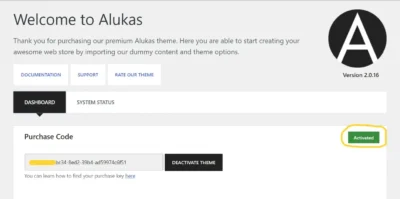
Upload the Alukass ZIP file, install it, and activate the theme.
Step 4: Install Required Plugins
After activation, install the recommended plugins, particularly Elementor, WooCommerce, and the theme’s required core/companion plugin.
Step 5: Import a Demo
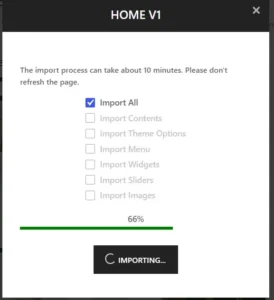
Use the theme’s One-Click Demo Import functionality to import your preferred homepage and supporting demo content.
Choose the design closest to your business rather than importing a demo simply because it looks attractive.
Step 6: Customize Your Branding
Replace demo content with:
- Your logo
- Brand colors
- Fonts
- Product images
- Product descriptions
- Contact information
- Social media links
Step 7: Add Products
Go to:
Products → Add New
Add:
- Product title
- Description
- Images
- Price
- Inventory
- Categories
- Attributes
- Variations
- Shipping information
For jewelry, use high-quality images from multiple angles.
Step 8: Configure Product Features
Enable and configure the features relevant to your store:
- Wishlist
- Product comparison
- Variation swatches
- Quick View
- Sticky Add-to-Cart
- Product videos
- Frequently Bought Together
- Product filters
Step 9: Configure WooCommerce
Set up:
- Payment methods
- Shipping
- Taxes
- Coupons
- Customer accounts
- Checkout
- Order emails
Step 10: Test Before Launch
Place test orders and check:
- Product pages
- Variations
- Cart
- Checkout
- Payment
- Shipping
- Mobile layout
- Search
- Filters
- Contact forms
Only publish the website after completing a full customer journey test.
Recommended Homepage Structure
For a jewelry or luxury eCommerce store, I recommend:
Hero Banner
Luxury brand message + Shop Now
Featured Categories
Best-Selling Jewelry
New Arrivals
Brand Story
Featured Collection
Frequently Bought Together
Customer Testimonials
Instagram/Social Gallery
Newsletter
Final CTA
Keep the homepage focused on visual appeal, trust, product discovery, and purchase actions rather than filling every available section.
SEO Recommendations
Use the theme as your technical foundation, then optimize your actual store content.
Focus on keywords such as:
- Luxury Jewelry Store
- Jewelry WooCommerce Theme
- Jewelry Store WordPress Theme
- Online Jewelry Store
- Jewelry eCommerce Website
- Fashion WooCommerce Theme
- Luxury Fashion WordPress Theme
- Jewelry Shop Online
For each product, create unique:
- Product title
- Product description
- Meta title
- Meta description
- Image alt text
- URL
Also optimize product images for faster loading without sacrificing visual quality.
Key Features at a Glance
- 15+ Prebuilt Homepages
- Elementor Page Builder
- WooCommerce Ready
- Ajax Search
- Product Filtering
- Product Comparison
- Wishlist
- Quick View
- Quick Buy
- Frequently Bought Together
- Variation Swatches
- Product Video Gallery
- 360° Product View
- Sticky Add-to-Cart
- Off-Canvas Cart
- Free Shipping Progress Bar
- Product Badges
- Mega Menu
- Multiple Shop Layouts
- Multiple Product Layouts
- RTL Support
- WPML Compatibility
- Multi-Vendor Compatibility
- Responsive Design
- One-Click Demo Import
- Unlimited Color Schemes
- Advanced Typography
- Custom Product Tabs
- Child Theme Included
- SEO & Translation Ready
- Advanced Theme Options
- Mobile Optimized
The source listing currently identifies version 3.5.0, with compatibility for WordPress 7.0 and WooCommerce 11.x, and notes RTL and multi-vendor compatibility.
Copyright & Trademark Disclaimer
WordPress®, WooCommerce®, Elementor®, WPML®, Dokan®, WCFM®, and other third-party names, logos, and trademarks are the property of their respective owners.
MDDigitals is not affiliated with, endorsed by, sponsored by, or associated with PressLayouts, Envato, ThemeForest, WooCommerce, Elementor, or the original theme developer.
This product is distributed under the GNU General Public License (GPL) where applicable.
All third-party copyrights, trademarks, logos, and intellectual property rights remain with their respective owners.




Reviews
There are no reviews yet