
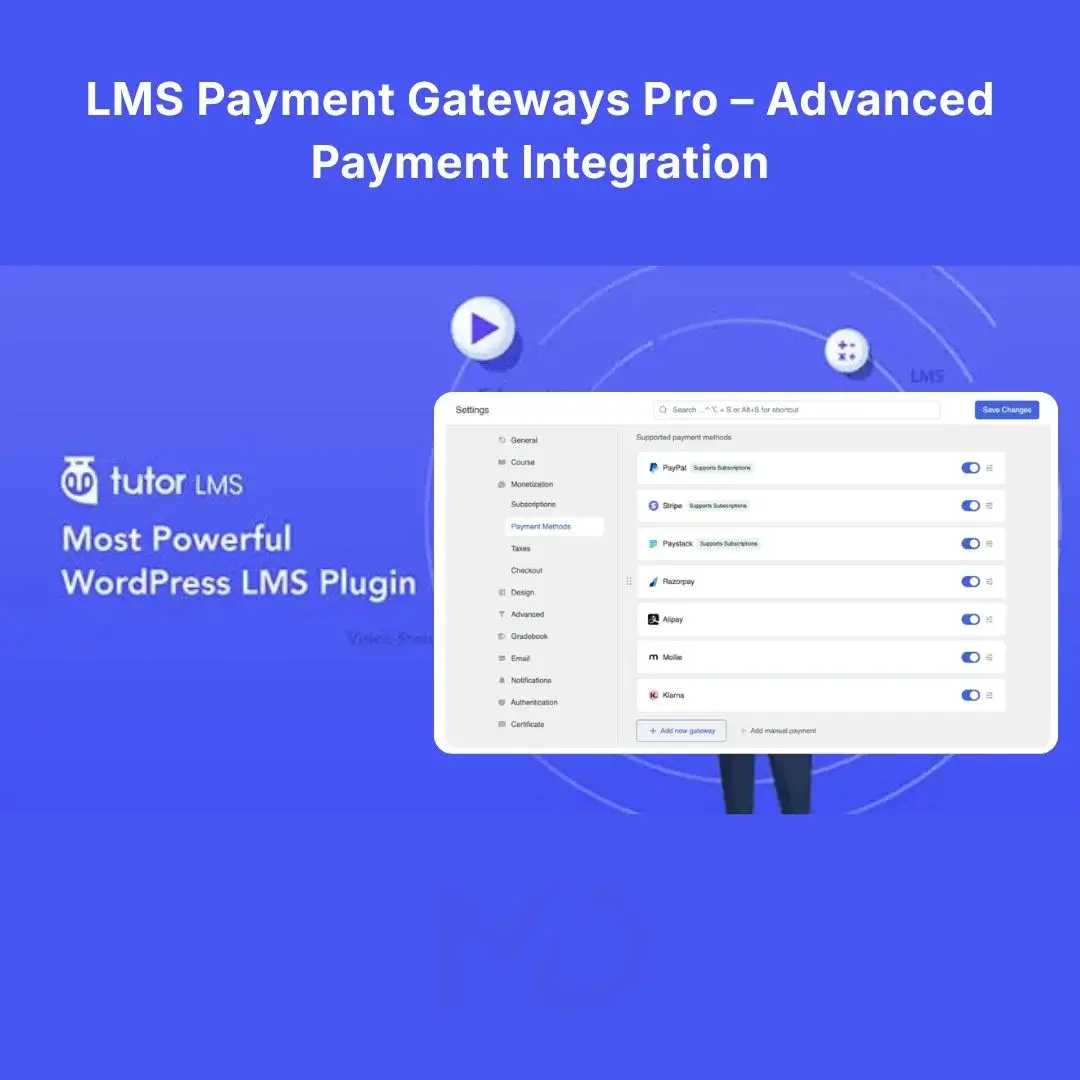


LMS Payment Gateways Pro – Advanced Payment Integration for WordPress
Turn your WordPress learning platform into a more flexible online course business with LMS Payment Gateways Pro – Advanced Payment Integration for WordPress.
Selling online courses requires more than simply publishing lessons. Your students need a convenient and reliable way to pay, while you need a streamlined system for connecting your learning platform with supported payment providers.
This advanced payment-gateway solution is designed for WordPress LMS websites that need additional payment options for selling courses, accepting online payments, and managing paid learning experiences.
Instead of limiting your course business to a single payment method, you can configure supported payment gateways according to your business requirements and the payment options available in your region.
The underlying Tutor LMS Pro ecosystem provides integrations with multiple payment providers, including options such as PayPal, Stripe, Authorize.net, Paddle, 2Checkout/Verifone, Mollie, Klarna, Razorpay, Paystack, and Alipay, depending on the applicable Tutor LMS plan and current availability.
Why Add Multiple Payment Gateways to Your LMS?
A course website can lose potential customers when the checkout doesn’t provide a payment method they trust or can conveniently use.
For example, an international student may prefer PayPal or Stripe, while customers in another region may be more comfortable using a local payment provider.
Adding appropriate payment options can help you create a smoother purchasing experience for your students.
With an advanced LMS payment setup, you can:
- Accept payments for online courses
- Offer multiple payment methods
- Connect your LMS with supported payment providers
- Configure payment credentials from WordPress
- Provide students with a more convenient checkout experience
- Build a more professional course-selling website
- Manage paid courses from your WordPress dashboard
Key Features
1. Multiple Payment Gateway Support
Give your students more ways to pay instead of relying on a single payment provider.
Supported gateway availability depends on the underlying LMS version, extension, plan, and payment provider. The official Tutor LMS documentation currently lists a range of supported payment integrations.
This makes the solution suitable for course businesses serving both local and international customers.
2. Sell Paid Online Courses
Turn your WordPress LMS into a course-selling platform.
You can create paid courses and connect the purchasing process to an available payment gateway.
This is useful for:
- Online academies
- Training websites
- Coaching businesses
- Educational institutions
- Skill-based course websites
- Membership learning platforms
- Individual instructors
- Corporate training portals
3. Stripe Payment Integration
Stripe is one of the payment providers supported within the Tutor LMS ecosystem.
When properly configured, Stripe can provide customers with a familiar online payment experience.
Best suited for: businesses serving customers in regions where Stripe is available.
4. PayPal Integration
PayPal support provides another familiar payment option for online students.
This can be especially useful when your audience already uses PayPal for online purchases.
Before enabling any gateway, verify that the payment provider operates in your country and supports your intended business model.
5. Local & Regional Payment Options
Depending on your Tutor LMS configuration and location, additional providers may be available.
The official Tutor LMS ecosystem lists gateways such as:
- Razorpay
- Paystack
- Mollie
- Alipay
- Klarna
- Authorize.net
- 2Checkout/Verifone
- Paddle
Availability can change based on the current Tutor LMS offering and the payment provider’s supported countries.
6. Centralized WordPress Configuration
Payment settings can be managed from your WordPress administration environment.
Instead of manually building a separate payment system for your courses, you can configure the supported gateway through the LMS’s settings.
Typical configuration information may include:
- API credentials
- Secret keys
- Publishable keys
- Merchant information
- Sandbox/test credentials
- Currency settings
- Payment-specific options
The exact settings depend on the gateway you choose.
7. Better Checkout Experience
A complicated checkout can create unnecessary friction.
Providing suitable payment methods allows students to choose an option they are comfortable using.
A properly configured checkout can make the journey simpler:
Select Course → Proceed to Checkout → Choose Payment Method → Complete Payment → Access Course
8. Suitable for International Students
If you sell courses internationally, your customers may be located in different countries with different payment preferences.
Multiple gateway options can help you accommodate a broader range of students, subject to each provider’s geographic availability and restrictions.
Who Can Benefit From This Product?
Online Course Creators
Sell educational content directly through your WordPress website.
Coaches & Consultants
Create paid training programs and accept online payments.
Training Companies
Build a centralized learning platform for customers or employees.
Educational Websites
Offer paid courses with an integrated purchasing experience.
WordPress Agencies
Build course-selling websites for clients without developing a payment system from scratch.
Membership & Learning Platforms
Provide paid educational content through a WordPress-based LMS.
Problem-Solving Benefits
Problem: Customers don’t have their preferred payment method
Solution: Add additional supported payment gateways where available.
Problem: You want to sell courses directly from WordPress
Solution: Connect your LMS course checkout with an appropriate payment provider.
Problem: You serve students from multiple countries
Solution: Configure suitable international or regional gateways supported by your LMS setup.
Problem: You don’t want to develop payment integration yourself
Solution: Use the LMS’s existing gateway integrations rather than building payment functionality from scratch.
Installation Guide
Important: This is an extension/add-on intended to work with the relevant WordPress LMS ecosystem. Make sure the required base LMS plugin is installed and compatible before installing the Pro functionality.
Step 1 — Install the Required LMS Plugin
Log in to your WordPress dashboard.
Go to:
Plugins → Add New Plugin
Search for the required LMS plugin, install it, and activate it.
Step 2 — Upload the Pro/Payment Extension
If you have received a ZIP file:
Go to:
Plugins → Add New Plugin → Upload Plugin
Select the provided ZIP file.
Click:
Install Now
Step 3 — Activate the Plugin
After installation has finished, click:
Activate Plugin
Check your WordPress dashboard to confirm that the additional payment functionality is available.
How to Configure a Payment Gateway
After installation:
1. Open LMS Settings
Go to the LMS settings area from your WordPress dashboard.
2. Locate Payment/E-Commerce Settings
Open the section containing payment or monetization settings.
3. Select Your Gateway
Choose the payment provider you want to configure.
4. Enter Your Credentials
Depending on the provider, you may need to enter information such as:
- API key
- Secret key
- Client ID
- Merchant ID
- Webhook information
Never share your private API keys publicly.
5. Configure Currency
Select a currency supported by both your LMS and payment provider.
6. Test the Integration
If the provider offers a sandbox/test mode, perform a test transaction before accepting real customer payments.
7. Enable Live Payments
Once the integration has been tested successfully, switch to the provider’s live environment and verify the checkout again.
Recommended Setup Before Launch
Before advertising your paid courses, complete these checks:
- Install the required LMS plugin
- Install the Pro/payment functionality
- Configure your payment provider
- Verify API credentials
- Configure currency
- Check course pricing
- Test checkout
- Test successful payment
- Test failed payment
- Confirm course enrollment after payment
- Check student email notifications
- Verify refund/cancellation procedures
- Confirm your payment provider account is fully approved
Never launch paid courses without performing at least one complete test transaction.
Important Compatibility & Payment Notice
Payment gateways are dependent on the third-party payment provider as well as the LMS software.
Before purchasing or installing, verify:
- Your country is supported.
- Your business/account type is eligible.
- Your desired currency is supported.
- Your payment provider account is approved.
- The gateway is compatible with your current LMS version.
- Required API credentials are available.
Payment providers may impose their own transaction fees, verification requirements, regional restrictions, or business eligibility requirements.
Why Choose an Advanced LMS Payment Solution?
Your learning platform should make purchasing courses as straightforward as possible.
By connecting your WordPress LMS with supported payment gateways, you can create a more complete course-selling system where students can discover a course, purchase it through an available payment method, and receive access according to your LMS configuration.
For course creators, educators, coaches, and training businesses, this provides a practical foundation for turning a WordPress LMS website into a professional online education and course-selling platform.
Copyright & Trademark Disclaimer
LMS Payment Gateways Pro – Advanced Payment Integration for WordPress is a descriptive product title used by MD Digitals for identification and marketing purposes.
Tutor LMS® and related names, logos, product names, and trademarks are the property of their respective owners. This product is not affiliated with, endorsed by, sponsored by, or officially connected with Tutor LMS, Themeum, or any other original developer unless explicitly stated otherwise.







Reviews
There are no reviews yet