
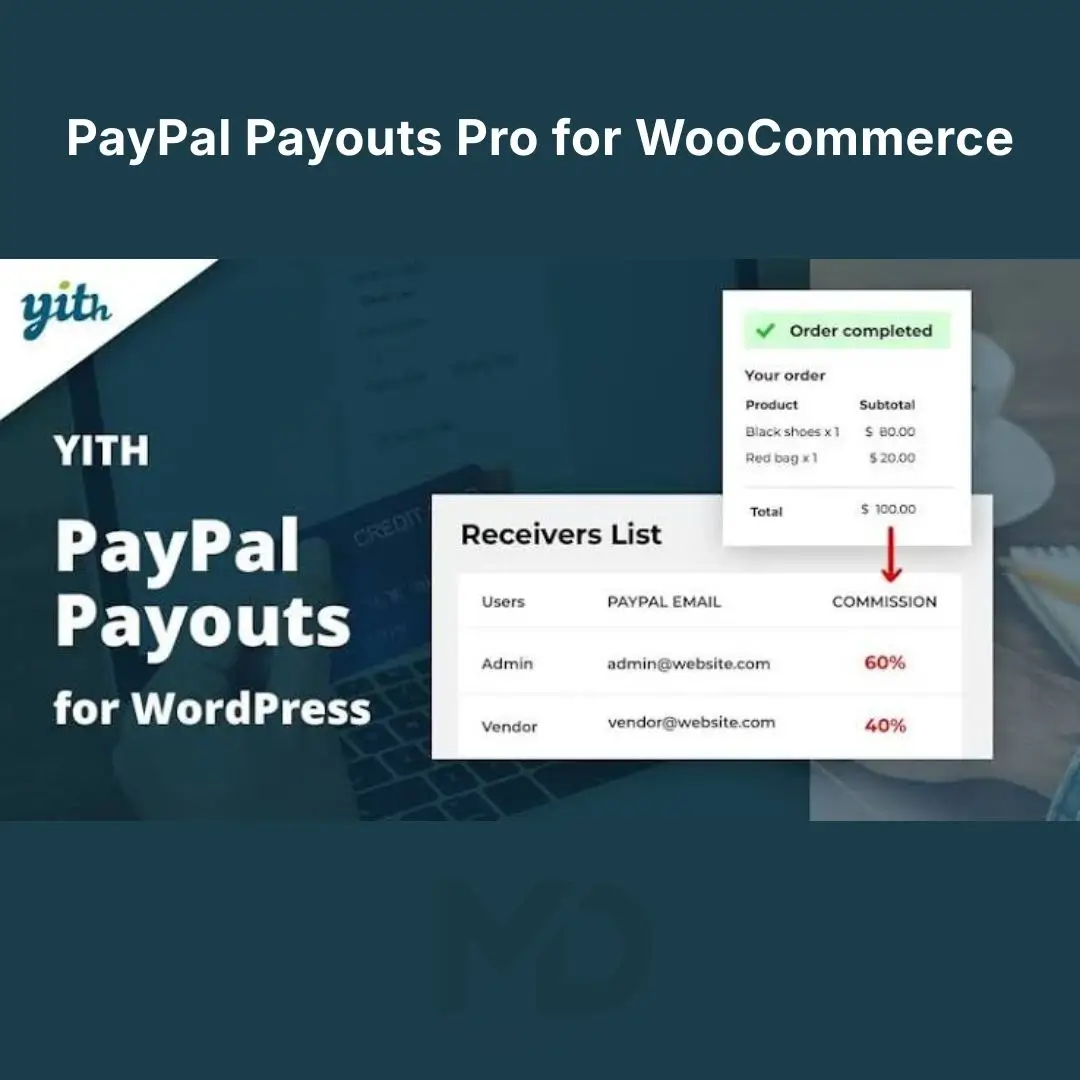


PayPal Payouts Pro for WooCommerce – Automated Partner & Commission Payments
Simplify partner payments and reduce the time spent managing commissions manually with PayPal Payouts Pro for WooCommerce. Designed for WooCommerce businesses that need to distribute eligible payments to partners, affiliates, vendors, or collaborators, this solution helps organize commission workflows through a compatible PayPal payment setup.
If you manage an online store with referral partners, share revenue with collaborators, or need a more structured way to handle commission payments, automating supported payout processes can help reduce repetitive administration and improve payment consistency.
Spend less time calculating commissions and organizing individual transfers, and more time growing your business.
Why Choose PayPal Payouts Pro for WooCommerce?
Managing partner commissions manually can become complicated as your business grows. Calculating earnings, checking order eligibility, tracking completed transfers, and responding to payment questions all take time.
A payout automation solution can help you establish a more organized process for distributing eligible commissions through a supported PayPal integration.
With the right configuration, you can:
-
Simplify partner and affiliate payout management.
-
Reduce repetitive commission calculations.
-
Organize payment workflows around eligible WooCommerce sales.
-
Improve visibility into payout activity.
-
Reduce administrative errors associated with manual transfers.
-
Create a more consistent process for handling partner payments.
Make commission management easier and build a more organized payment workflow for your WooCommerce store.
Key Features of PayPal Payouts Pro for WooCommerce
1. PayPal Payout Integration
Connect your WooCommerce payment workflow with a compatible PayPal payout configuration to distribute eligible payments to supported recipients.
This can help businesses coordinate commission payments without relying entirely on individually initiated transfers.
Benefits include:
-
Centralized payout configuration.
-
Support for eligible partner-payment workflows.
-
Reduced repetitive payment administration.
-
A more organized process for distributing commissions.
PayPal account eligibility, supported payout functionality, and regional availability depend on the applicable PayPal services and account requirements.
2. Automated Commission Payments
Reduce the manual work involved in paying partners and affiliates by configuring supported payout rules.
Depending on the plugin’s available settings, commission payments may be triggered by eligible transactions or processed according to defined payout conditions.
Potential benefits include:
-
Less time spent initiating individual transfers.
-
More consistent handling of eligible commissions.
-
Fewer manual calculation and data-entry tasks.
-
A more structured payout process as your business grows.
Always test payout rules before enabling live transactions, particularly when working with high-value orders or multiple recipients.
3. Flexible Commission Structures
Different business relationships require different commission arrangements. A fixed payment may suit a referral agreement, while a percentage-based commission may be more appropriate for revenue sharing.
Where supported by the installed version, configure commission amounts to match your business model.
Possible applications include:
-
Fixed commission per eligible sale.
-
Percentage-based partner earnings.
-
Product-specific commission arrangements.
-
Referral-based payment calculations.
-
Revenue-sharing agreements with collaborators.
Confirm the precise commission options available in your package before configuring your live store.
4. Partner and Affiliate Payouts
Managing payments to multiple partners can quickly become time-consuming. A structured payout workflow can help organize payment information and reduce the administrative effort involved in distributing earnings.
Potential use cases include:
-
Paying referral partners for eligible sales.
-
Distributing commissions to business collaborators.
-
Organizing payments for selected vendors.
-
Managing eligible affiliate commission transfers.
-
Coordinating payment workflows for partner-based businesses.
Each recipient must meet the relevant PayPal account and payout requirements.
5. WooCommerce Order-Based Workflows
WooCommerce orders can provide the basis for commission-related processes when supported by the integration.
Depending on the plugin’s configuration, eligible order events may be used to initiate or prepare payout actions.
This can help you create workflows that align partner payments with your store’s order-management process.
For example, a business may choose to review order eligibility before a commission is paid, helping account for cancellations, refunds, or other order changes.
6. Payout Timing and Payment Control
Businesses often need control over when commissions are paid. Immediate transfers may not be appropriate if orders need to be reviewed or if refunds are common.
Where available, configure the payout workflow to suit your operational policies.
Possible approaches include:
-
Processing eligible payouts automatically.
-
Delaying payments until specified conditions are met.
-
Reviewing commissions before authorizing transfers.
-
Maintaining manual control over selected payments.
The actual timing options depend on the installed plugin version and supported PayPal functionality.
7. Transaction Tracking and Payout Records
Keeping accurate payment records helps you respond to partner questions, investigate discrepancies, and reconcile your accounts.
Use the available payout and transaction information to review payment activity and identify issues that require attention.
A structured recordkeeping process can help you:
-
Review eligible commission payments.
-
Check payout results where supported.
-
Investigate failed or delayed transactions.
-
Reconcile commission records with WooCommerce orders.
-
Maintain clearer financial records.
Available reporting and tracking functions depend on the plugin’s features and the information provided by the connected payment service.
8. Support for Growing WooCommerce Businesses
As your store expands, the number of partners, transactions, and commission arrangements may increase. A more structured payout workflow can help you manage these growing requirements.
Potential applications include:
-
Affiliate-driven online stores.
-
Partner-based eCommerce businesses.
-
Stores sharing revenue with collaborators.
-
Businesses paying eligible referral commissions.
-
WooCommerce sites using compatible vendor or marketplace extensions.
Please note: Payment distribution alone does not necessarily provide a complete multi-vendor marketplace. Vendor registration, storefront management, commission calculation, and other marketplace functions may require additional compatible plugins.
9. More Efficient Payment Administration
Manual payout management can create unnecessary work, especially when you need to repeat the same process for many transactions.
By automating supported steps and standardizing your payout workflow, you can reduce repetitive administration and devote more attention to customer service, sales, and business development.
Who Should Use This Plugin?

WooCommerce Store Owners
Organize eligible partner payments and simplify repetitive payout administration.

Affiliate and Referral Businesses
Establish a more consistent process for managing eligible referral commissions.

Coordinate commission and revenue-sharing arrangements through supported payout workflows.

Marketplace Administrators
Manage eligible partner payments alongside a compatible marketplace solution.
Installation Guide
Follow these steps to install PayPal Payouts Pro for WooCommerce.
-
Download the plugin ZIP file. Save the installation package to your computer.
-
Back up your website. Create a backup of your WordPress files and database before making changes to your payment setup.
-
Open your WordPress dashboard. Sign in using an administrator account.
-
Navigate to Plugins. Go to Plugins → Add New Plugin.
-
Upload the plugin. Click Upload Plugin, choose the ZIP file, and select Install Now.
-
Activate the plugin. Click Activate Plugin after installation completes.
-
Check compatibility. Confirm that WooCommerce and your WordPress environment meet the plugin’s requirements.
-
Configure PayPal. Follow the plugin’s instructions to connect the appropriate PayPal account and authorize the required payout capabilities.
-
Set up commission rules. Configure the available recipients, commission conditions, and payout settings.
-
Test before launch. Verify the payment workflow and commission records before processing live transfers.
The exact menu names and connection procedure may vary by plugin version. Use the settings available in your installed package.
How to Configure and Use the Plugin
Step 1: Connect your PayPal account
Open the plugin settings and follow the supported account-connection or authorization process. Complete any PayPal verification requirements.
Step 2: Configure payout recipients
Add or configure the partners who should receive eligible payments. Verify that their account details meet the relevant payout requirements.
Step 3: Define commission rules
Choose the available commission structure and specify which eligible transactions or products should generate commissions.
Step 4: Set payout conditions
Choose the available payout timing and review process. Consider how refunds, cancelled orders, disputes, and order-status changes should affect your commission policy.
Step 5: Test a complete transaction
Use test mode or another safe testing procedure where available. Confirm that the commission calculation, recipient details, and payout workflow behave as expected.
Step 6: Monitor payout activity
Review transaction records and investigate failed or unexpected results. Reconcile payment activity with WooCommerce orders and your financial records.
Important Compatibility and Payment Notes
-
A suitable PayPal account and access to the required payout functionality are necessary.
-
PayPal payout availability and recipient eligibility vary by country and account type.
-
Some advanced marketplace or commission-management functions may require separate compatible extensions.
-
PayPal processing fees, transaction limits, and account restrictions are determined by the applicable PayPal service and account terms.
-
Refunds, disputes, and cancelled orders can affect commission accounting. Establish a clear policy before enabling automatic transfers.
-
Available features depend on the supplied plugin version, installed integrations, and account configuration.
Frequently Asked Questions
Can the plugin automate partner payments?
It supports payout automation where the installed version and connected PayPal configuration provide the required functionality.
Can I pay multiple partners?
Multiple-recipient workflows depend on the supported payout features and recipient account requirements.
Can I choose when commissions are paid?
Payout timing and approval options depend on the installed plugin version and available settings.
Does this plugin create a complete multi-vendor marketplace?
Not necessarily. Marketplace features such as vendor registration, independent storefronts, and vendor management may require a separate compatible solution.
Do I need a PayPal account?
Yes. The relevant PayPal account and payout capabilities are required for the payment functions you intend to use.
Copyright & Trademark Disclaimer
PayPal®, WooCommerce®, WordPress®, and all related product names, logos, trademarks, and registered trademarks are the property of their respective owners.
This product is distributed under the applicable GPL license.
All original product names, trademarks, logos, and copyrights belong to their respective owners.
MDDigitals is not affiliated with, endorsed by, or sponsored by the original developer.





Reviews
There are no reviews yet