



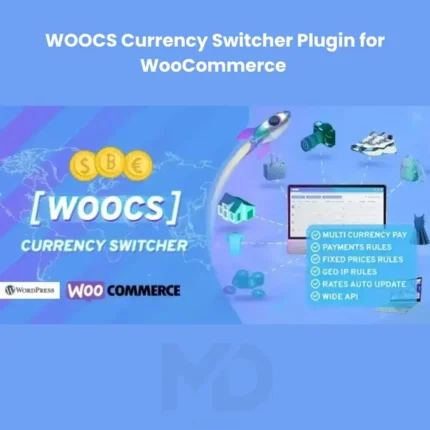
WOOCS Currency Switcher Plugin for WooCommerce
Create a Global Shopping Experience with Multi-Currency Support for Your WooCommerce Store
Selling products online to customers from different countries can be challenging when your store only supports a single currency. International customers prefer shopping in their local currency, and forcing them to calculate exchange rates manually often leads to confusion, abandoned carts, and lost sales opportunities.
WOOCS Currency Switcher Plugin for WooCommerce is a powerful multi-currency solution that allows WooCommerce store owners to display products, prices, carts, and checkout pages in multiple currencies. By providing customers with localized pricing and a seamless currency-switching experience, this plugin helps improve user experience, increase customer trust, and boost international sales.
Whether you operate a small online shop, a global eCommerce business, a dropshipping store, or a multi-vendor marketplace, this plugin provides the flexibility needed to serve customers worldwide.
Why Multi-Currency Support Matters
Modern eCommerce customers expect websites to provide pricing in their local currency.
Without multi-currency support, businesses often face:
❌ Higher cart abandonment rates
❌ Reduced international sales
❌ Customer confusion
❌ Lower conversion rates
❌ Poor user experience
❌ Reduced customer trust
Offering multiple currencies helps businesses:
✅ Increase global sales
✅ Improve conversion rates
✅ Build customer confidence
✅ Enhance shopping experiences
✅ Reduce pricing confusion
✅ Expand into international markets
Key Features
💱 Multi-Currency Switching
Allow customers to switch between multiple currencies directly on your website.
Benefits include:
- Improved user experience
- Increased customer satisfaction
- Better international accessibility
- Higher conversion opportunities
Give customers the flexibility they expect.
🌎 Global Currency Support
Support customers from around the world with multiple currency options.
Ideal for businesses selling internationally, including:
- Retail stores
- Digital products
- Dropshipping businesses
- Wholesale operations
- Multi-vendor marketplaces
Expand your global reach more effectively.
🔄 Automatic Exchange Rate Updates
Keep pricing accurate by updating exchange rates automatically when supported by your configuration settings.
Benefits include:
- Reduced manual work
- Accurate pricing
- Better customer trust
- Simplified store management
Maintain competitive international pricing effortlessly.
📍 Geolocation-Based Currency Detection
Automatically display the most appropriate currency based on customer location when configured.
Benefits include:
- Personalized shopping experiences
- Faster purchasing decisions
- Improved usability
- Better conversion rates
Help customers feel at home while shopping.
🛒 WooCommerce Checkout Compatibility
Allow customers to browse and purchase products using their selected currency.
Integrates with:
- Product pages
- Shopping cart
- Checkout process
- Orders
- Pricing systems
Create a seamless purchasing experience.
💰 Flexible Exchange Rate Management
Configure exchange rates according to your business needs.
Options may include:
- Automatic exchange rates
- Manual exchange rates
- Custom pricing adjustments
- Currency-specific pricing strategies
Maintain full control over international pricing.
🎯 Currency Display Customization
Customize how currencies appear throughout your store.
Adjust:
- Currency symbols
- Display formats
- Decimal settings
- Positioning options
Provide a localized shopping experience.
📱 Mobile-Friendly Currency Switching
Ensure customers can switch currencies easily on:
- Smartphones
- Tablets
- Laptops
- Desktop devices
Improve accessibility across all platforms.
⚡ Performance Optimized
Designed to deliver multi-currency functionality while maintaining efficient store performance.
Benefits include:
- Faster loading times
- Improved user experience
- Better SEO performance
- Enhanced customer satisfaction
🌐 International eCommerce Support
Perfect for businesses selling products worldwide.
Suitable for:
- Physical products
- Digital products
- Subscription services
- Membership websites
- Online marketplaces
Grow your business beyond local markets.
Perfect For
This plugin is ideal for:
- WooCommerce Stores
- International Businesses
- Dropshipping Stores
- Digital Product Sellers
- Subscription Businesses
- Multi-Vendor Marketplaces
- Wholesale Businesses
- Fashion Stores
- Electronics Stores
- Membership Websites
- Service Providers
If you sell internationally, multi-currency support is an essential feature.
Business Benefits
Increase International Sales
Allow customers to purchase using familiar currencies.
Improve Conversion Rates
Reduce purchase friction and increase customer confidence.
Enhance User Experience
Provide localized shopping experiences for international visitors.
Build Customer Trust
Transparent pricing improves credibility and customer satisfaction.
Expand Globally
Support customers from multiple countries without creating separate stores.
Reduce Cart Abandonment
Eliminate pricing confusion that often prevents purchases.
Real-World Use Cases
Global WooCommerce Stores
Sell products internationally while displaying local currency pricing.
Dropshipping Businesses
Serve customers worldwide with automatic currency conversion.
Digital Product Stores
Offer software, courses, and downloads in multiple currencies.
Membership Websites
Accept subscriptions from customers across different regions.
Multi-Vendor Marketplaces
Allow buyers and sellers to interact within international markets.
Wholesale Businesses
Provide currency options for international distributors and clients.
Installation Guide
Make it clearer and easier to understand.
How to Install WOOCS Currency Switcher Plugin for WooCommerce
Download the plugin ZIP file from your MDDigitals account. Log in to your WordPress dashboard and go to Plugins → Add New → Upload Plugin. Select the ZIP file, click Install Now, and then Activate the plugin.
Before using this plugin, make sure WooCommerce is already installed and activated. After activation, open the plugin settings to configure currencies, exchange rates, display options, and currency-switching preferences.
How to Use
Step 1: Add Supported Currencies
Select the currencies you want to offer, such as:
- USD
- EUR
- GBP
- AUD
- CAD
- AED
- PKR
- Other international currencies
Provide options based on your target markets.
Step 2: Configure Exchange Rates
Choose how exchange rates should be managed:
- Automatic updates
- Manual rates
- Custom pricing adjustments
Maintain accurate pricing across currencies.
Step 3: Enable Currency Switching
Add currency switchers to:
- Header areas
- Sidebars
- Product pages
- Menus
- Widgets
Make currency selection easily accessible.
Step 4: Configure Geolocation Settings
Enable automatic currency detection based on customer location if desired.
Provide localized shopping experiences.
Step 5: Customize Currency Display
Adjust:
- Currency symbols
- Display formats
- Decimal precision
- Currency positions
Ensure consistency with your store design.
Step 6: Test the Shopping Experience
Verify:
- Product pricing
- Currency switching
- Shopping cart behavior
- Checkout functionality
- Mobile responsiveness
Ensure everything works properly before going live.
Best Practices for Maximum Results
✔ Offer currencies for your major markets
✔ Keep exchange rates updated
✔ Test checkout functionality regularly
✔ Optimize for mobile users
✔ Display currency switchers prominently
✔ Monitor international sales performance
✔ Maintain transparent pricing
✔ Review currency settings periodically
Technical Highlights
- WooCommerce Compatible
- Multi-Currency Support
- Currency Switching
- Exchange Rate Management
- Geolocation Detection
- Dynamic Pricing
- Checkout Integration
- Mobile Responsive Design
- Currency Formatting Options
- International Commerce Support
- Flexible Configuration
- User-Friendly Dashboard
Why Store Owners Choose This Plugin
International customers expect localized shopping experiences. Stores that fail to offer multi-currency support often struggle to compete globally and miss valuable sales opportunities.
WOOCS Currency Switcher Plugin for WooCommerce helps businesses create professional international shopping experiences by providing flexible currency management, automatic conversion options, and seamless WooCommerce integration.
Whether you’re running a small online store or a global eCommerce operation, this plugin provides the tools needed to improve customer satisfaction, increase conversions, and expand internationally.
Copyright & Trademark Disclaimer
WordPress®, WooCommerce®, WOOCS®, and all related product names, logos, trademarks, and registered trademarks are the property of their respective owners.
This is a GPL-distributed version. No official support. Clean, secure, and legally redistributed under the GPL license.
We do not claim any ownership of third-party trademarks or branding.
Full credit and respect go to the original developer for their outstanding work in creating this product.







Reviews
There are no reviews yet